
Installing QAnswer on Scaleway
For an optimal cloud experience, use Scaleway as your cloud provider. QAnswer's cloud offering leverages the L40S GPU Instance provided by Scaleway. This instance is pre-configured with the NVIDIA driver, significantly reducing setup complexity.
| Instance Size | GPU | GPU Memory (GiB) | vCPUs | Memory (GiB) | Storage (GB) | Network Bandwidth (Gbps) |
|---|---|---|---|---|---|---|
| L40S-1-48G | 1 | 48 | 8 | 96 | ~1600 | 2.5 |
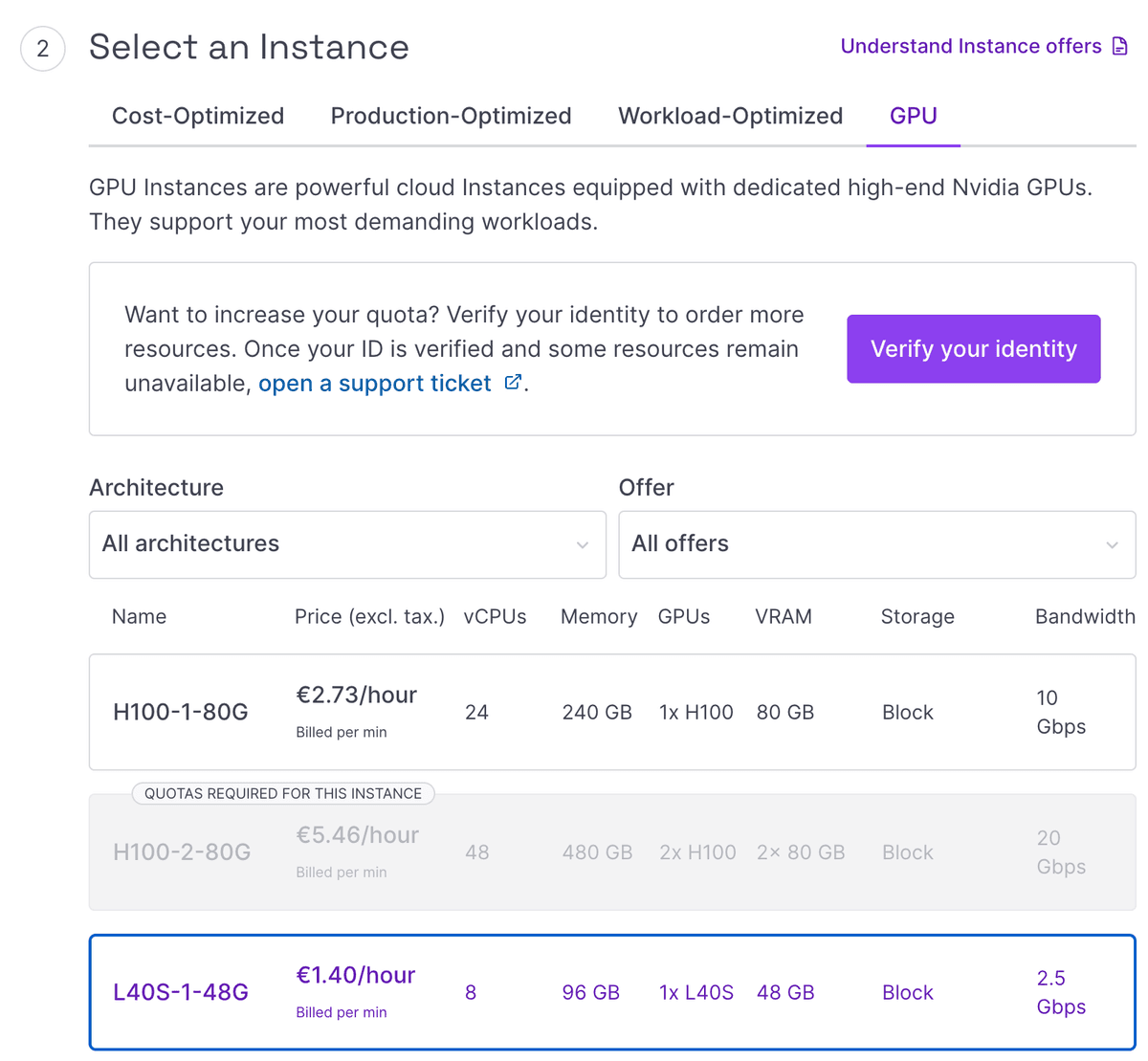
Installing a Container Runtime
Install either Docker or Podman as your container runtime. Follow the respective instructions below:
Installing Docker
Follow the official Docker installation guide to install Docker.
Installing Podman (Alternative to Docker)
Follow the official Podman installation guide to install Podman.
Installing podman-compose
Install podman-compose for docker-compose-like functionality. Refer to the official podman-compose documentation for installation steps.
Once installed, verify that both Podman and podman-compose are properly set up by running:
podman --version
podman-compose --version
Install NVIDIA Container Toolkit
The NVIDIA Container Toolkit is required to run GPU-enabled containers. Install it with the following steps:
# 1. configure production repo:
curl -fsSL https://nvidia.github.io/libnvidia-container/gpgkey | sudo gpg --dearmor -o /usr/share/keyrings/nvidia-container-toolkit-keyring.gpg \
  && curl -s -L https://nvidia.github.io/libnvidia-container/stable/deb/nvidia-container-toolkit.list | \
    sed 's#deb https://#deb [signed-by=/usr/share/keyrings/nvidia-container-toolkit-keyring.gpg] https://#g' | \
    sudo tee /etc/apt/sources.list.d/nvidia-container-toolkit.list

# 2. Update the packages list from the repository:
sudo apt-get update

# 3. Install the NVIDIA Container Toolkit packages:
sudo apt-get install -y nvidia-container-toolkitAfter the installation of nvidia-container-toolkit, please restart the service Docker/Podman.
# For Docker
sudo service docker restart
# For Podman
sudo service podman restart
Install & Deploy QAnswer
QAnswer is provided as a docker-compose file. Clone the repository:
git clone https://gitlab.the-qa-company.com/qanswer-app/qanswer-bundle.gitNavigate to the qanswer-bundle directory, then follow the steps for your container runtime:
Steps for Docker:
1. Run the setup script to pull all required container images. Use the credentials provided to you:
QANSWER_REGISTRY_USER=<user-we-provide> \
QANSWER_REGISTRY_PASSWORD=<password-we-provide> \
VERSION=main source ./setup.sh --container_runtime docker --no_documentation
2. Start the QAnswer bundle using docker compose:
Run the docker command:
QANSWER_KEY=<qanswerKey-we-provide> \
VERSION=main docker compose up -d