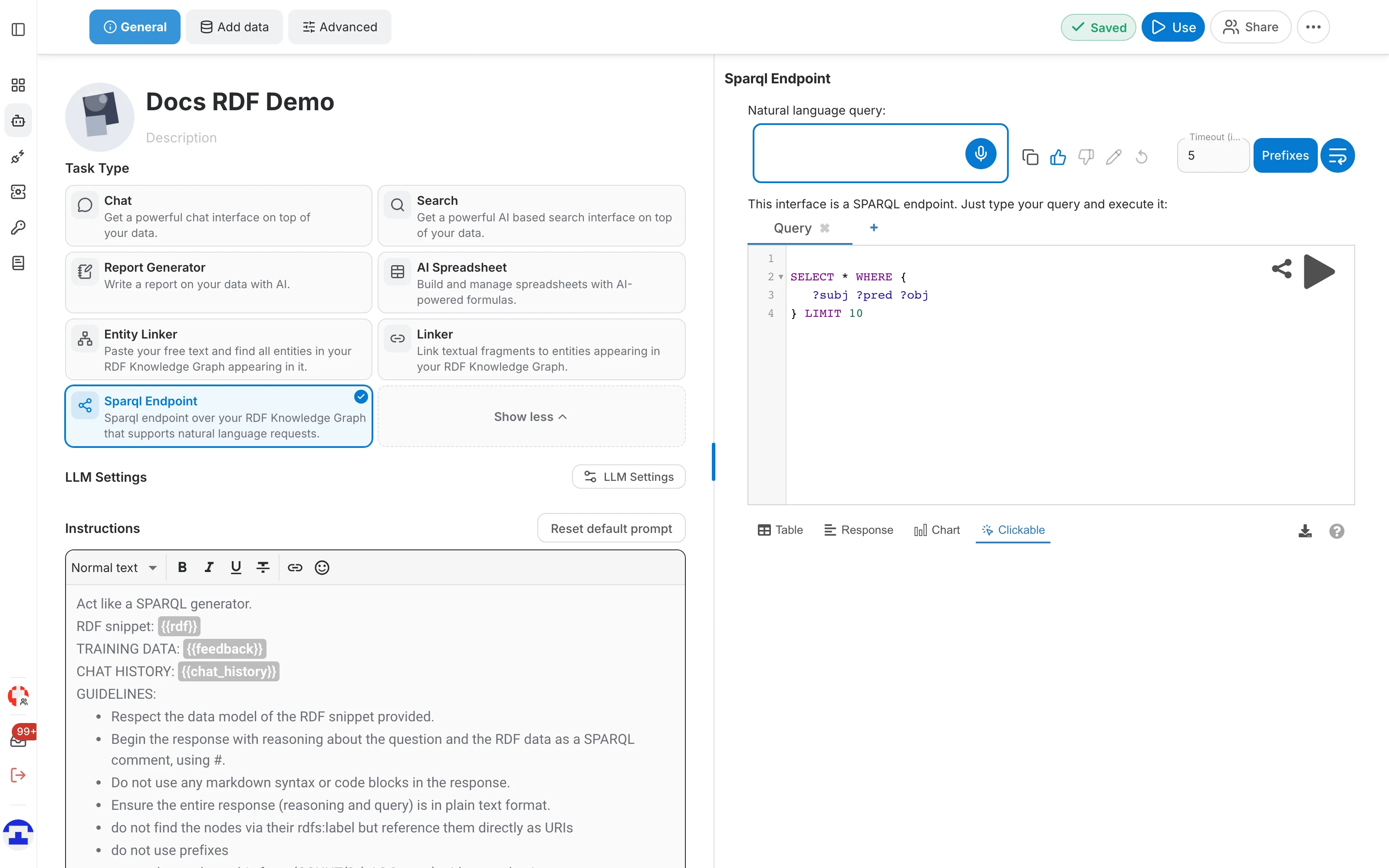
Sparql Endpoint
The Sparql Endpoint task exposes your RDF knowledge graph as a real SPARQL endpoint, and adds a natural-language field on top of it: ask a question in plain words and the assistant writes the SPARQL query for you, which you can then read, correct and run.
Set up the task
- In the assistant editor, on the General tab, click Advanced and select the Sparql Endpoint tile.
- Add your RDF file on the Add data tab, if the assistant has none yet.
- Click Use to open the assistant's page, whose first tab is the endpoint.
Write SPARQL yourself
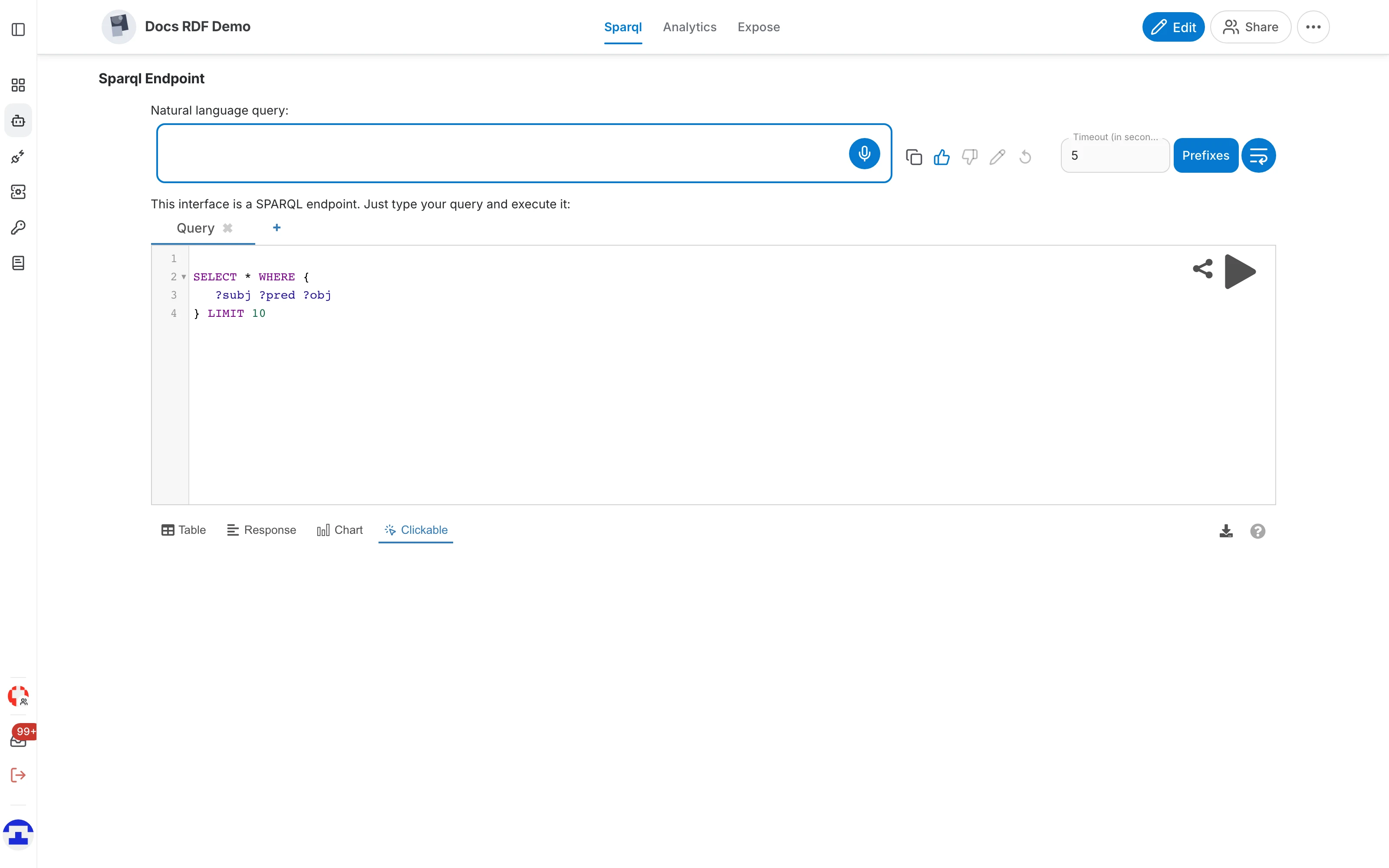
The lower half of the page is a SPARQL 1.1 editor over your graph, backed by qEndpoint. It opens with a SELECT * … LIMIT 10 query, which is a quick way to see what is actually in the graph.
- Query tabs — keep several queries side by side; + adds a tab, the × on a tab closes it.
- Run (▶) — execute the query in the active tab. Results appear underneath with the time they took.
- Prefixes — insert the usual prefix declarations, so you can write skos:Concept instead of the full IRI.
- Timeout — how many seconds a query may run before it is abandoned. Raise it for expensive queries.
- Share — produce a link that reopens the endpoint with this query already loaded.
Reading the results
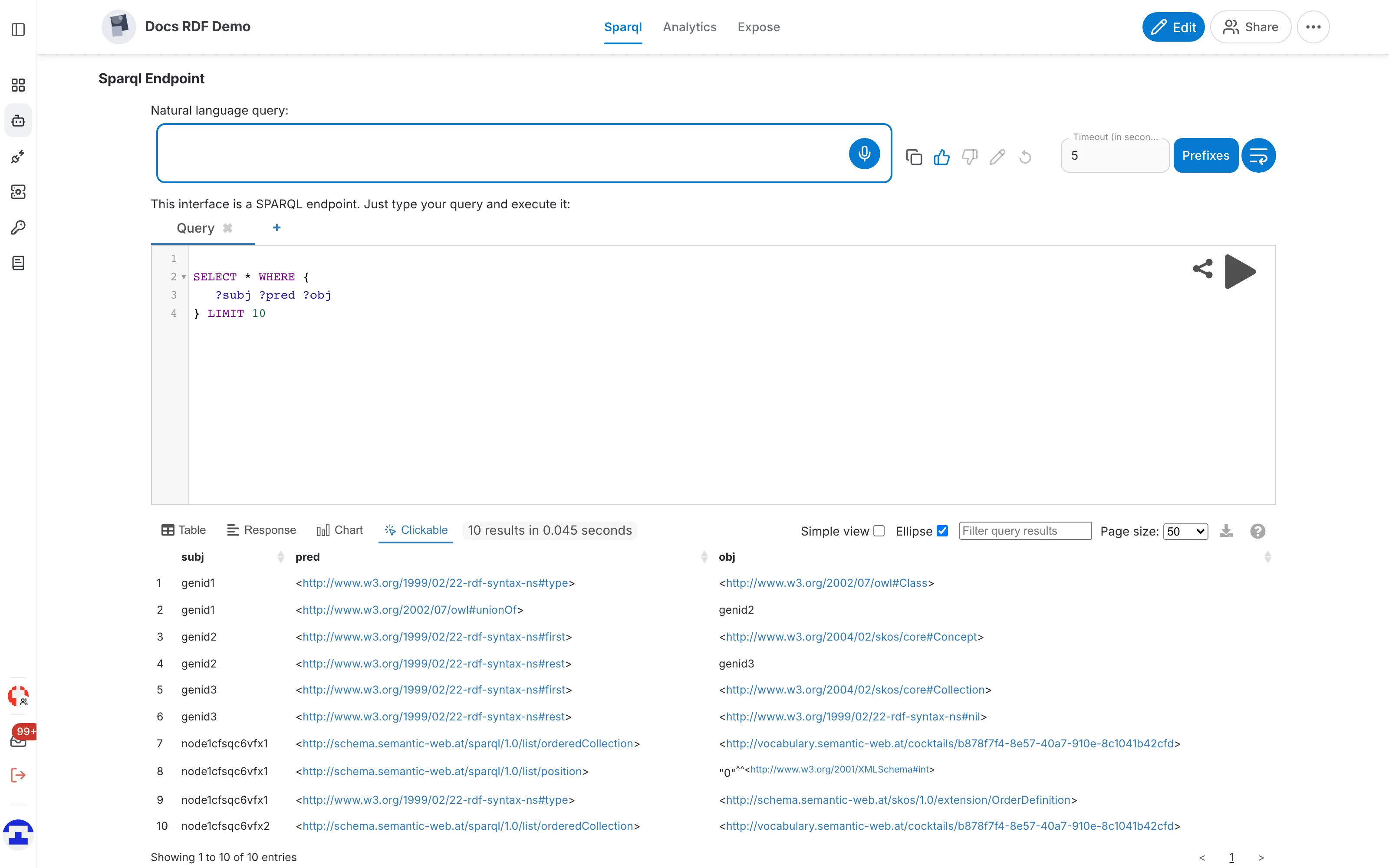
Results can be read in four ways:
- Table — one row per result, with sortable columns; IRIs are clickable.
- Response — the raw response the endpoint returned, which is what you want when debugging a query.
- Chart — plot the results, for counts and aggregations.
- Clickable — entities rendered so you can walk the graph by clicking from one to the next.
Above the results you also get a filter box, a page-size selector, Simple view and Ellipse switches that shorten long IRIs, and a download button for the result set.
Ask in natural language
The Natural language query field at the top is the AI part of this task:
- Type a question about the graph in plain words, for example "Which concepts are defined in the vocabulary?".
- The assistant translates it into SPARQL and puts the query into the editor.
- Read the query, adjust it if it missed something, and run it. What you see is exactly what will be executed — nothing happens behind your back.
Configure the task
Everything is configured from the assistant editor, not from the endpoint page:
- Instructions (General tab) — the prompt that turns a question into SPARQL. This is the place to describe your schema's peculiarities.
- LLM Settings (General tab) — the model, its temperature and its speed. A low temperature is what you want here: SPARQL is not a place for creativity.
- Retrieving (Add data tab → Parsing Options) — how much of the graph's vocabulary is retrieved as context, plus the synonym groups that map your users' words onto the labels in the graph.