
Feedback Evaluation
Overview
Feedback Evaluation tests how an assistant or chatbot answers questions after a configuration change. Rather than waiting for new user interactions, it replays past conversations where users left feedback and regenerates answers with the current configuration. A similarity score measures how much the new answers differ from the originals.
This feature is available for:
- Admins — to evaluate chatbot playground responses after changing the chatbot's configuration.
When to Use It
Use Feedback Evaluation after changing an assistant or chatbot to understand the impact on answer quality:
- After updating the system prompt to verify whether responses improved.
- After switching AI models to compare outputs.
- After adjusting retrieval settings to verify answer consistency.
- To establish a baseline for how reliably the assistant answers recurring questions.
How It Works
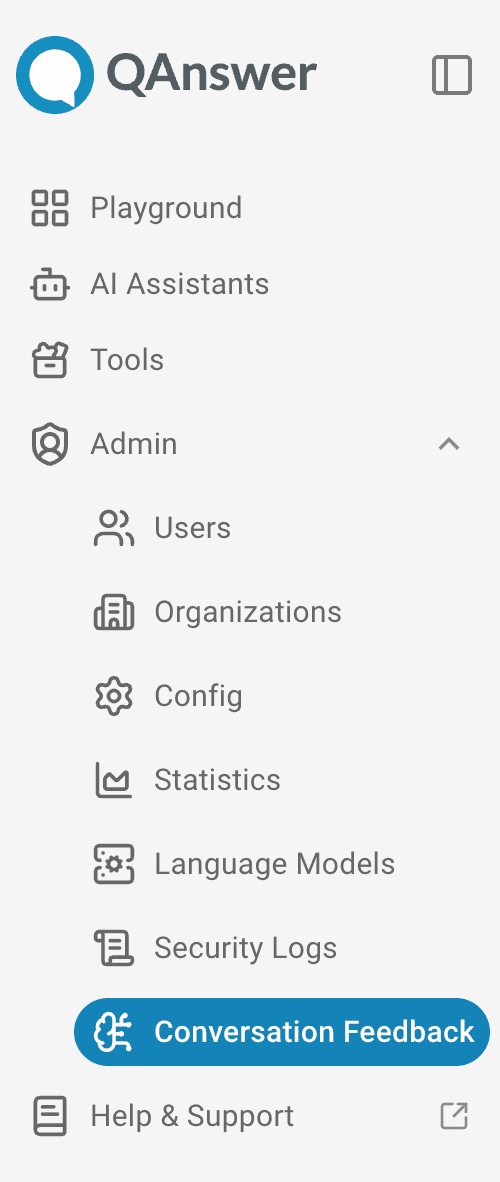
- Trigger an evaluation — In the assistant or in the admin panel feedback tab, trigger evaluation for one feedback by clicking or all feedbacks by clicking RECOMPUTE ALL ANSWERS.
- Answers are regenerated — the system replays each conversation from the feedback history, asking the assistant the same questions with the current configuration.
- Similarity is measured — for each positively-rated feedback, the regenerated answer is compared to the original. A score from 0 to 1 is assigned:
1.0— the new answer is essentially the same as the original.0.0— the new answer is completely different.- For negatively-rated feedbacks, answers are regenerated but no score is computed, since the original was already marked as wrong.
- Results arrive in real time — scores appear as each feedback is processed, without waiting for all feedbacks to complete.
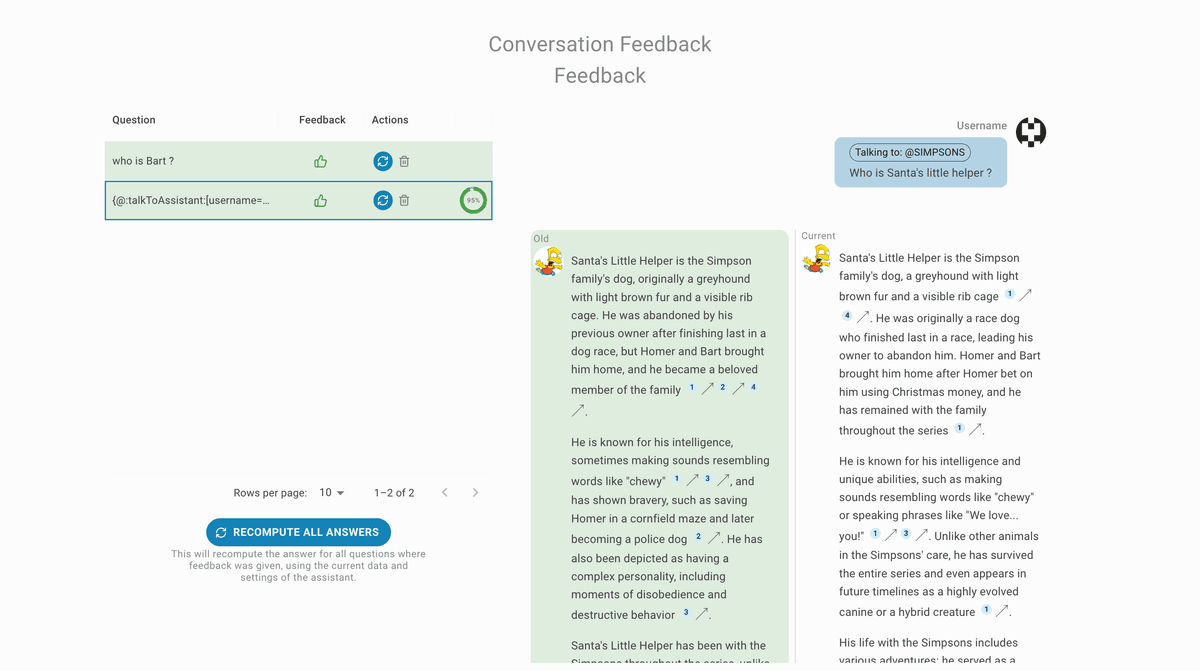
Evaluation History
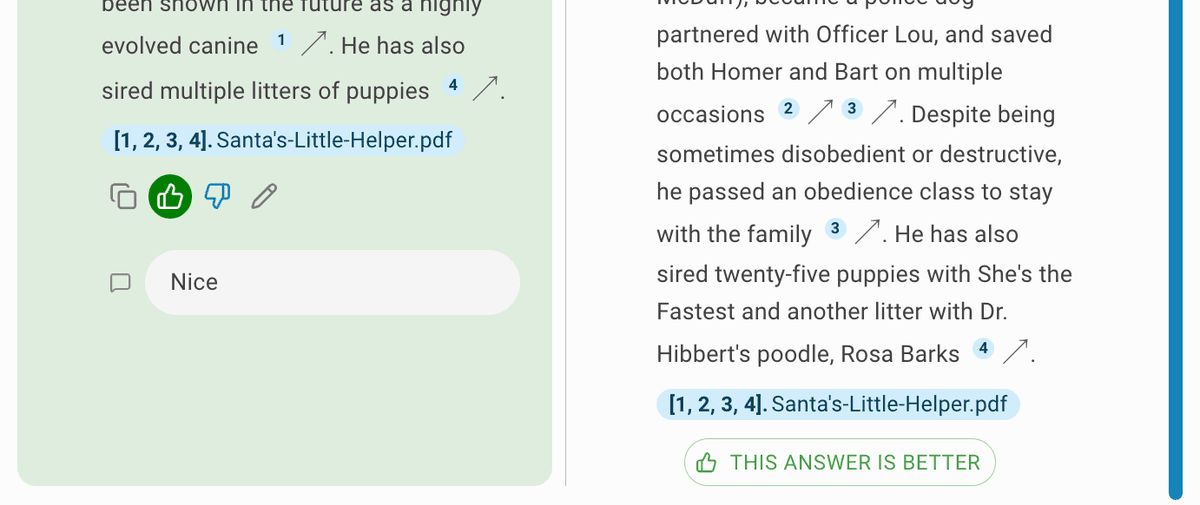
Once a new answer is generated, select it as the better answer by clicking the THIS ANSWER IS BETTER button to save it in the feedbacks. This steers the assistant's answers in the desired direction.
Similarity Score Explained
| Score | Meaning |
|---|---|
| 0.9 – 1.0 | Answers are nearly identical — the assistant is very consistent. |
| 0.6 – 0.9 | Answers share the same intent but may differ in wording or detail. |
| 0.3 – 0.6 | Noticeable differences — worth reviewing. |
| 0.0 – 0.3 | Answers are substantially different — the configuration change has a strong impact. |
| -1 | Evaluation could not be completed for this item (error). |
A lower score is not always bad — if the original answer was poor, a very different regenerated answer may be an improvement. Combine similarity scores with the original feedback ratings to interpret results correctly.