Document
The Document connector is the most direct way to give an assistant knowledge: upload files and QAnswer extracts their text, indexes it, and cites them in answers.
Add a Document connector
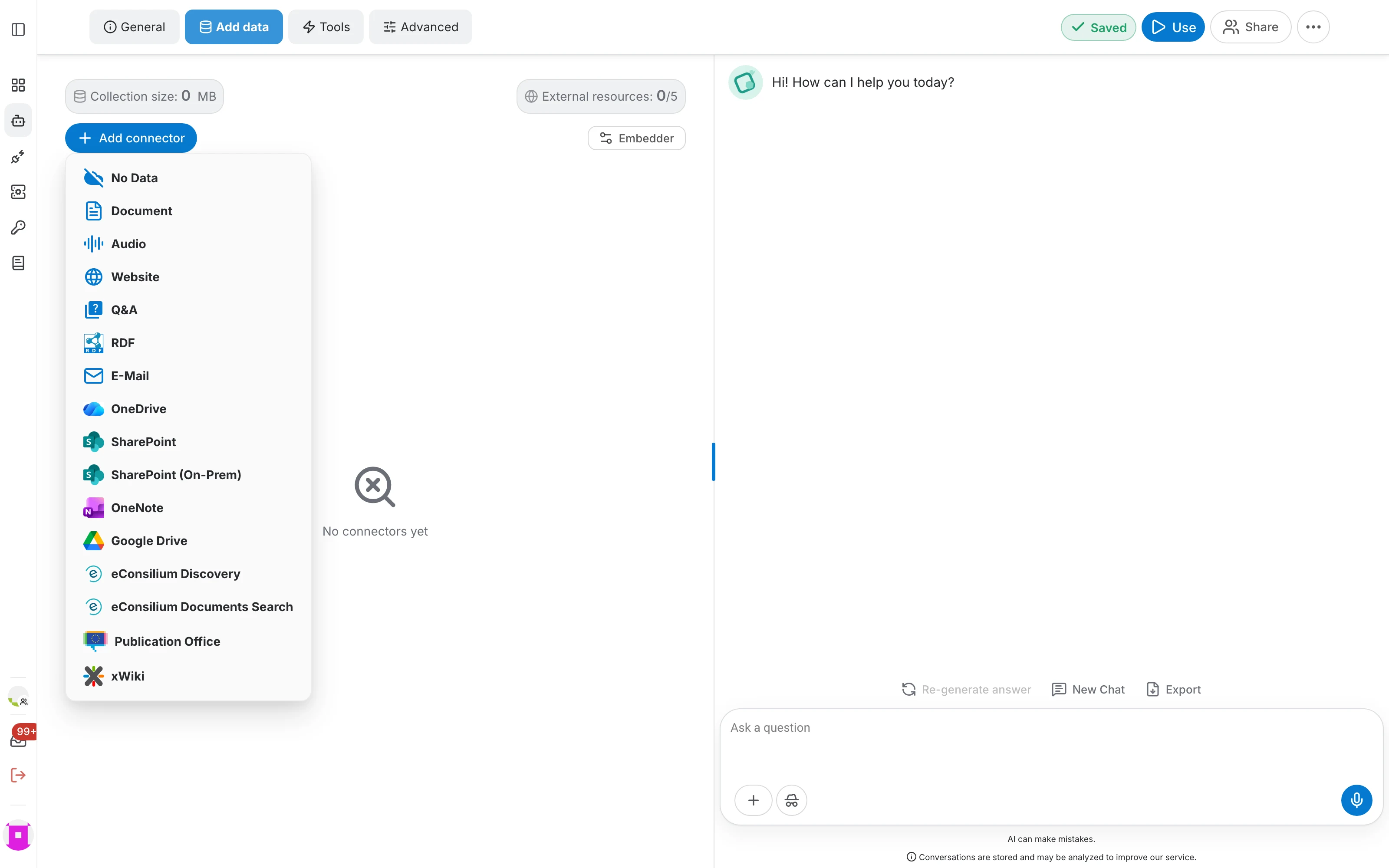
In the assistant editor, open Add data , click Add connector and choose Document.
- Name the connector after its content — "Product documentation" is more useful in a citation than "Document".
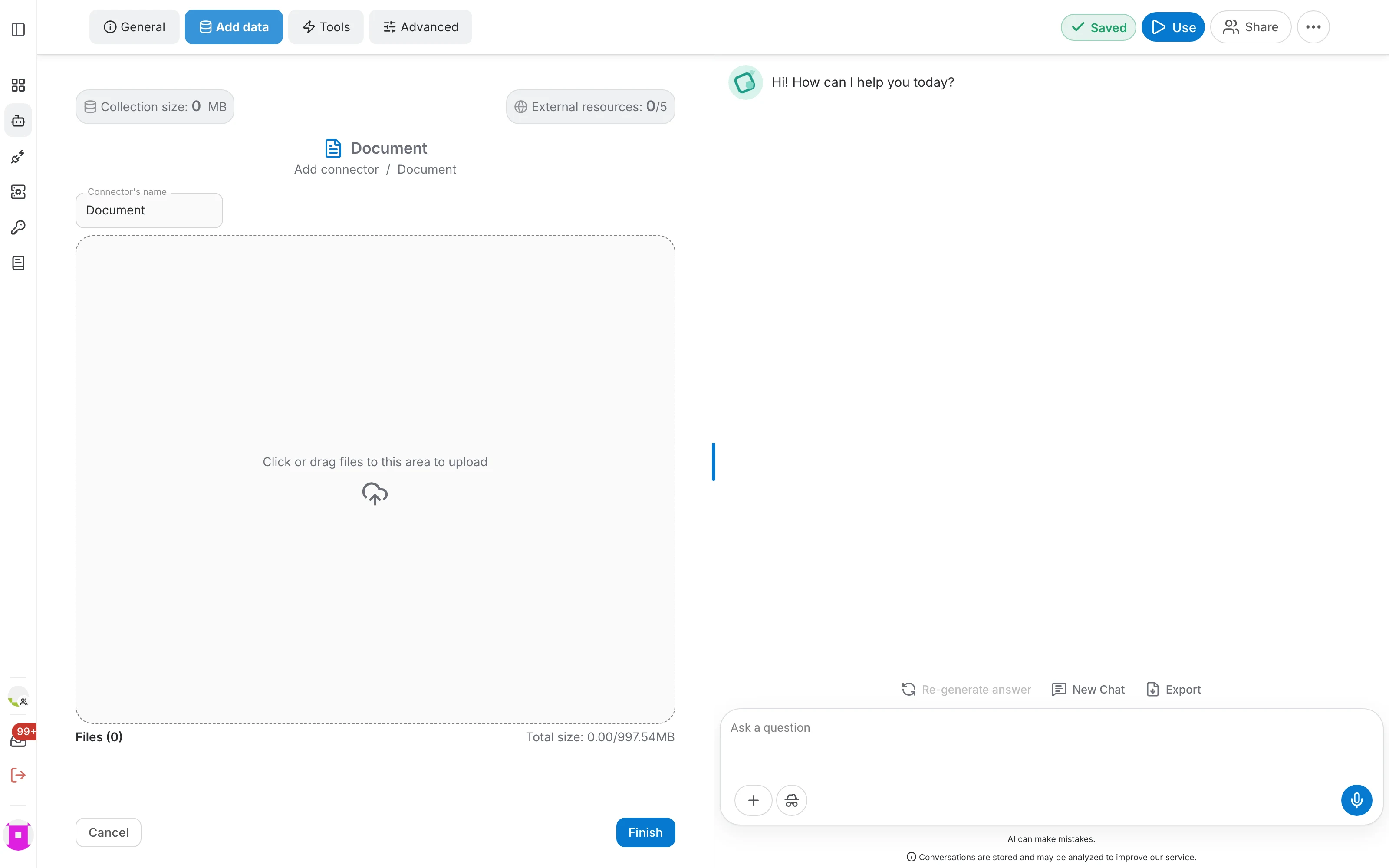
- Drop your files onto the upload area, or click it to pick them. The counter under the area shows how many files you added and the total size.
- Click Finish to upload and index them.
Watch the indexing
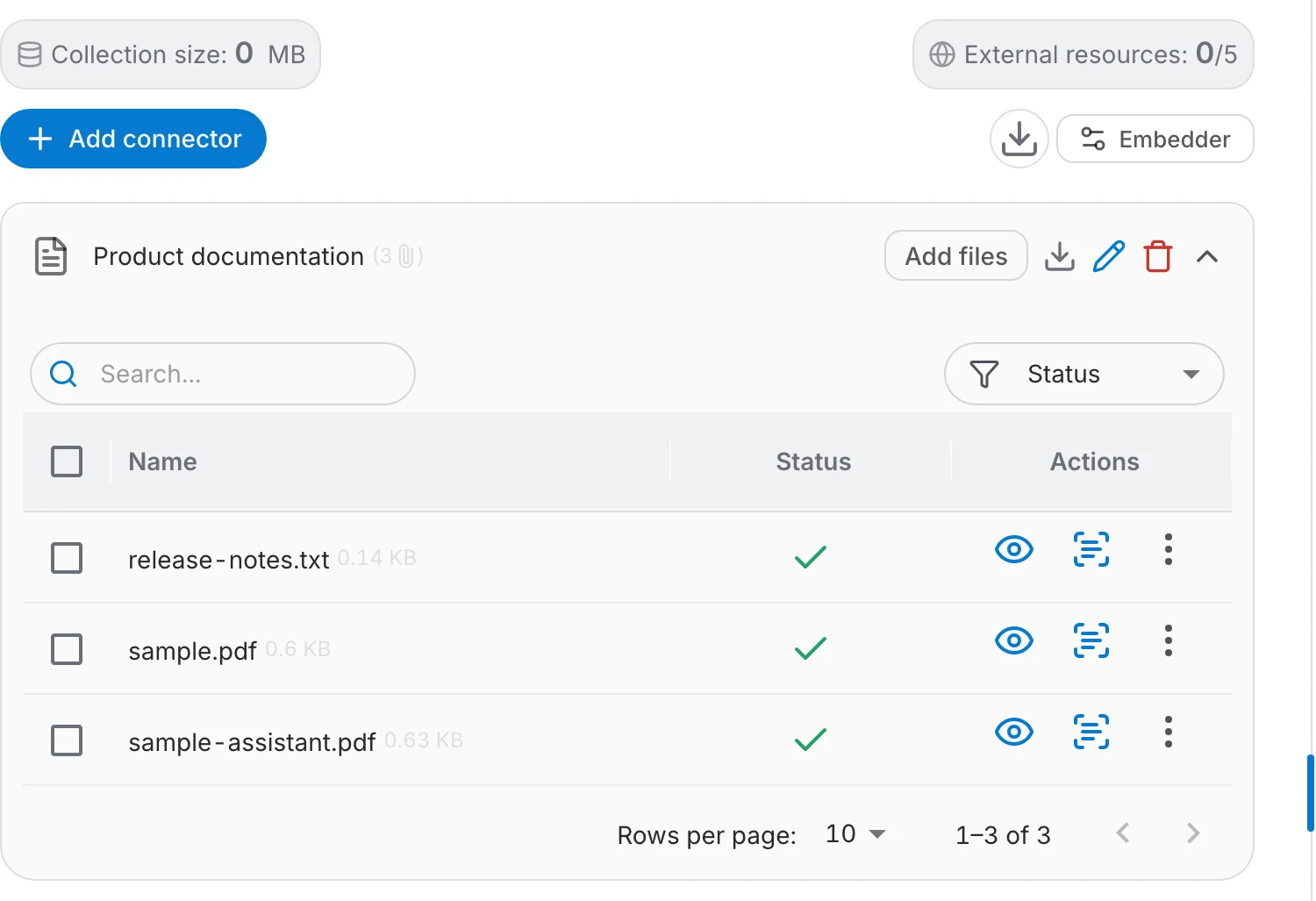
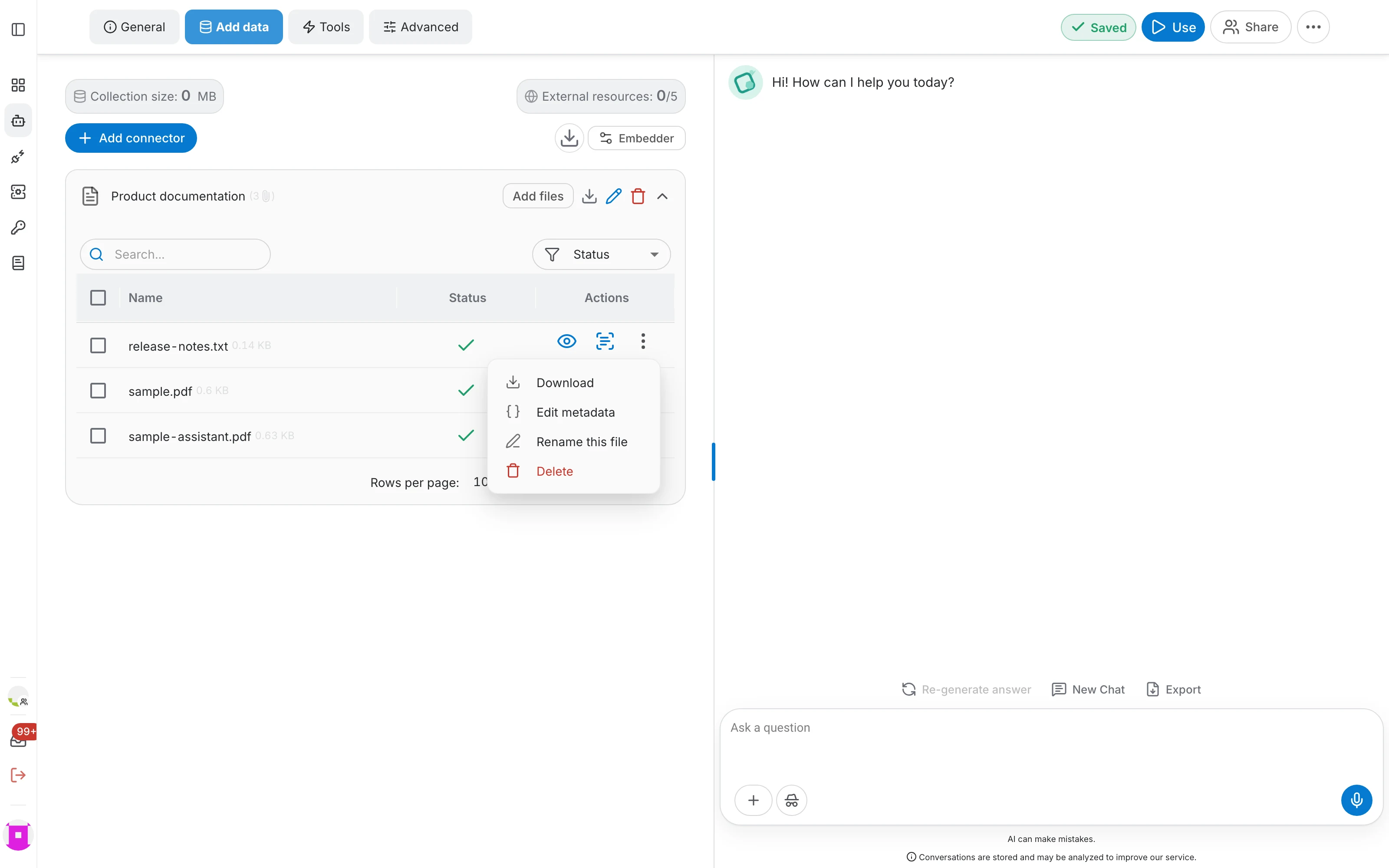
Expand the connector to see every file and where it is:
- A green check means the file is indexed and answerable.
- The status filter narrows the list to what is still processing or has failed.
- Until a file is indexed, the assistant cannot answer from it — asking too early simply returns nothing about it.
Add and manage files
Use Add files on the connector row to upload more documents later. Each row in the file table has its own actions:
- The eye opens the original document, the same viewer users get when they click a citation.
- View raw text shows the extracted text — the quickest way to check whether a PDF was read correctly.
- The ⋮ menu holds Download, Edit metadata, Rename this file and Delete.
Parsing and chunking
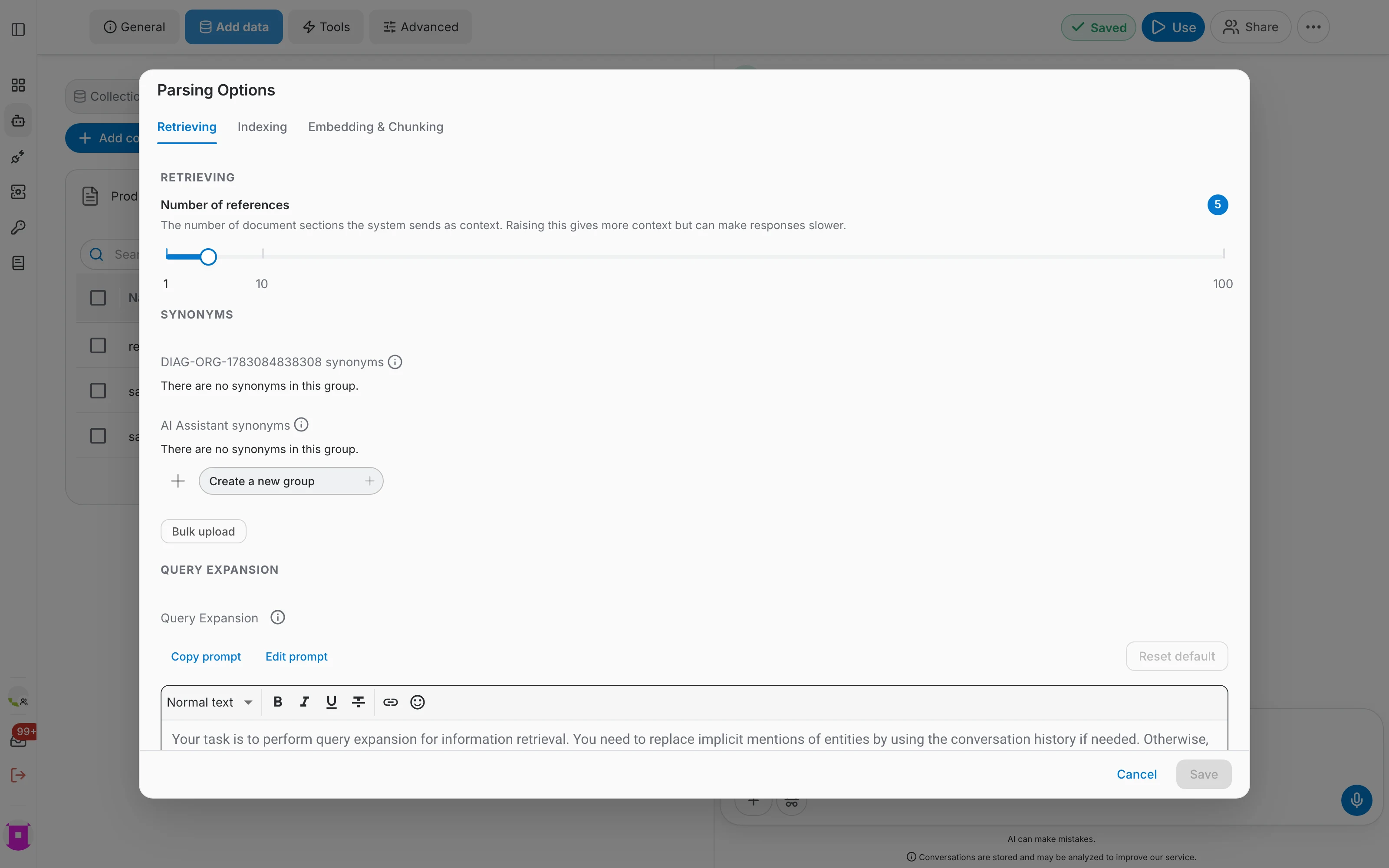
How a document is split and embedded decides how well it is retrieved. Those settings are shared by all connectors and described in the data sources overview.
- Chunking controls how long each indexed passage is.
- The embedding model must be chosen before indexing a large collection.
- Number of references decides how many passages are sent to the model per question.
Batch Actions on Selected Files
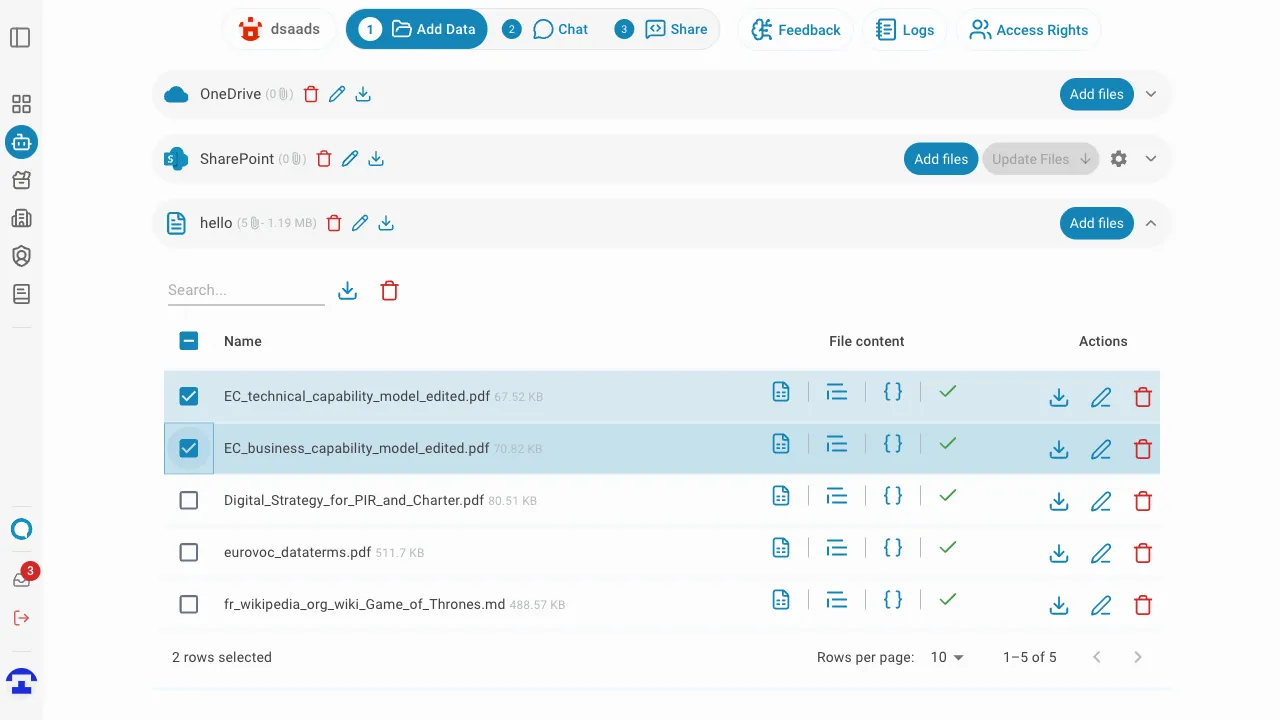
You can select multiple files at once using the checkboxes on the left side of each row.
Once one or more files are selected, a batch action toolbar appears above the table with the following actions:
- Download — downloads all selected PDF files at once. The button is active only when at least one selected file is a PDF or audio file in Indexed status.
- Delete — permanently removes all selected files from the connector.