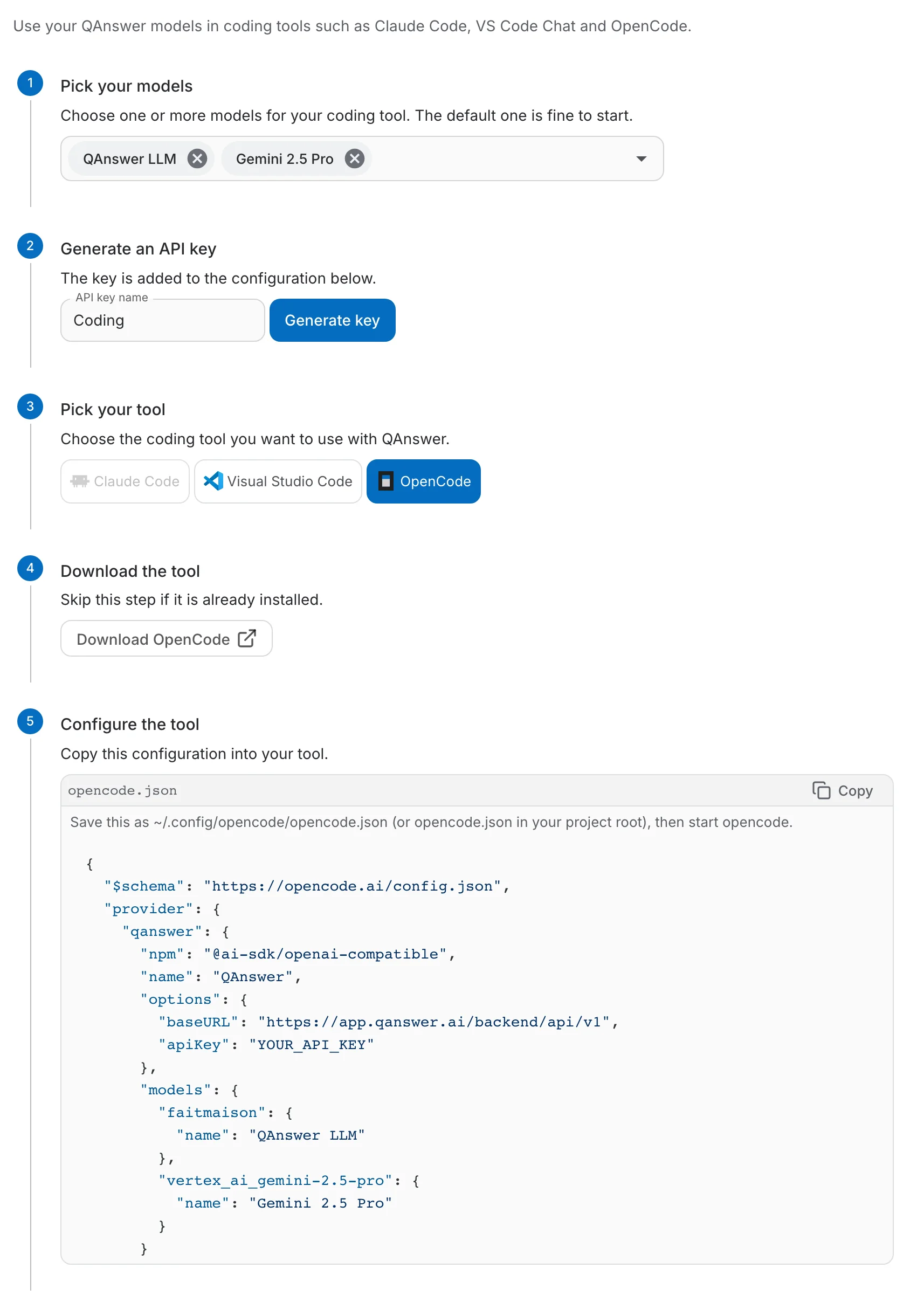
Coding Agents
The Coding agents card sets up a coding agent on your own computer — Claude Code, Visual Studio Code or OpenCode — to use the language models available to you in QAnswer. It builds the configuration for you: your models, your QAnswer address and a new API key, ready to copy.
Open an AI Assistant, select Expose and, under Apps & extensions at the bottom of the Expose page , select Coding agents. A five-step guide opens.
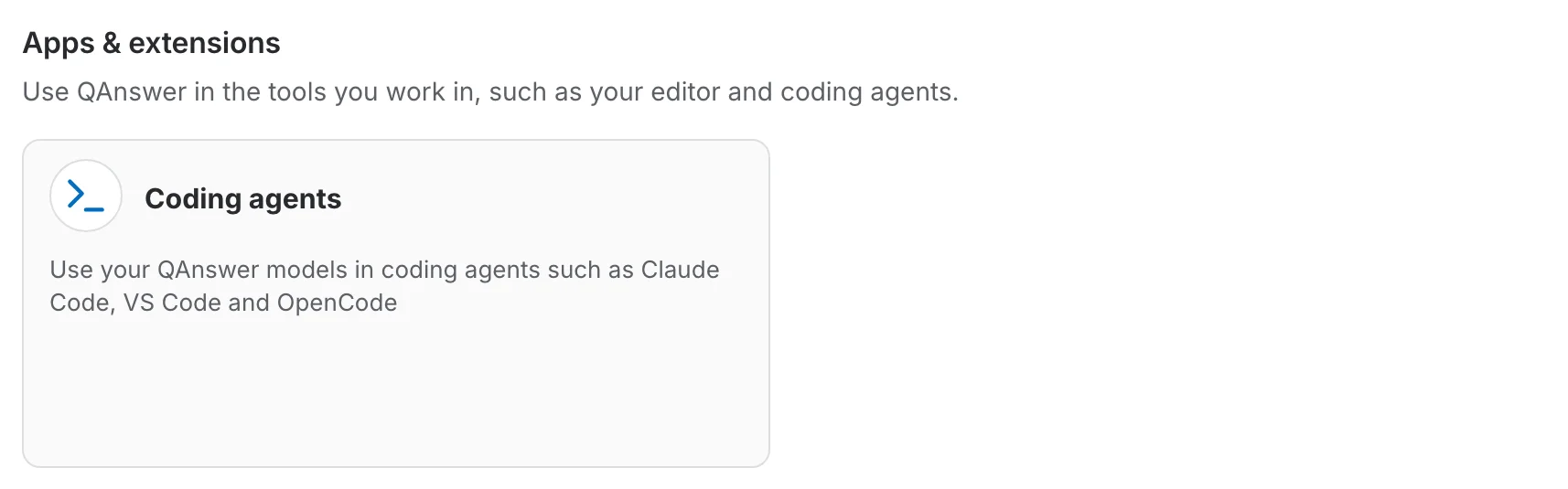
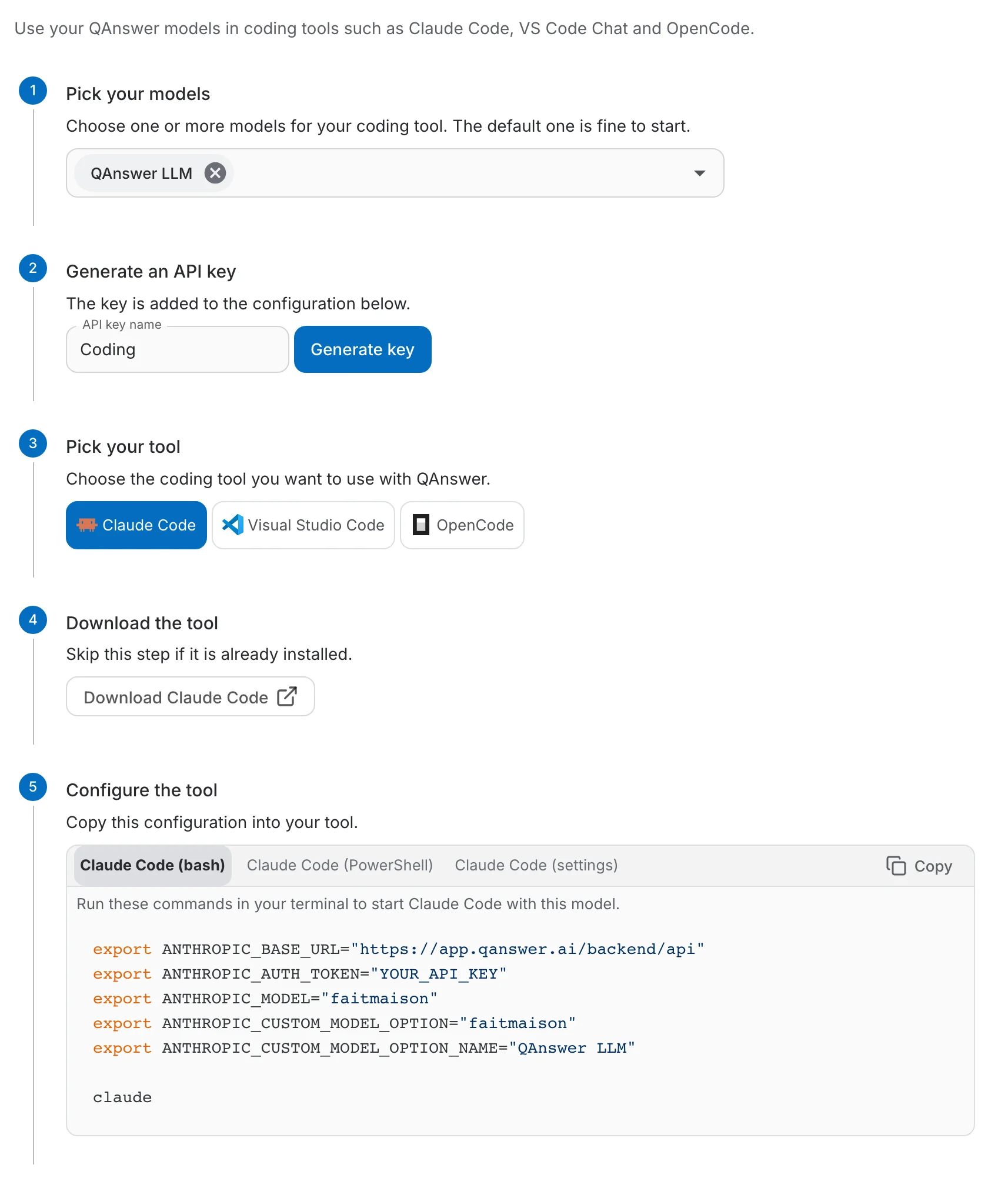
Step 1 — Pick your models
Choose the models the coding agent may use. The first available model is already selected, which is enough to start. Type in the field to search, and select more models to add them; each one is listed in the configuration.
Step 2 — Generate an API key
Give the key a name (Coding by default) and select Generate key. A confirmation replaces the form, and the key is written into the configuration in step 5. Until you generate one, the configuration shows the placeholder YOUR_API_KEY.
Step 3 — Pick your tool
Select Claude Code, Visual Studio Code or OpenCode. Steps 4 and 5 follow the tool you pick.
Step 4 — Download the tool
The Download button opens the tool's download page in a new tab. Skip this step if the tool is already installed.
Step 5 — Configure the tool
Copy the configuration with the Copy button and put it where the line above the code says. It already holds your QAnswer address, your API key and the models from step 1.
Claude Code
- Claude Code (bash) and Claude Code (PowerShell) — commands to run in a terminal. They set the environment variables for this session and start Claude Code with your model.
- Claude Code (settings) — the same variables as a settings block, for every session. Add it to ~/.claude/settings.json (or .claude/settings.json in a project), merging it with any existing "env" block.
Visual Studio Code
The configuration adds your models to VS Code's chat. In the Command Palette, run "Chat: Open Language Models (JSON)" and paste it.
OpenCode
Save the configuration as ~/.config/opencode/opencode.json (or opencode.json in your project root), then start opencode. Your models appear under the QAnswer provider.