
Speech to Text
A speech-to-text provider powers the microphone button in the chat, so users can dictate a message instead of typing it. The Diarization badge marks providers that can also tell speakers apart, which matters when you transcribe meetings.
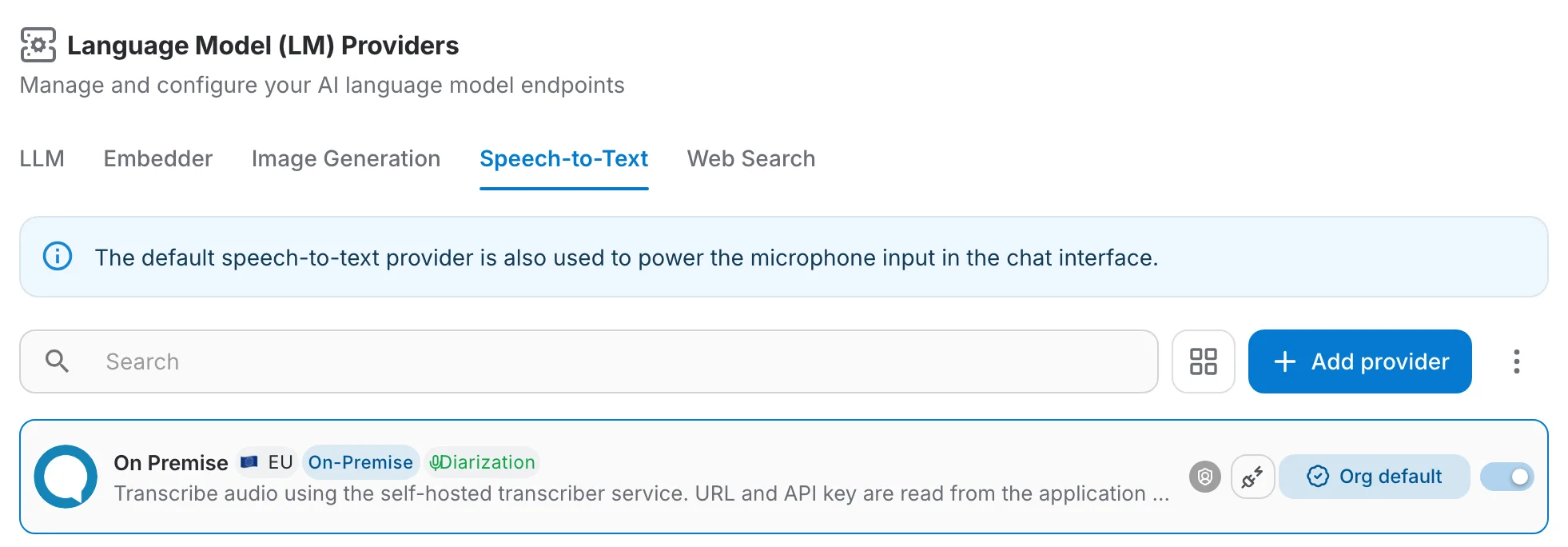
Available providers
 On Premise — Self-hosted transcription service — no audio leaves your infrastructure, and speaker diarization is supported.
 OpenAI — Transcribes with OpenAI Whisper through the OpenAI API. platform.openai.com
 Mistral — Transcribes with Mistral Voxtral through the Mistral API. EU-hosted. console.mistral.ai
 AWS Transcribe — Transcribes with Amazon Transcribe in your own AWS account, in the region you choose (EU regions included). Tells speakers apart. console.aws.amazon.com
Note
Only the On Premise and AWS Transcribe providers can tell speakers apart. With OpenAI or Mistral configured, audio is still transcribed, but asking for speaker diarization is refused.
Info
Until a default speech-to-text provider is configured for a scope, the microphone is hidden from the chat composer and the Audio connector is not offered when adding a data source. Configuring the first provider switches the microphone back on if it had been turned off.