
Rating Answers
Every answer in QAnswer has a thumbs-up and a thumbs-down button. Your rating tells the people who run the assistant which answers work and which do not. They review it, together with the conversation, in the Feedback workspace.
Rate an answer
The two buttons sit in the row of actions under the answer, next to Copy. They appear once the answer has finished writing.
- Good answer – the answer was correct and useful.
- Bad answer – the answer was wrong, incomplete or not what you asked for.
The button you chose turns solid green or red. Click it again to remove your rating, or click the other one to change it.
In General Chat
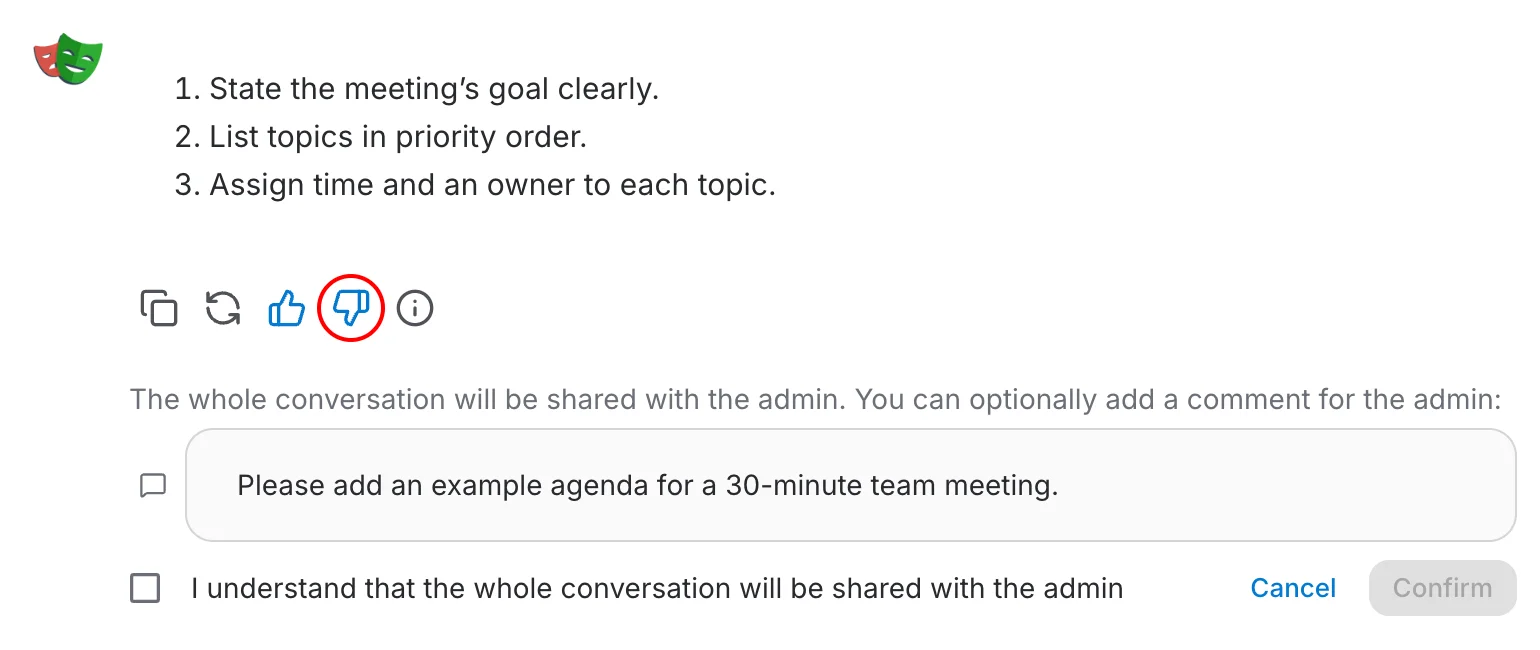
The first time you rate an answer in General Chat, QAnswer asks you to agree that the whole conversation is shared with your organization's administrators. A panel opens under the answer:
- Optionally, explain what was wrong or what you expected in the Feedback Comment box.
- Tick I understand that the whole conversation will be shared with the admin. Confirm stays disabled until you do.
- Click Confirm to save the rating, or Cancel to drop it.
In an AI assistant
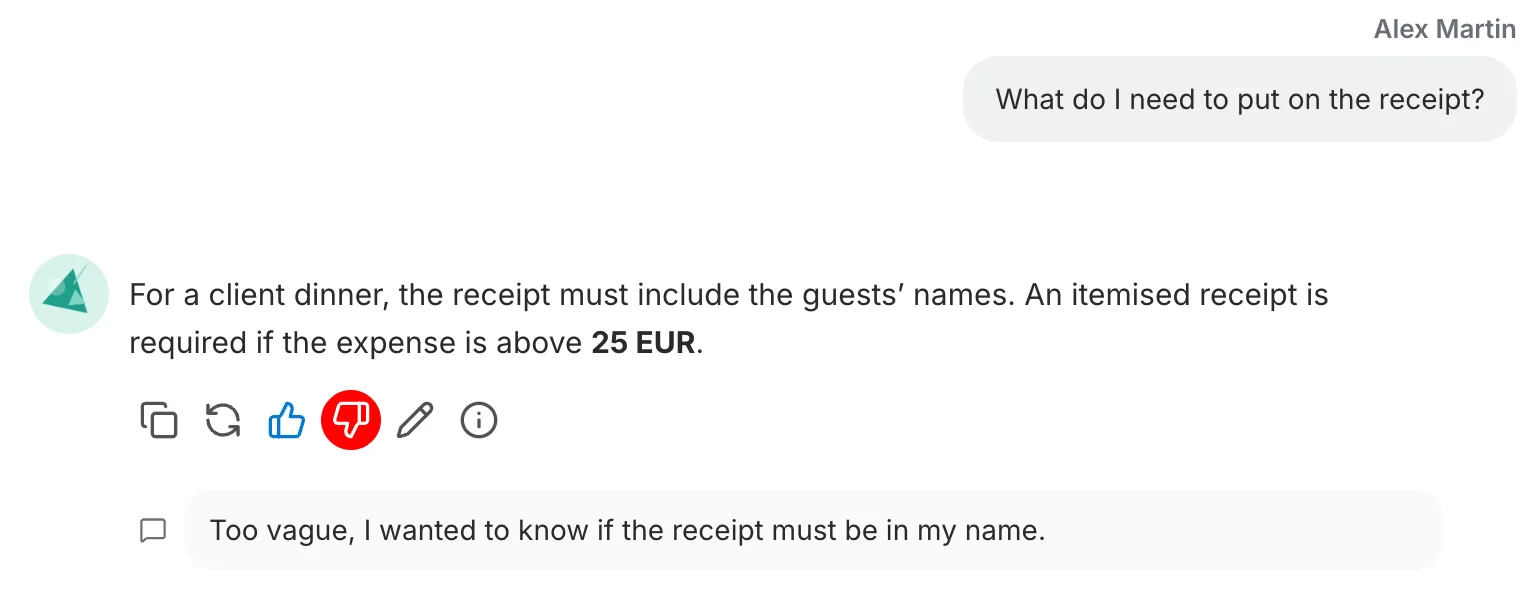
In an assistant's chat the rating is saved as soon as you click. A Feedback Comment box then opens under the answer. Type your comment and click the arrow that appears to add it. The comment is optional.
Correcting an answer yourself
In an assistant's chat the pencil button, Edit the answer, opens the Edit the response dialog. Rewrite the answer and click Save. Your version is stored as positive feedback, so the reviewers see the answer you expected.
Who sees your feedback
Your rating, your comment and the conversation they belong to are visible to:
- the people who manage the assistant, in its Feedback tab;
- your organization's administrators, on the organization's Feedback page.
Reviewers cannot change your conversation. They record what went wrong and follow the fix.
When the buttons are missing
You cannot rate an answer when:
- the assistant does not store conversations (its storage is set to Discard all). Without a stored conversation there is nothing to review, so the buttons are hidden;
- the message is the assistant's greeting;
- the answer is still being written.