
PII masking
PII masking keeps personal data out of the hands of the language model. When you send a question, QAnswer first replaces names, e-mail addresses, phone numbers and other personal details with neutral labels. The model works with the labels, and QAnswer puts the real details back into the answer. The people you write about never reach the model provider.
Your administrator switches it on per model. Once it is on, every conversation with that model is protected, and the chat shows you what was masked at every step.
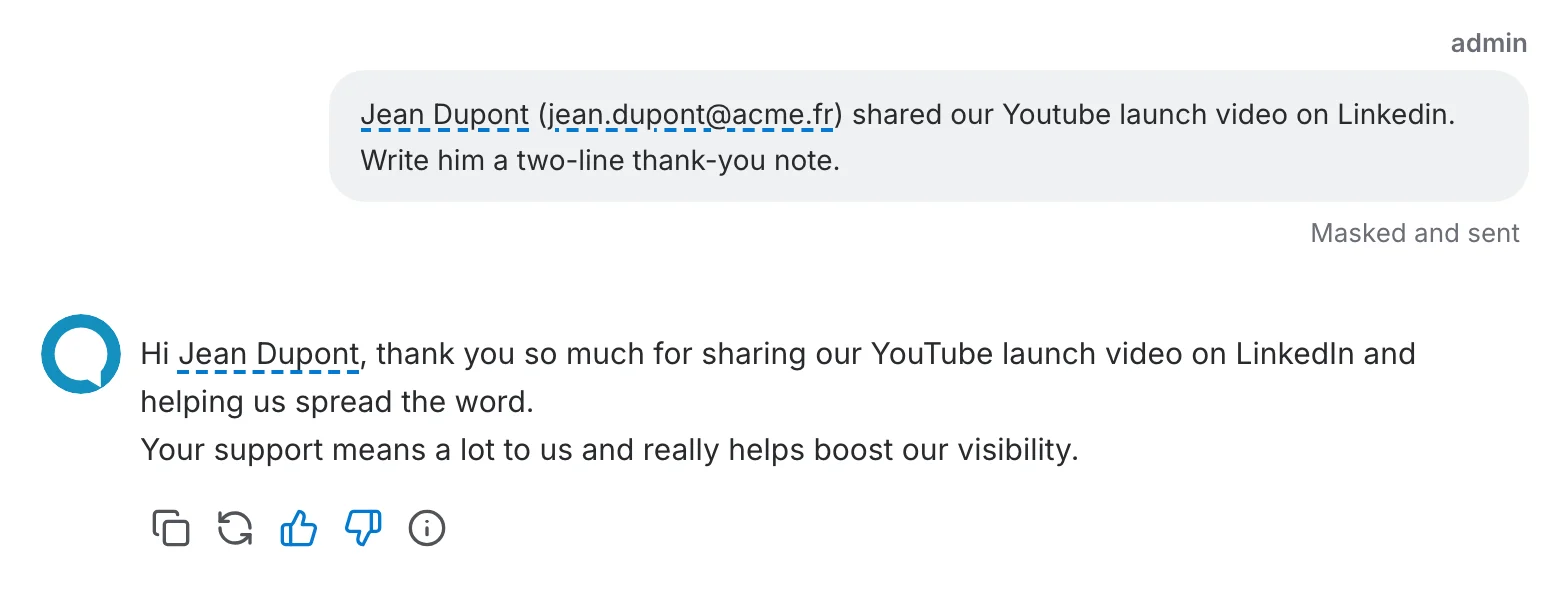
How it works
- Find. Right before your question leaves QAnswer, a detector that runs on your own servers looks for personal data in it and in the document passages sent along with it.
- Replace. Each detail is replaced by a label such as
<PERSON_NAME_1>. The same person always gets the same label in a conversation, so the model can still tell people apart. - Answer. The model only ever sees the labels. It writes its answer with them.
- Restore. QAnswer swaps the labels back for the real details as the answer arrives. You read a normal answer.
Example
What you see in the chat
When the model of a conversation is protected, the chat shows it at every step. Nothing changes for conversations with other models.
While you type
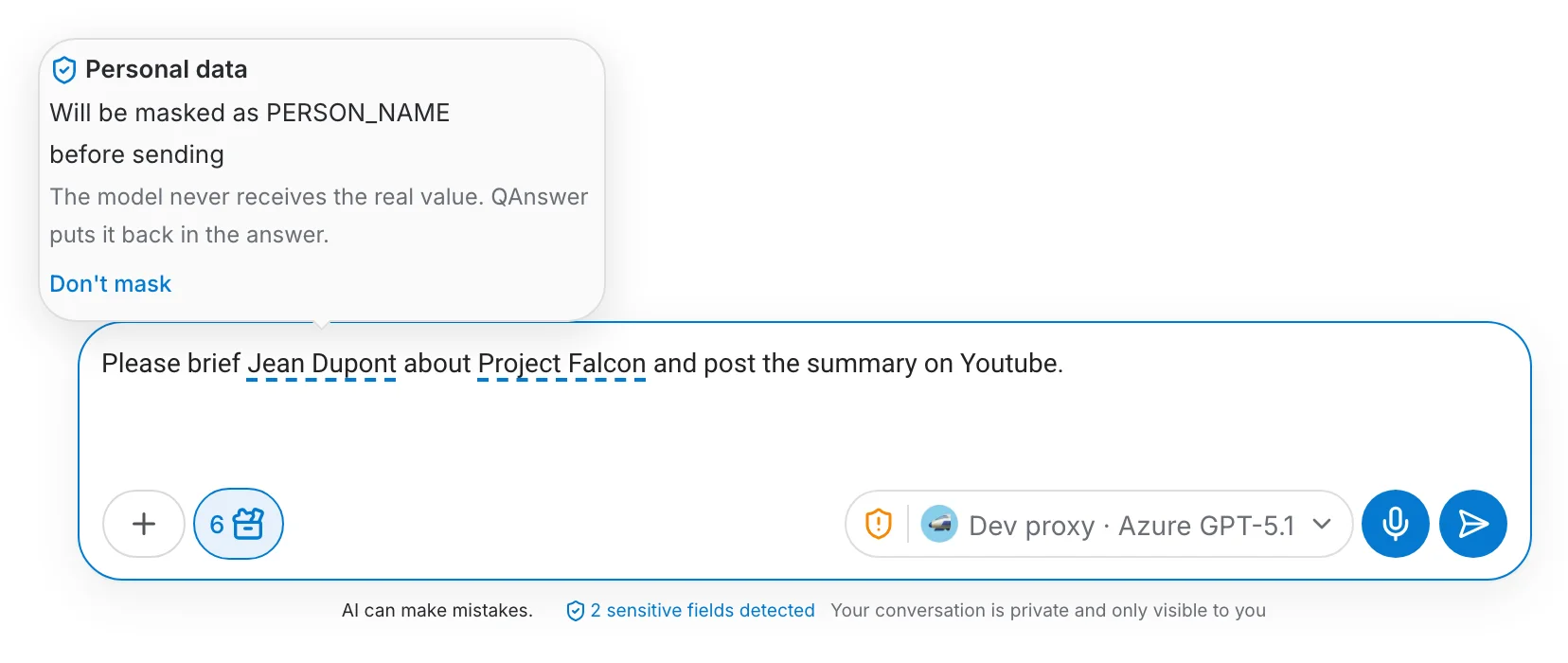
Personal details are underlined in blue as you type, and a counter under the box tells you how many were found. Hover an underlined detail to see what kind of data it is.
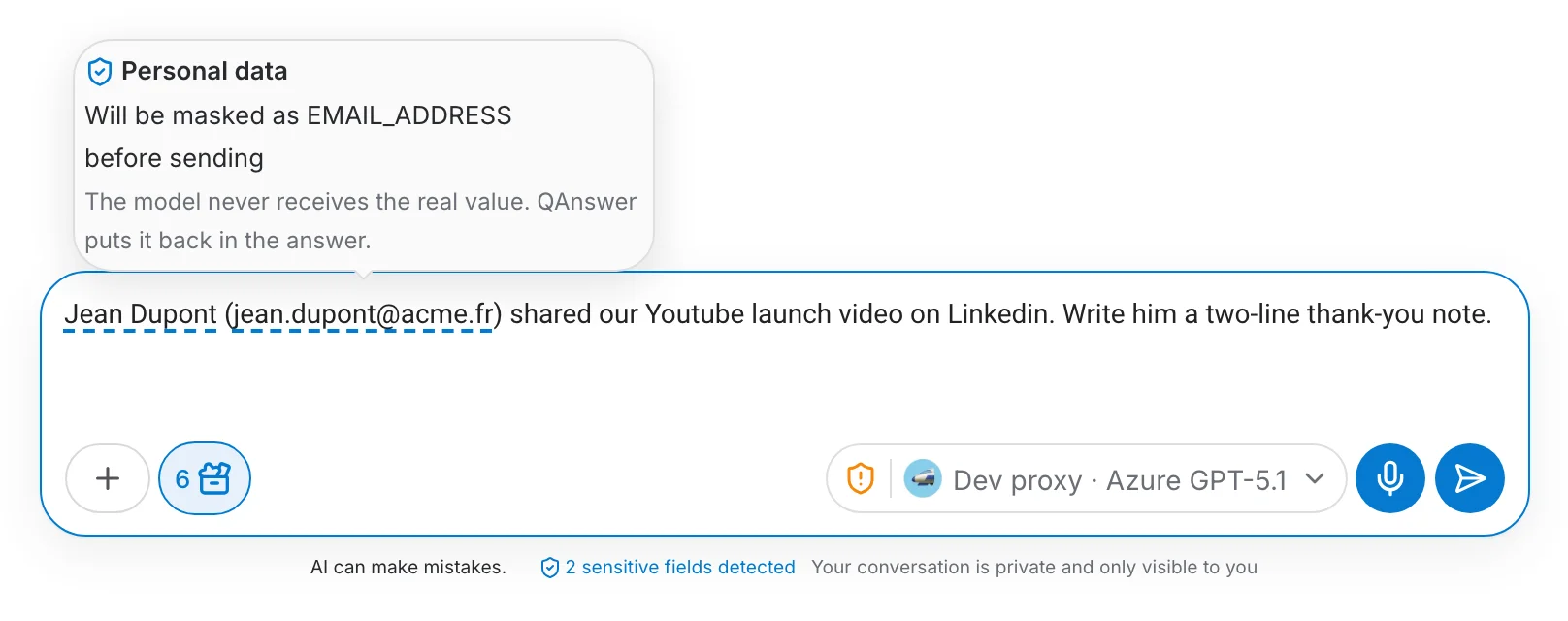
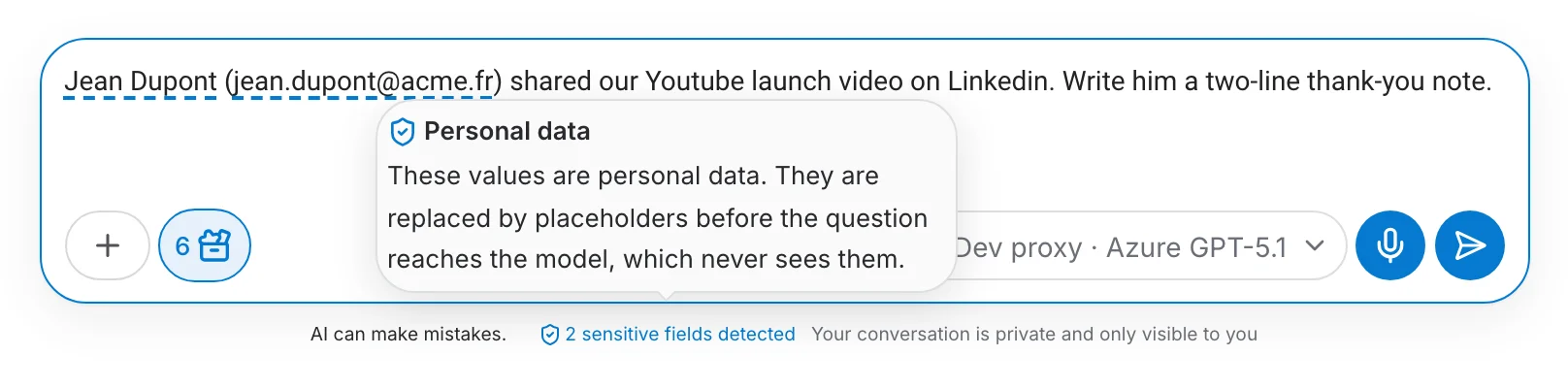
Hover the counter to see what happens to these details: they are replaced before your question reaches the model, which never sees them.
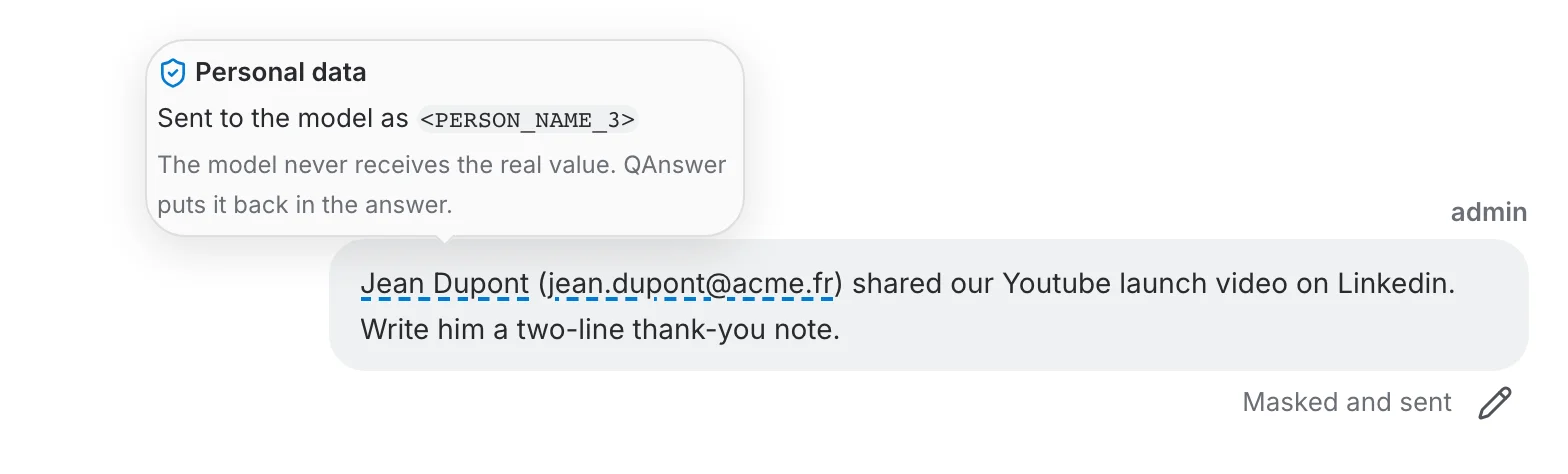
After sending
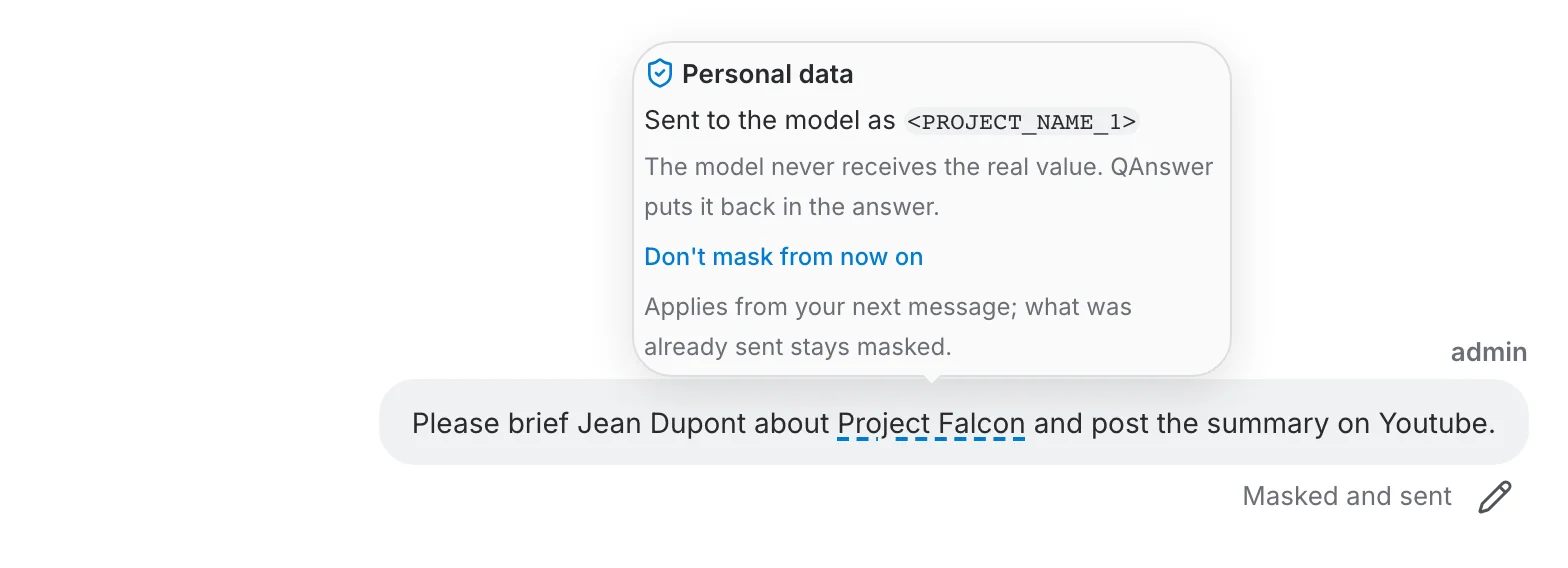
Your message stays exactly as you wrote it. Each masked detail keeps its underline, and the note "Masked and sent" confirms it. Hover a detail to see the label the model received, for example <PERSON_NAME_1>.
In the answer
Personal details in the answer are underlined the same way, whether they come from your question or the model wrote them itself. Hover one to see its label. These details are masked too if the conversation continues.
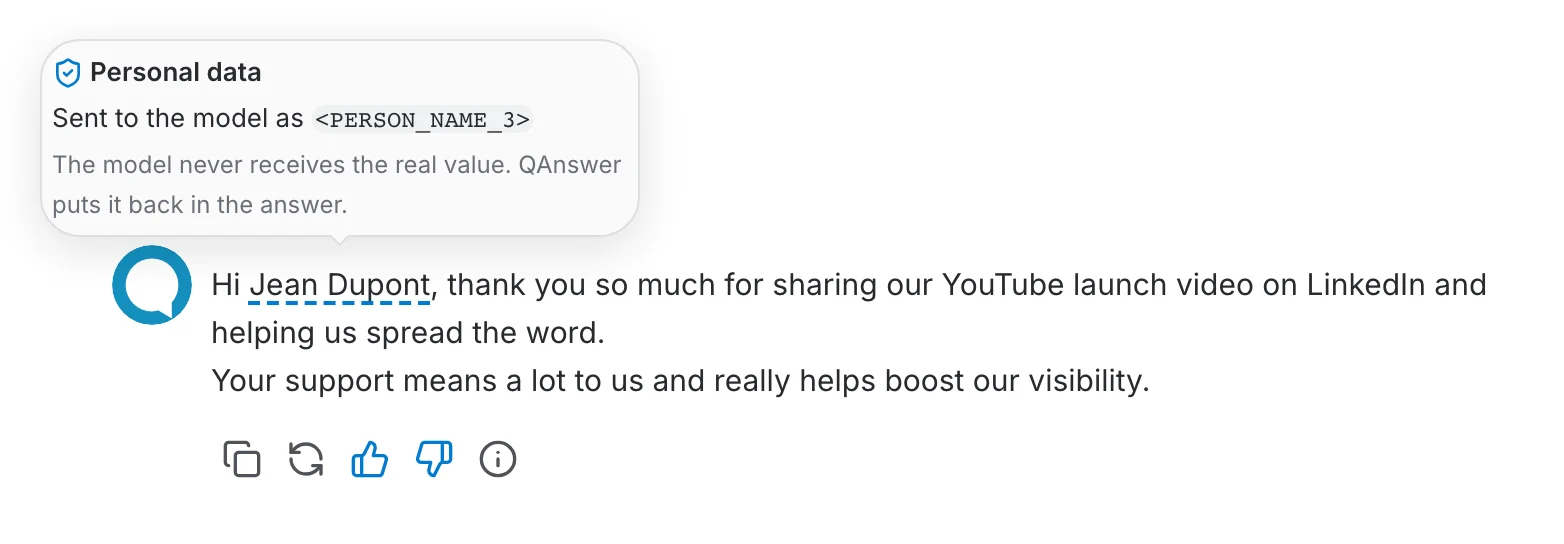
Your documents are masked too
Masking is not limited to what you type. Everything the model receives goes through the same check: the passages QAnswer retrieves from your documents, a document sent in full, the files you attach to a message and the results of tools such as a web search. A contact list in a PDF reaches the model as labels, exactly like a name in your question.
A person gets the same label whether they appear in your question or in a document, so the model can still connect the two. In the answer, the details that come from your documents are underlined like the others.
Fine-tune what is masked
The detector decides on its own, but it does not have the last word. You can correct it in the chat, and administrators keep a dictionary of terms that are always, or never, masked.
In the chat
Hover an underlined detail while you type and click Don't mask: it reaches the model as written. Select any text and click Mask as… to protect something the detector missed, with the label of your choice.
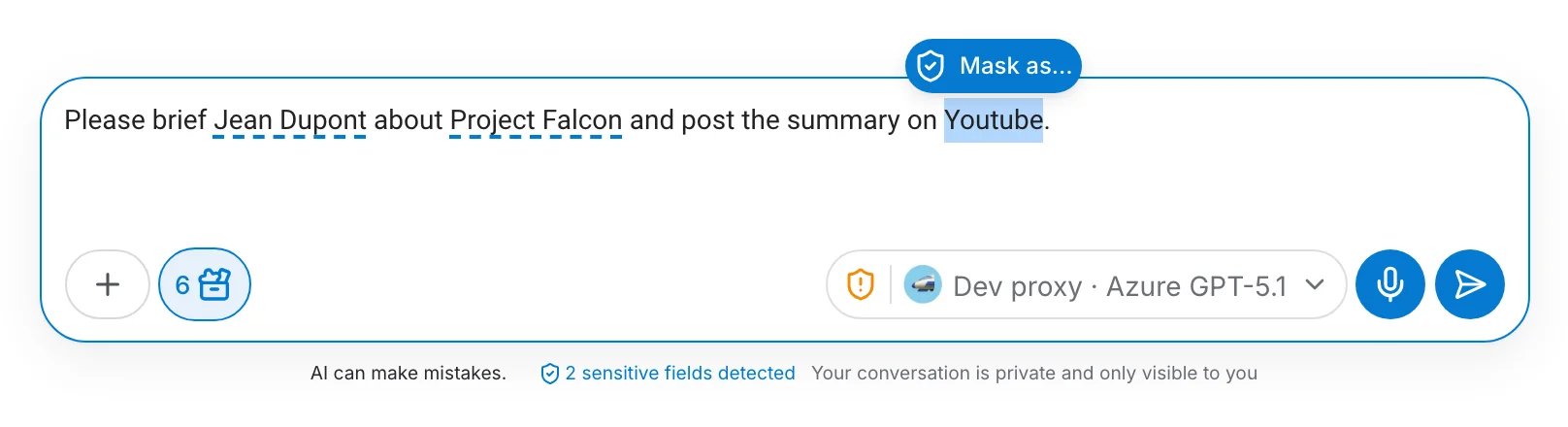
Your choice holds for the rest of the conversation. A detail that was already sent stays masked in the answer you got: Don't mask from now on, in a sent message or in an answer, applies from your next message.
PII terms: organisation and assistant
PII terms correct the detector with a list you keep. A term is either always masked with the label you choose, a project code name as <PROJECT_NAME_1> for instance, or never masked, for a product or a place the detector keeps taking for a person. Like synonyms, there are two lists:
- Organisation terms apply to every chat in the organisation. Organisation admins keep them under My organization → PII terms.
- Assistant terms apply to one AI assistant. Whoever can edit the assistant keeps them in its LLM Settings, under PII terms. The organisation's terms are listed there too, read-only.
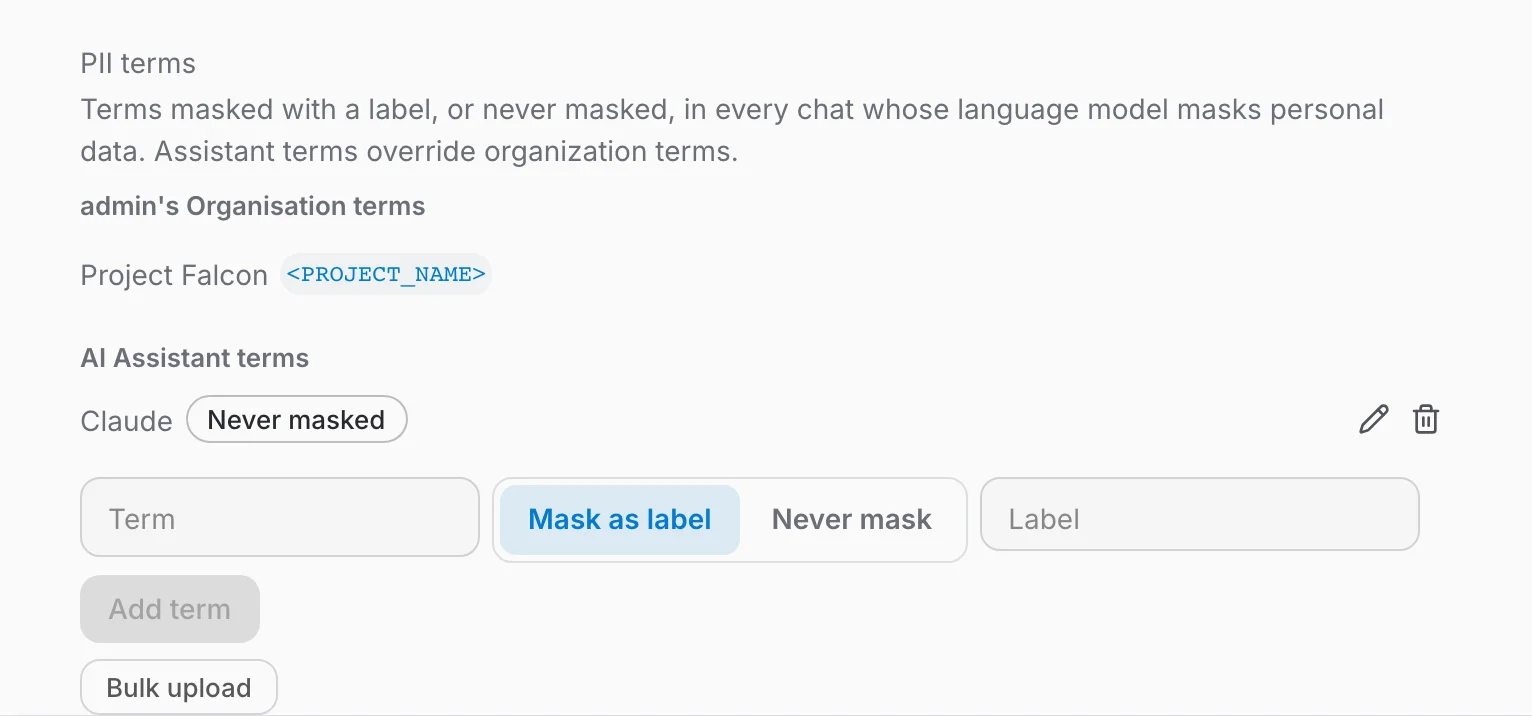
For the same value, an assistant term overrides an organisation term, and a choice made in the chat overrides both. Terms match whole words, whatever their case, in questions, documents and tool results alike; a change applies from the next message. A CSV or XLSX file with two columns, term and label, fills a list in bulk; leave the label empty for a term that is never masked.
What counts as personal data
The detector recognises the personal and sensitive data people usually share by mistake, in all 24 official languages of the European Union:
- names and nicknames, dates of birth, job titles that single someone out;
- e-mail addresses, phone numbers, postal addresses and social handles;
- bank account and card numbers, amounts of money;
- identity, passport and other document numbers, licence plates;
- passwords, access keys, IP addresses and links that point to a person;
- company names and registration numbers;
- sensitive information such as health, religion, political opinions, sexual orientation, union membership or criminal records.
Your administrator chooses which of these are masked for each model. Dates, places and web addresses are left visible unless the administrator adds them: hiding them would take away what a question is about without protecting anyone.
For administrators: switching it on
Two steps: add a PII provider, then switch masking on for each model that should use it.
1. Add a PII provider
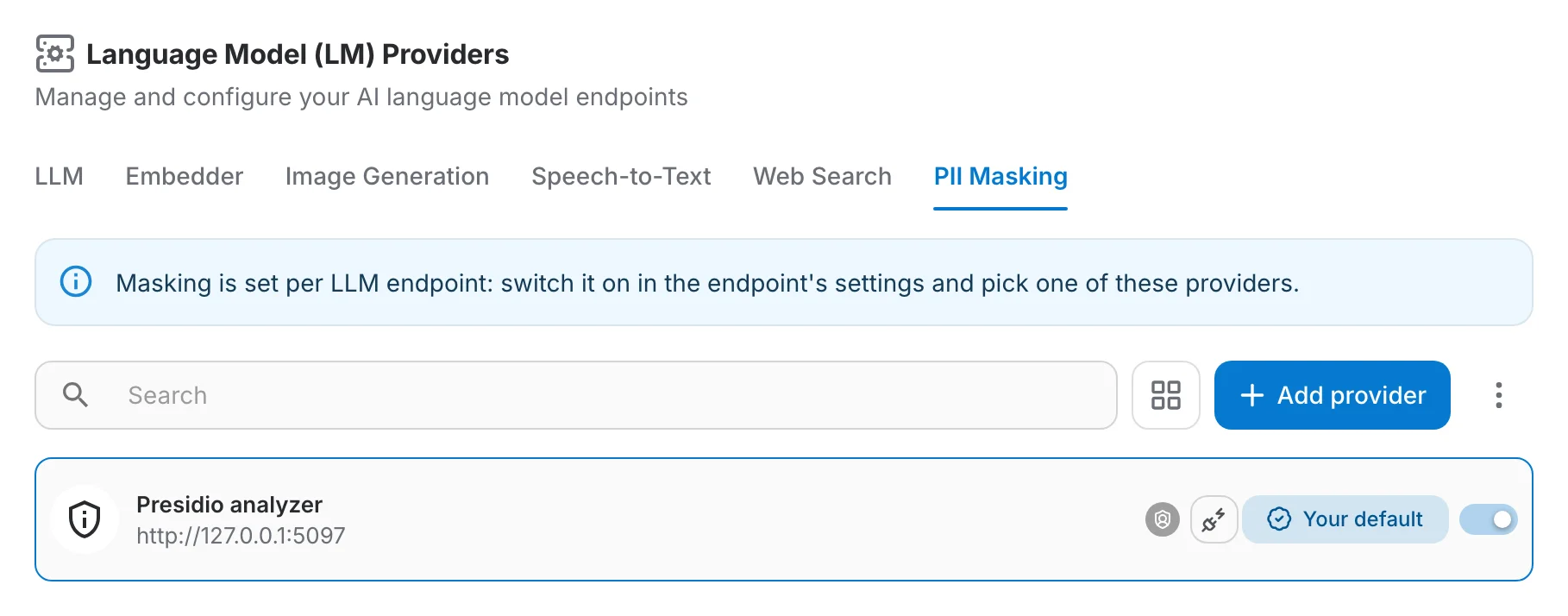
A PII provider is the service that finds personal data. On the PII Masking tab of the LM Providers page, add one with its address and, if it needs one, its key, then test the connection.
qanswer-pii is the provider that ships with QAnswer. It runs on your own servers, with or without a GPU, and needs no account anywhere.
Any service that speaks the Presidio analyzer API works too, Microsoft Presidio included.
2. Switch masking on for a model
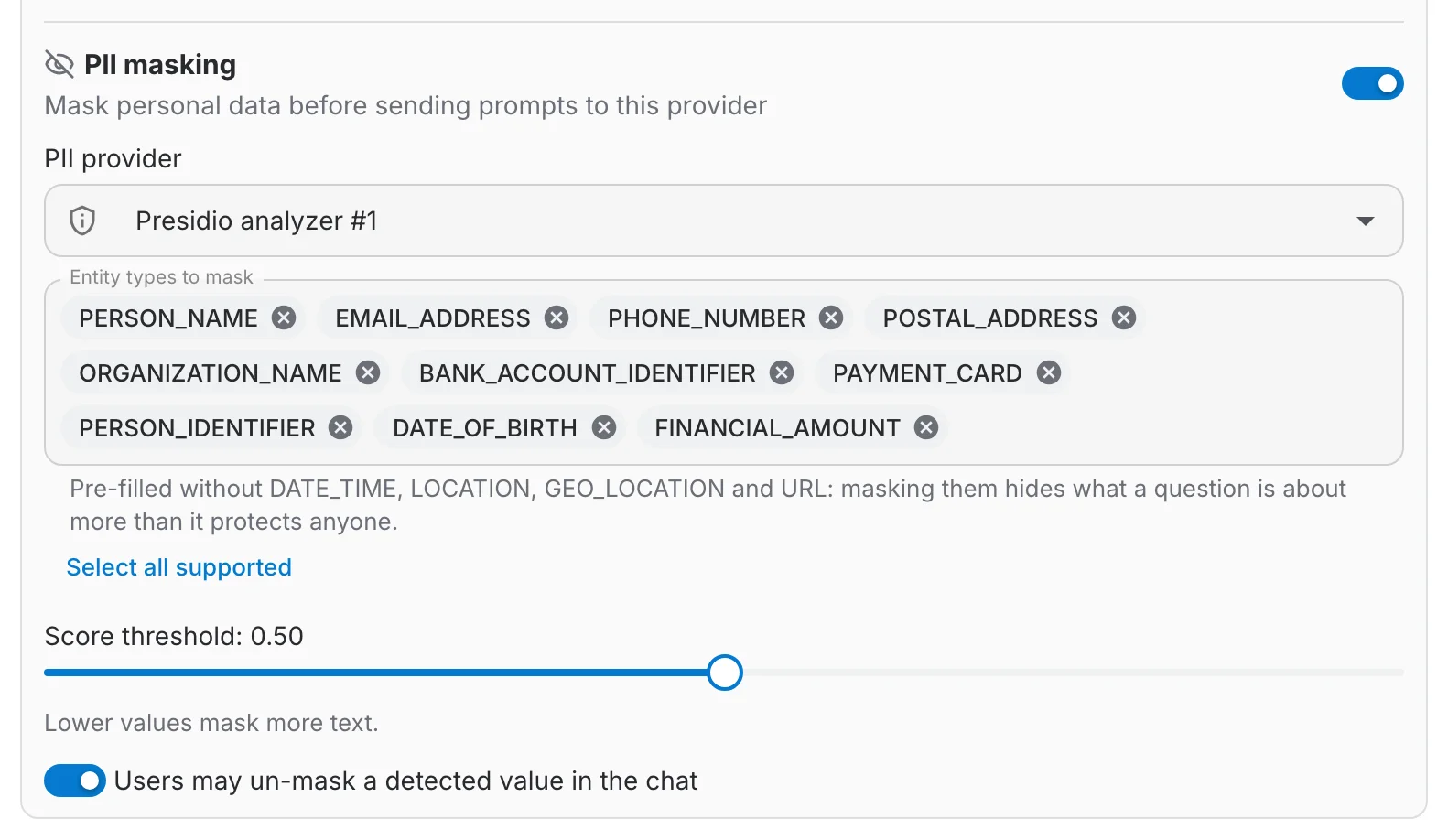
Open the model's form: the PII masking section sits next to the guardrails.
- Enable — switches masking on for this model.
- PII provider — the provider that finds the personal data.
- Entity types to mask — the kinds of personal data to mask. A sensible list is pre-filled.
- Score threshold — how sure the detector must be before it masks something. 0.5 is a good default; lower it to mask more.
- Users may un-mask — whether users can click Don't mask on a detected value. On by default.
How good is the detector?
We built qanswer-pii on a language model trained to recognise personal data in the 24 official EU languages. It runs on your own servers, on a GPU or on a normal CPU, so no text leaves your infrastructure to be checked.
We benchmarked the detector behind qanswer-pii on the PII Masking Benchmark, the public reference test for this task: it finds more personal data than any other openly available model. The scores below go from 0 to 1, where 1 means every piece of personal data was found.
| Test set | qanswer-pii | Best other open model |
|---|---|---|
| ai4privacy (English) | 0.991 | 0.978 |
| ai4privacy (23 languages) | 0.992 | 0.976 |
| Gretel | 0.991 | 0.983 |
| MAPA EUR-LEX (21 languages, legal texts) | 0.633 | 0.573 |
| Nemotron-PII | 0.959 | 0.972 |
| Privy | 0.993 | 0.987 |
| Average | 0.927 | 0.836 |
Our measurements with the benchmark's tool (piimb 0.3.0). The one test set where it trails, Nemotron-PII, counts generic job words, durations and empty form fields as personal data.
In our tests on real documents such as mailing lists, contact pages and PDFs in several languages, it finds 98 personal details out of 100, and 97 out of 100 of the details it marks are right. The smaller build that runs on a CPU is just as accurate.
Compared with other approaches
Personal data can be masked in other ways. Here is how they differ.
| Approach | Where your text goes | Does the model still understand who is who? |
|---|---|---|
| Rules and word lists | stays on your servers | no: details are blacked out, and most tools only work well in English |
| A PII detection service in the cloud | to another company's servers, before the model even sees it | depends on the tool |
| Asking a language model to anonymise the text | to a language model, which is what you wanted to avoid | unreliable, and slow |
| qanswer-pii | stays on your servers | yes: same person, same label, and you read the real answer |
Privacy, in short
- QAnswer remembers which label stands for which detail, so that a person keeps the same label throughout a conversation. This memory is stored with the conversation and deleted with it.
- Nothing is remembered for incognito conversations, nor for assistants set to anonymise or discard their history.
- The detector sees your text, which is why it runs on your servers. Logs record the masked text, never the real details.
Good to know
- Now and then a product or company name is taken for a person's name. The underline shows you when that happens; your administrator can fine-tune the kinds of data and the threshold.
- Tools that the assistant runs, such as a database query, receive the real details: they need them to do their job.
- The model is told that the labels stand for real values. Current models handle this well; a small model may occasionally mention a label.
PII masking is set up next to the guardrails of a model: see LLM — Guardrails. For the other kinds of provider, see the LM Providers introduction.