
Code Execution
Code Execution gives the LLM Chat a sandboxed terminal. The model writes a short program, runs it on the files attached to your conversation, and whatever that program prints or writes comes back into the chat — as output you can read and as files you can download. It is how the chat totals a spreadsheet's rows, converts between formats and produces documents, workbooks, decks and charts.
What it is used for
Anything that has to be computed or written rather than described:
- Arithmetic over data — totals, differences, percentages and elapsed time across a file's rows, where reading the numbers and adding them up by eye is exactly what goes wrong.
- Converting and cleaning — CSV to Excel, a wide table reshaped to long, duplicates removed, dates normalised, two exports diffed.
- Producing files — a Word report, a filled template, a slide deck, a JSON or Markdown export, or a zip when there are too many files to attach one by one.
- Charts — a bar or line chart of your data, saved as an image and attached to the conversation.
- Images and PDFs — page counts, text extraction, merging or splitting PDFs, batch resizing images, building a contact sheet.
A single sum stated in the question — 15% of 200 — is answered directly, without a run. The sandbox is for work over data the model cannot do reliably in its head, and for anything that has to end up as a file.
How to activate it
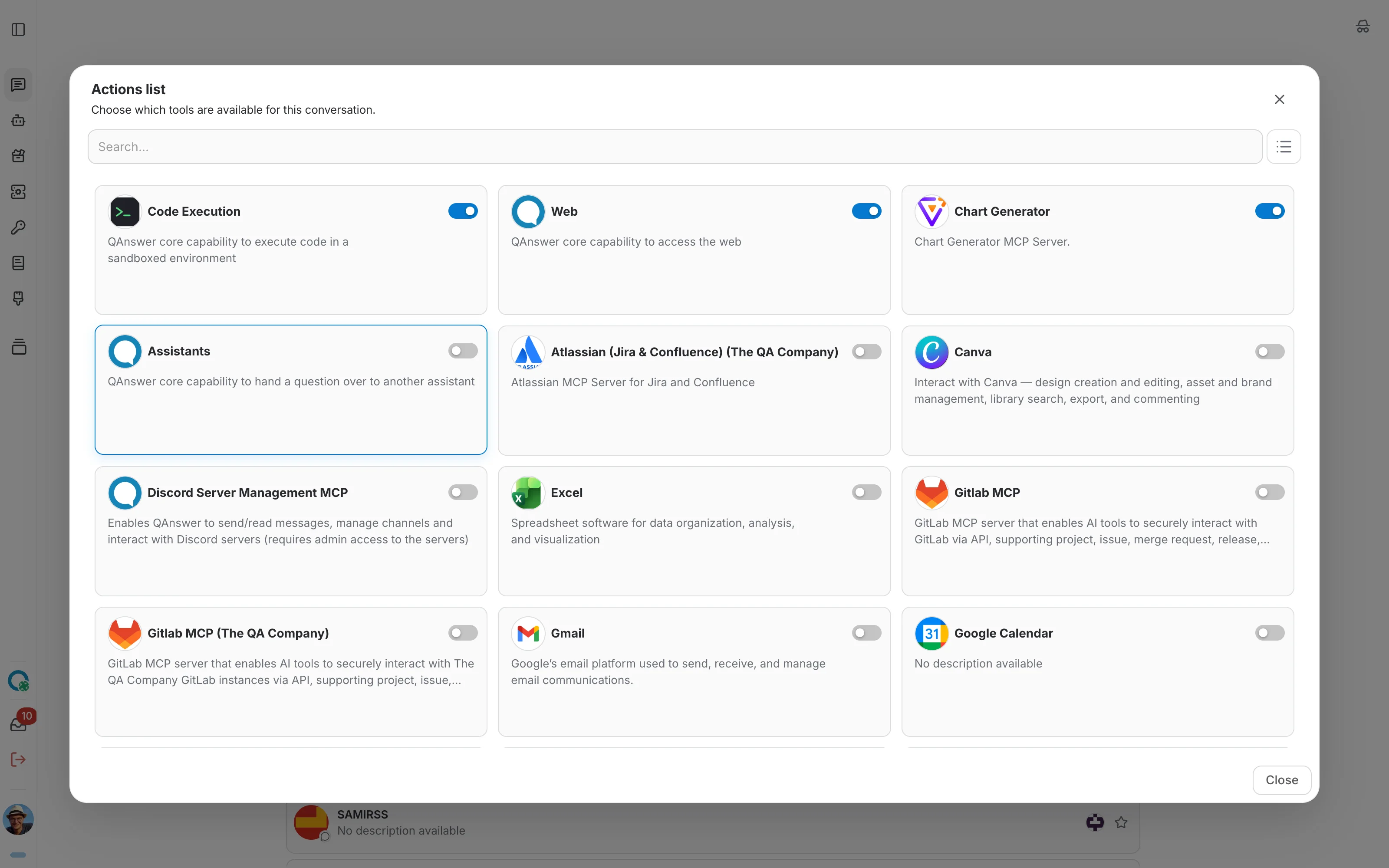
Code Execution is a built-in capability, listed with the other tools in the chat's tool selector. Switch it off for a conversation and the model answers without it; switch it back on and the next question can use it again.
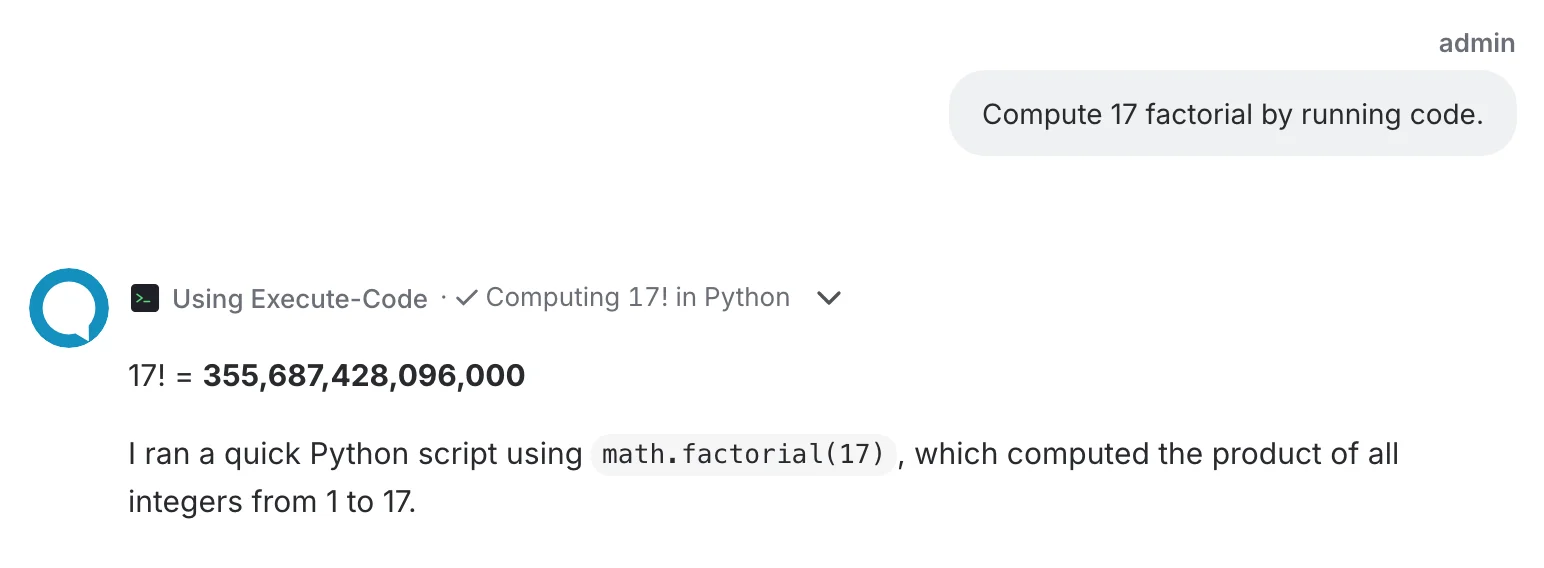
Code Execution explains itself while it works: the tool step shows one line about what the program does ("Summing the invoice totals per month into an Excel file") from the first seconds of the run, and keeps it, with a check mark, once the result is in. This is the Explain Actions behaviour, turned on for Code Execution on the whole platform; an administrator can turn it off on the Code Execution server page.
Examples
These are real requests, written the way people write them — not one of them mentions code, a sandbox or a language. Each ends in an answer you can check and, where it makes sense, a file you can download.
Spreadsheets and data
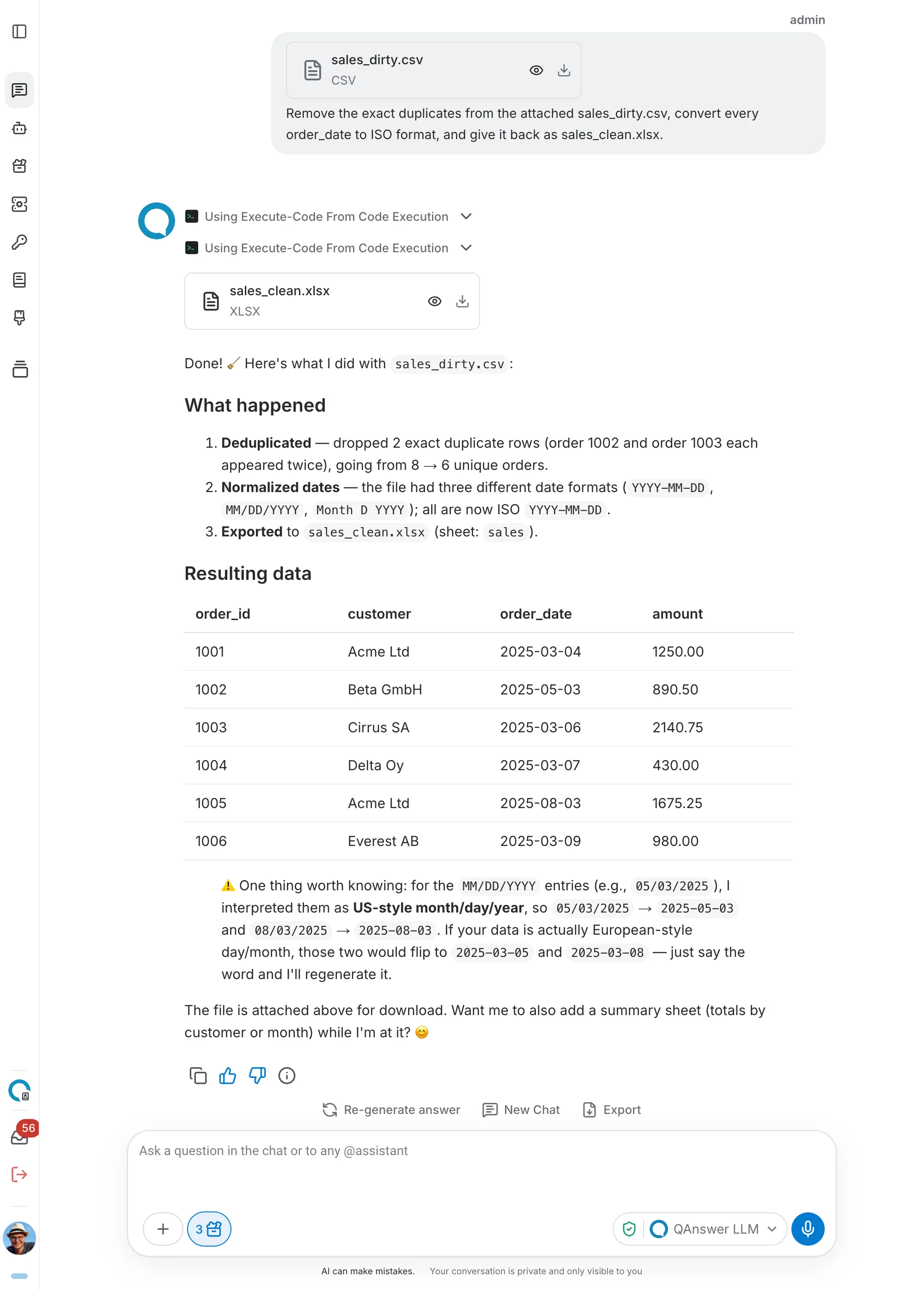
- “Remove the exact duplicates from the attached sales_dirty.csv, convert every order_date to ISO format, and give it back as sales_clean.xlsx.” Three date formats go in, one clean workbook comes out, and the row count is reported so you can verify it.
- “Add a margin column computed as (price − cost) / price and send it back as products_with_margin.xlsx with the low-margin rows highlighted. Which SKUs are below 10%?”
- “Join orders.csv to customers.csv on customer_id and tell me exactly which orders have no matching customer.” Both attachments reach the same run, and the mismatches get named instead of glossed over.
- “The attached quarterly_wide.csv has one column per quarter. Reshape it to long format with product, quarter and revenue.”
- “Compare catalogue_v1.csv and catalogue_v2.csv on sku: which were added, which removed, and which changed price, with old and new values.”
- “Check contacts_dirty.csv — an email must contain exactly one @ and no spaces, a postcode must be digits only. Report the problems and tell me which row ids are wrong.”
Numbers that have to add up
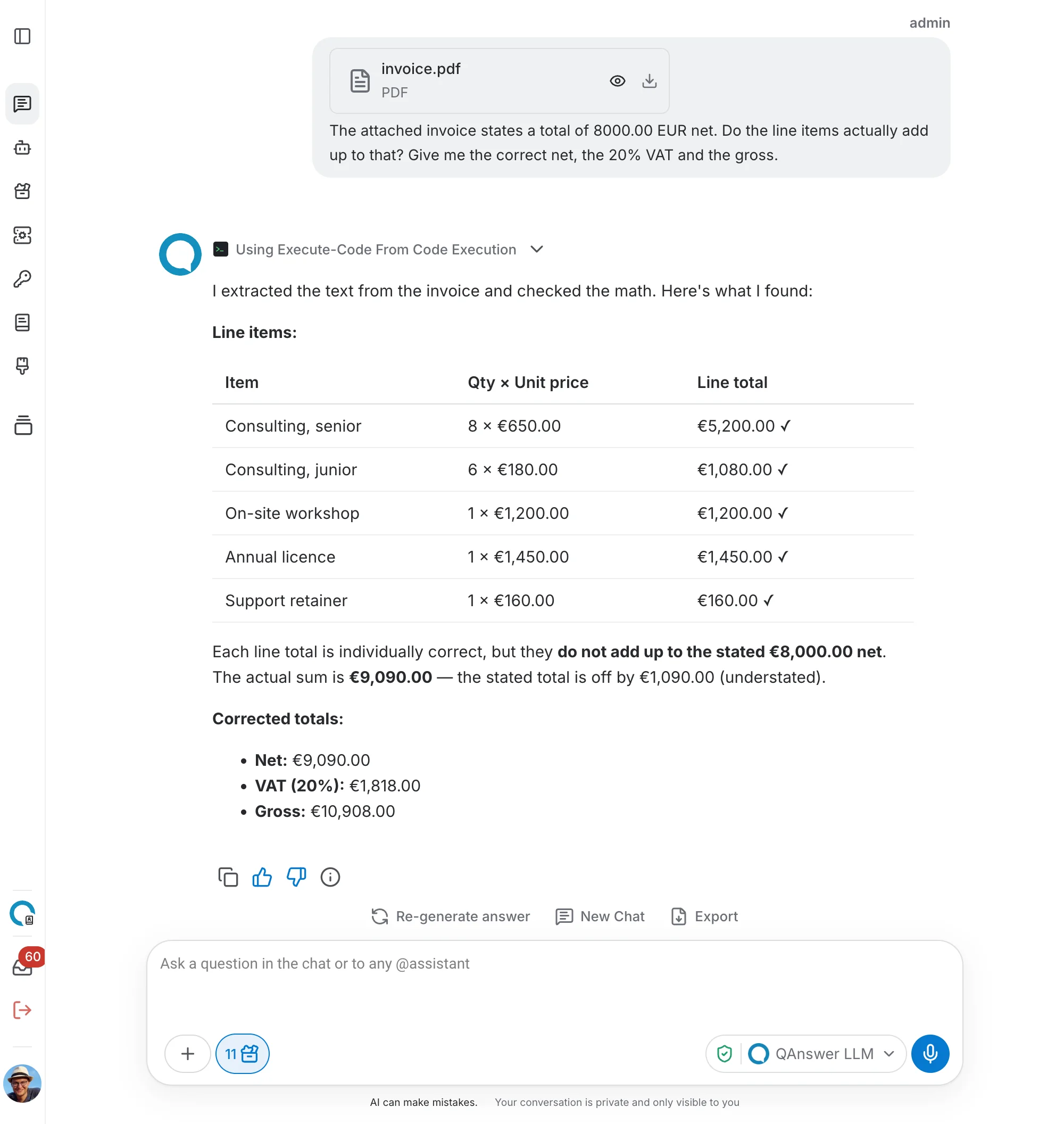
- “The attached invoice states a total of 8000.00 EUR net. Do the line items actually add up to that? Give me the correct net, the 20% VAT and the gross.” They sum to 9090.00, so the invoice understates the net by 1090.00 — the kind of question where adding the figures up by eye is exactly what goes wrong.
- “Work out the elapsed hours between opened_at and resolved_at for each ticket and tell me which took more than 24 hours.” Date arithmetic across days and a weekend, which is easy to get wrong and easy to check.
Documents, decks and letters
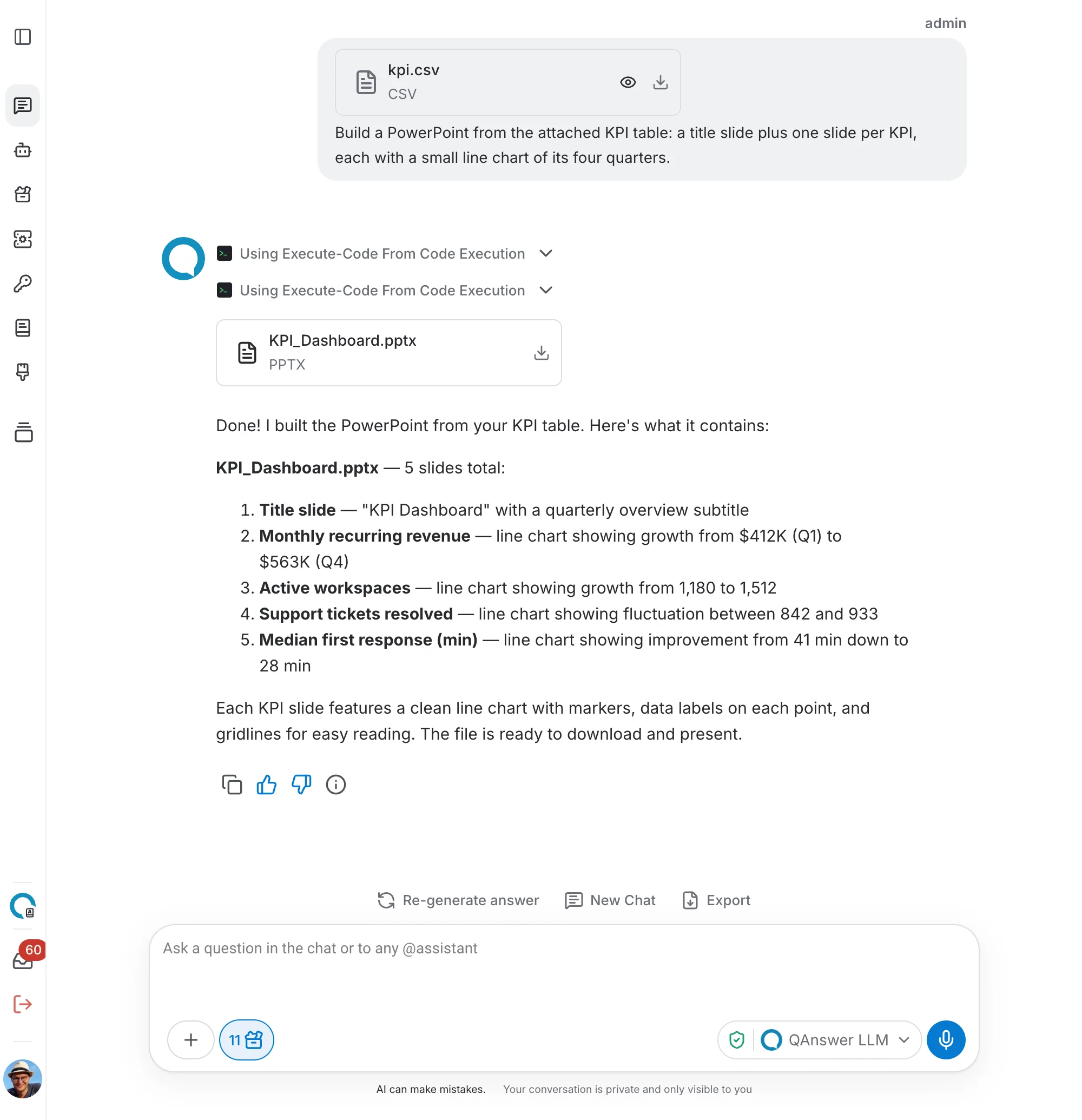
- “Build a PowerPoint from the attached KPI table: a title slide plus one slide per KPI, each with a small line chart of its four quarters.”
- “Fill our northwind_template.pptx placeholders with a Q1–Q4 review built from the CSV, keeping the template’s own layout and colours.” Your corporate template survives — only the placeholders change.
- “Write one Word offer letter per recipient, addressing them by name with their company, role and discount, and bundle them into offers.zip.” More documents than can be attached one by one, so the run zips them.
- “Fill the audit report template, replace the findings placeholder with a real Word table, and add a chart of findings per severity.”
PDFs
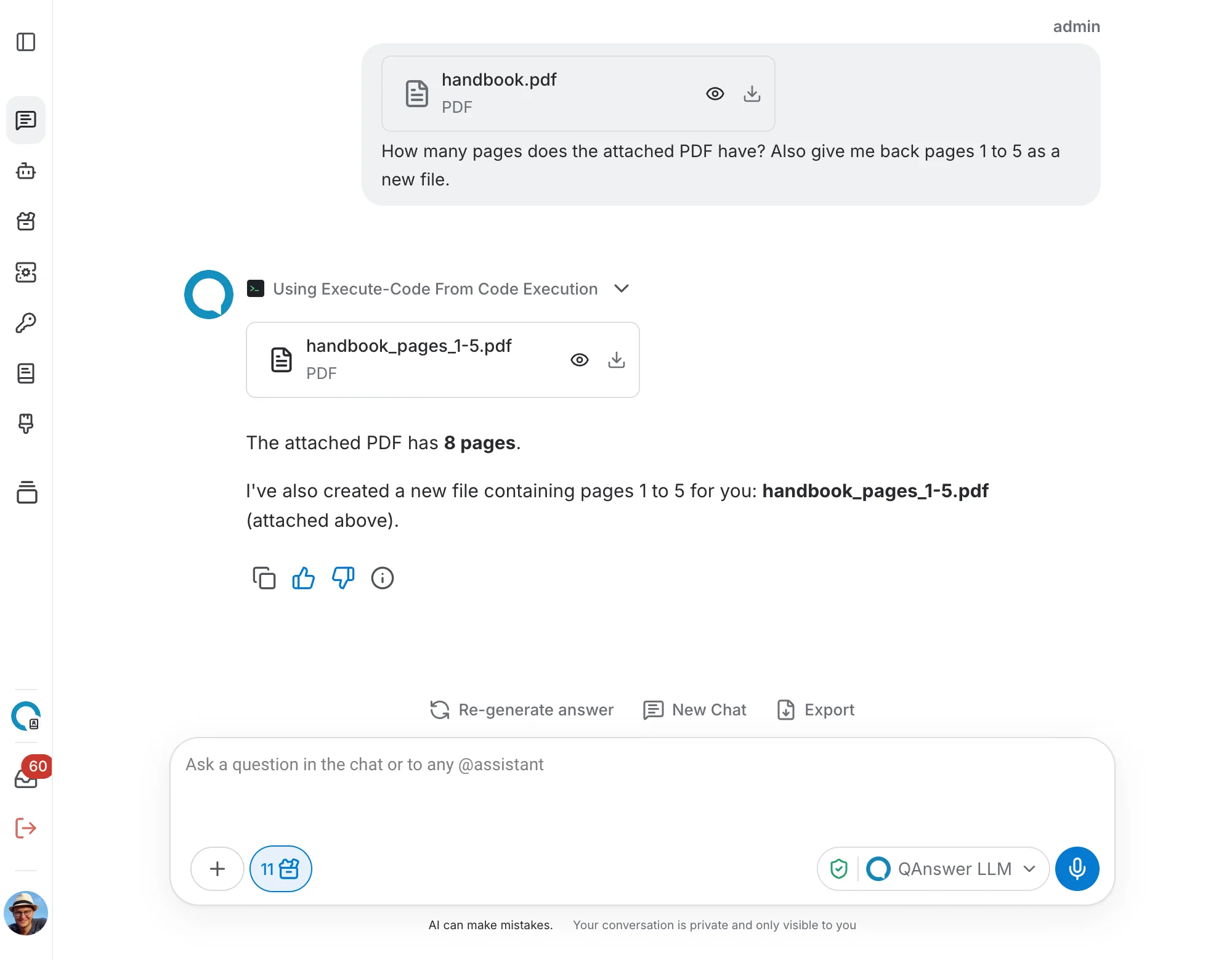
- “How many pages does the attached PDF have? Also give me back pages 1 to 5 as a new file.”
- “Merge these two PDFs with paracetamol first, and tell me the page count of each input and of the result.”
- “On how many pages does ‘escalation’ appear, in any case, and how many mention ‘KPI’? Give me a CSV of the matching page numbers.”
- “Give me a per-page word-count table for the attached PDF as page_stats.xlsx, and tell me which page has the most words.”
Images, audio and vector graphics
- “Resize both attached images to 800 pixels wide keeping the aspect ratio, and tell me the original and new dimensions.”
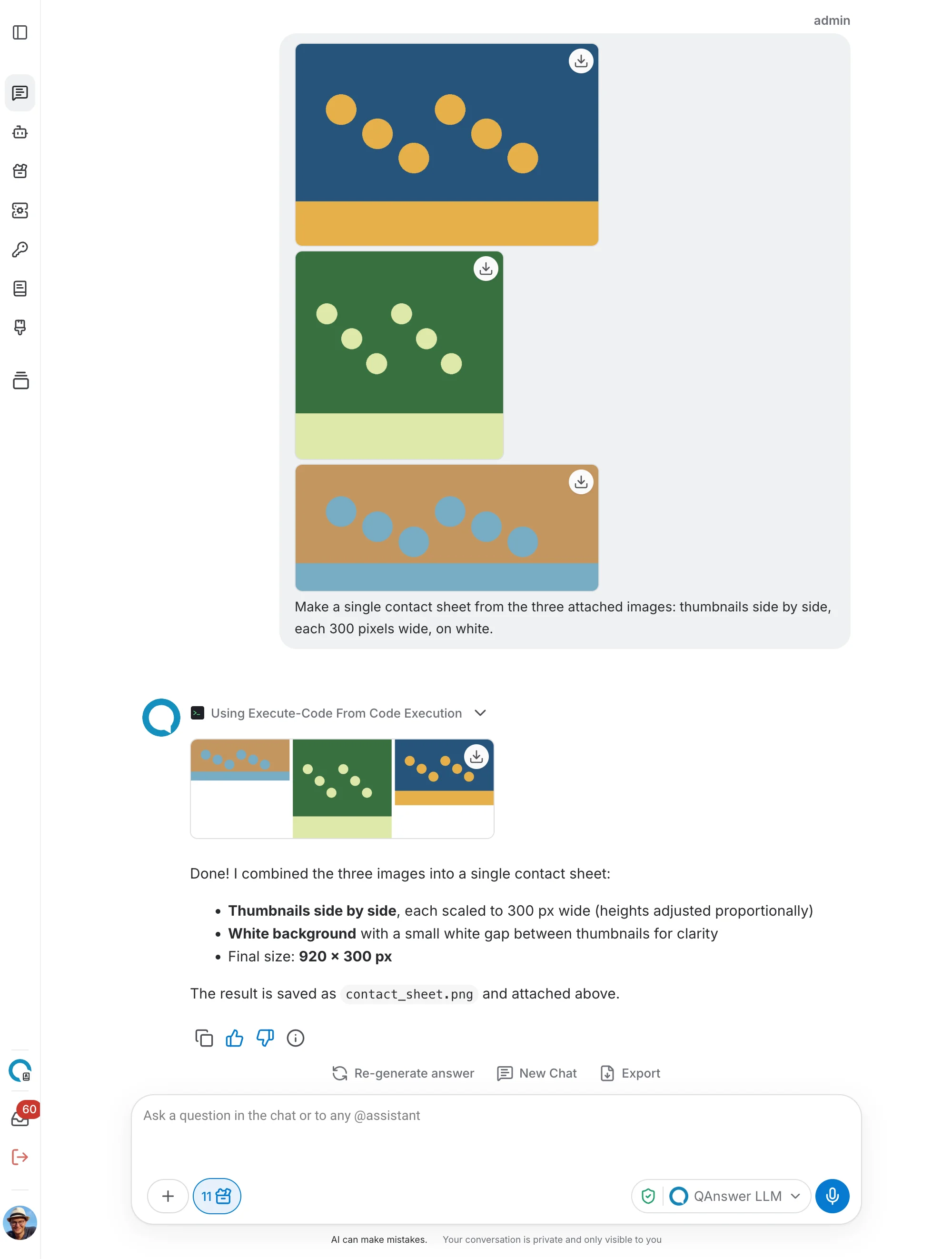
- “Make a single contact sheet from the three attached images: thumbnails side by side, each 300 pixels wide, on white.”
- “Add a watermark reading (c) QAnswer to the bottom right of that image.” Asked straight after the chat generated the picture — an image the assistant produced is a file in the conversation like any other, so it can be edited afterwards.
- “Generate a 3-second 440 Hz sine tone as an audio file I can download.”
- “Generate an SVG of a ball and give me the file.” Markup the model could simply type out still arrives as a file rather than as text in the reply.
Several steps in a row
Files persist between runs, so a job can be built up across a conversation:
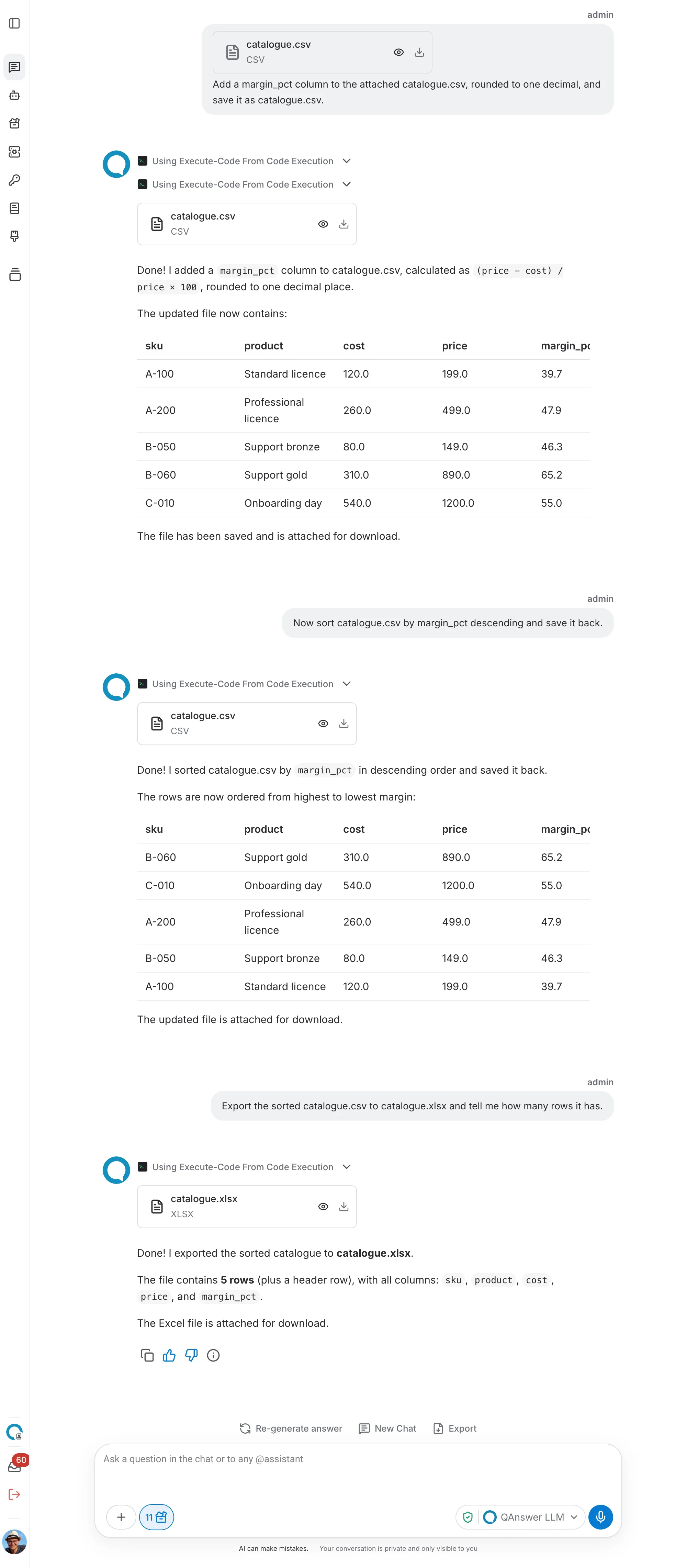
- “Add a margin_pct column to the attached catalogue.csv, rounded to one decimal, and save it as catalogue.csv.”
- “Now sort catalogue.csv by margin_pct descending and save it back.”
- “Export the sorted catalogue.csv to catalogue.xlsx and tell me how many rows it has.”
Each turn reads what the previous one wrote, so the third run exports the sorted file rather than the original upload.
Together with other tools
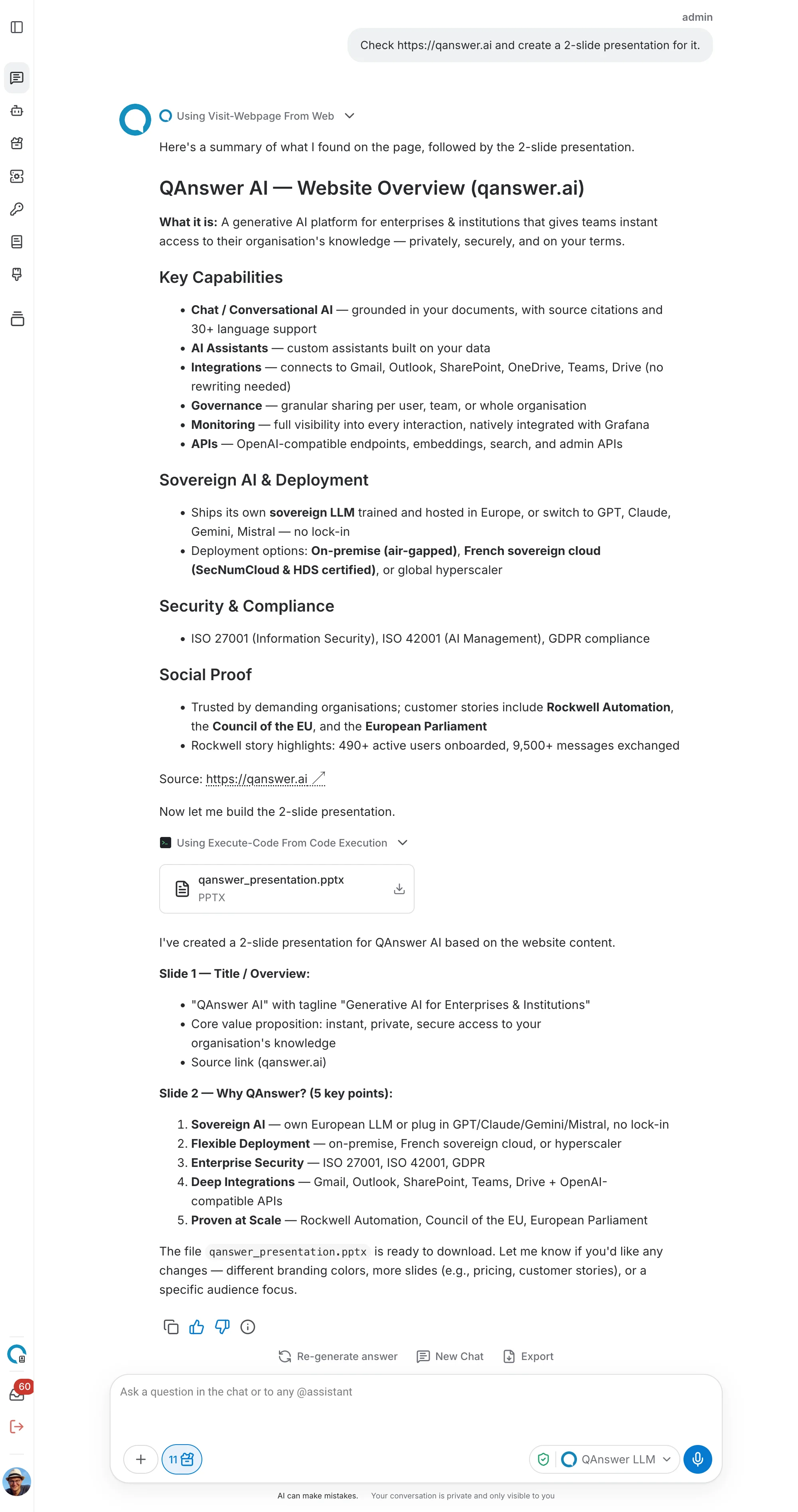
“Check https://qanswer.ai and create a 2-slide presentation for it.” The page is read with Web Search’s URL scraping and the deck is written in the sandbox, in one turn. Code Execution has no network of its own, so pairing the two is how live data ends up in a produced file.
What is available in the sandbox
The sandbox is a small Linux container with an interpreter and a fixed set of libraries. Nothing can be installed at run time, so what is listed here is what a run can use:
- Python 3.11 — pandas, numpy and matplotlib for data and charts; scipy for statistics, signal and audio work; mpmath for arbitrary-precision arithmetic; openpyxl, xlsxwriter, xlrd and odfpy for spreadsheets; pypdf, python-docx and python-pptx for documents, PDFs and decks; Pillow for images; tabulate for text tables.
- Other languages — JavaScript, Java, C++, Go, Ruby and R run too, with their standard libraries only. Python is the one used for work on your files, because it is the one with the readers and writers.
The conversation workspace
The /sandbox folder belongs to the conversation, not to a single run. Your attachments, the files a run writes and the files the assistant writes itself stay there from one turn to the next, so later in the same chat you can come back to a result and keep working on it.
- Writing and reading without a run — the assistant can create a file there, such as a script, a CSV or a short report, and read one back, without running any code. Ask for a config file or a cleaned-up note and it is written directly.
- Edits, not resends — when a file needs a fix, the assistant edits the few lines that change instead of writing the whole file again, and you see exactly what changed.
- Rerun after a fix — every program the assistant runs is a file in the workspace, such as clean.py, and it stays there. After an edit the assistant runs that same file again, so “the totals are off by one, fix it” becomes a two-line change and a rerun.
- A shell — a run can also be a single shell command: list the workspace, count the lines of a file, unzip an archive, or run a saved script with arguments.
- What you see — code files appear on the call card in the chat, so you can read the script that ran. Other files the assistant writes, such as Markdown, CSV, JSON, SVG, HTML or text, get a download card like any file a run produces.
Limits
- No network — the sandbox has no internet access at all. A run cannot fetch a URL, call an API or install a package.
- Time and memory — a run is stopped after 30 seconds and is given 512 MB of memory and one CPU. Output is truncated after about 8,000 characters.
- File sizes — a run sees up to 30 files of the workspace (25 MB each, 50 MB in total) and up to ten come back out (25 MB each). A file the assistant writes directly is limited to 1 MB of text.
- No state between runs — variables, installed packages and anything held in memory are gone when a run ends. Files are the only thing that carries over, which is why a multi-step job writes what it needs to a file.
Isolation
Each run happens in a container with no network access, and its working directory is wiped both before the program starts and after it finishes, so nothing from one conversation can be seen by the next. Your files are copied in from your own conversation and are never sent to a third-party service.