
Squarespace
Video Tutorial
Squarespace
Watch on Tutorials page →
Info
Before following this section, add data to your AI Assistant as described in the Data Sources Section and test it in the AI Task Section.
Follow these steps to embed your AI Assistant as a chatbot widget in Squarespace.
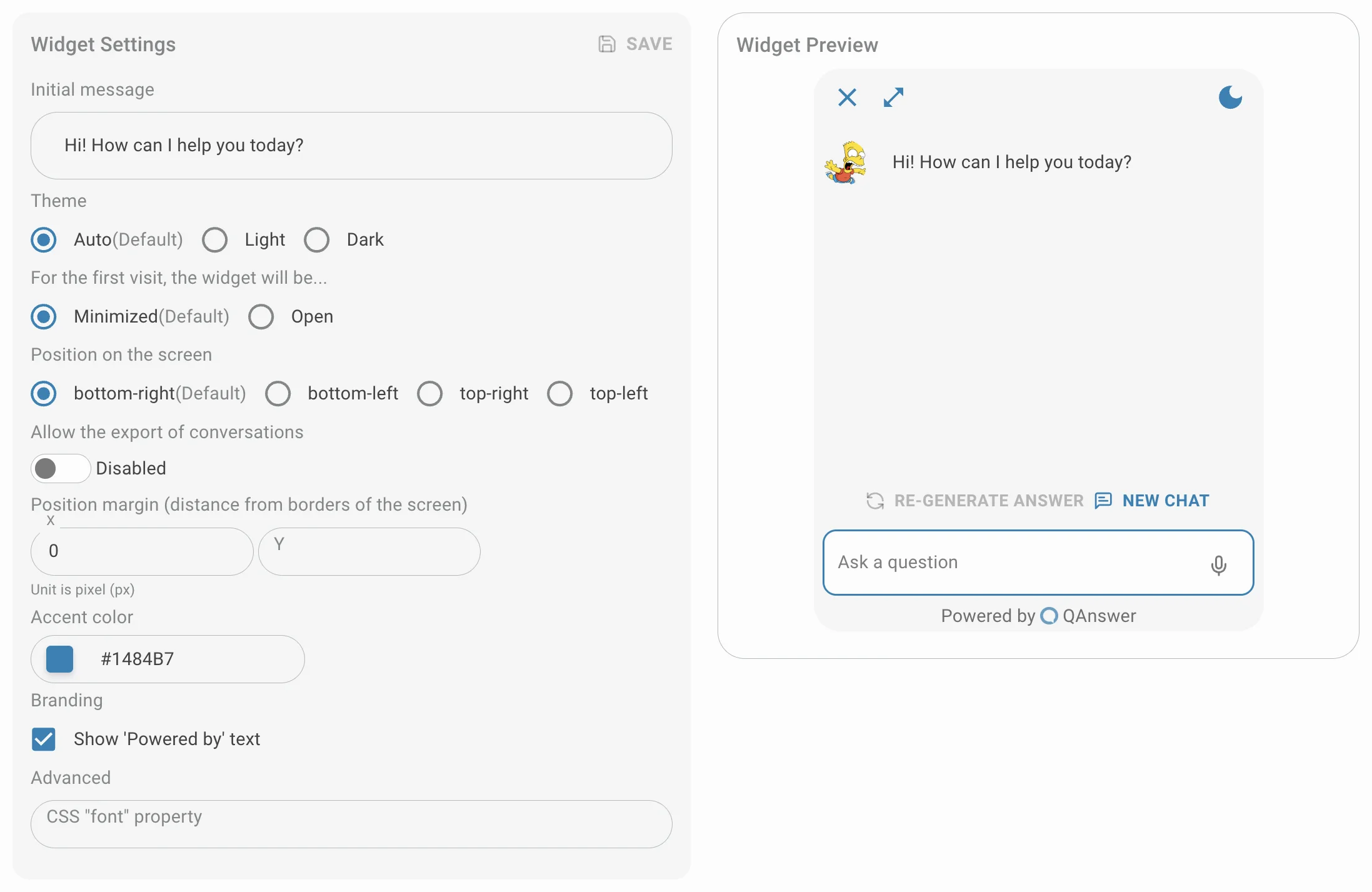
Customize
Customize the widget and save it.
Make public
In the Choose your access step, select Public. To keep the assistant private, select Only with an API key and pick or generate a key for the widget instead.

Settings
Go to the Code Injection page of the settings of your Squarespace website.
Code injection
Paste the QAnswer code snippet into the "Header" text area and click "Save". The AI Assistant will now appear on your Squarespace website.