
Security Logs
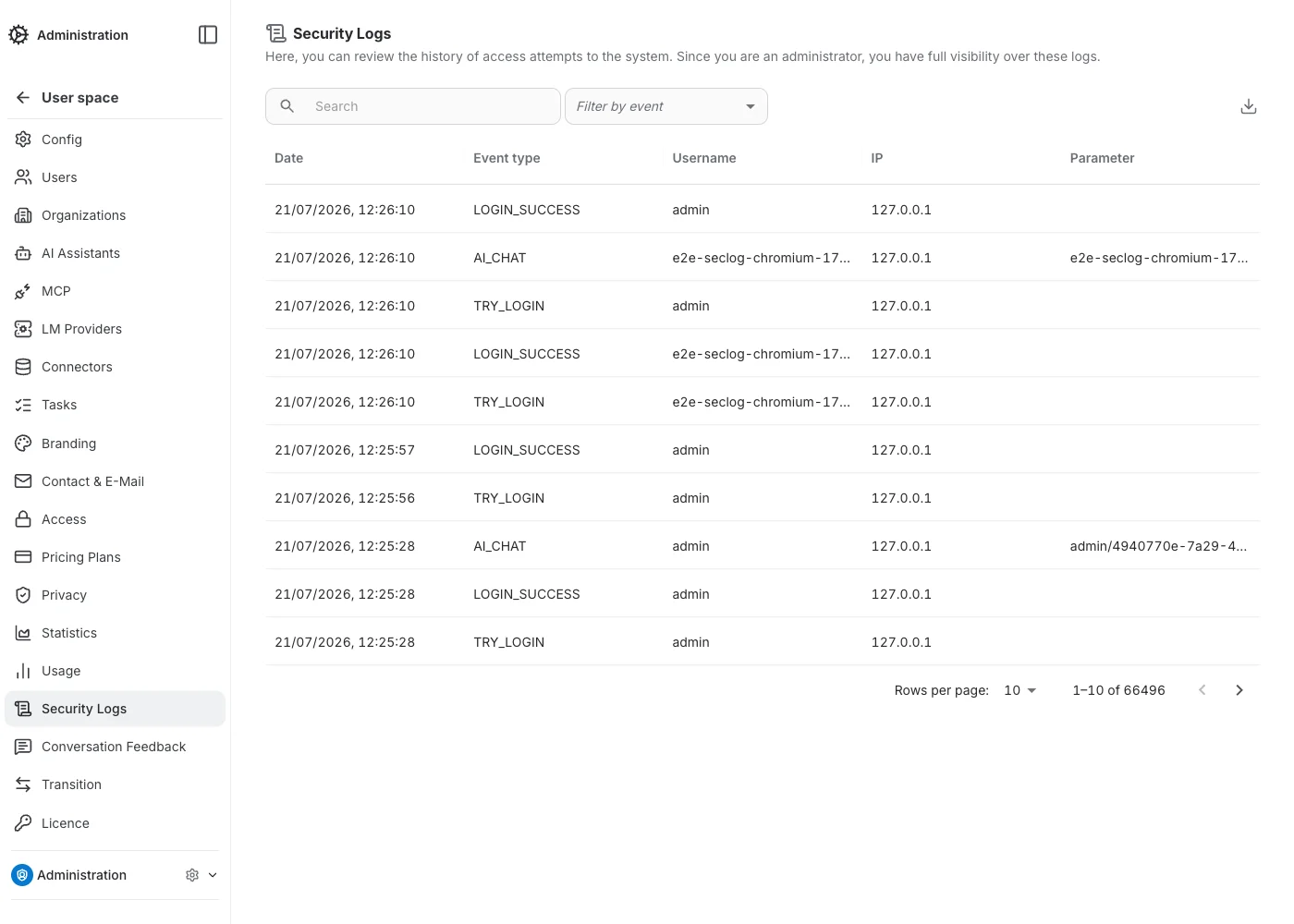
Security Logs is a platform-wide audit trail of authentication and usage events, with full visibility across every user and organization. The same page also exists scoped to a single organization or team, for org/team admins.
Columns
Each row shows: Date, Event type, Username, IP address, and Parameter — an event-specific detail (e.g. the assistant ID for an AI chat event).
Event types
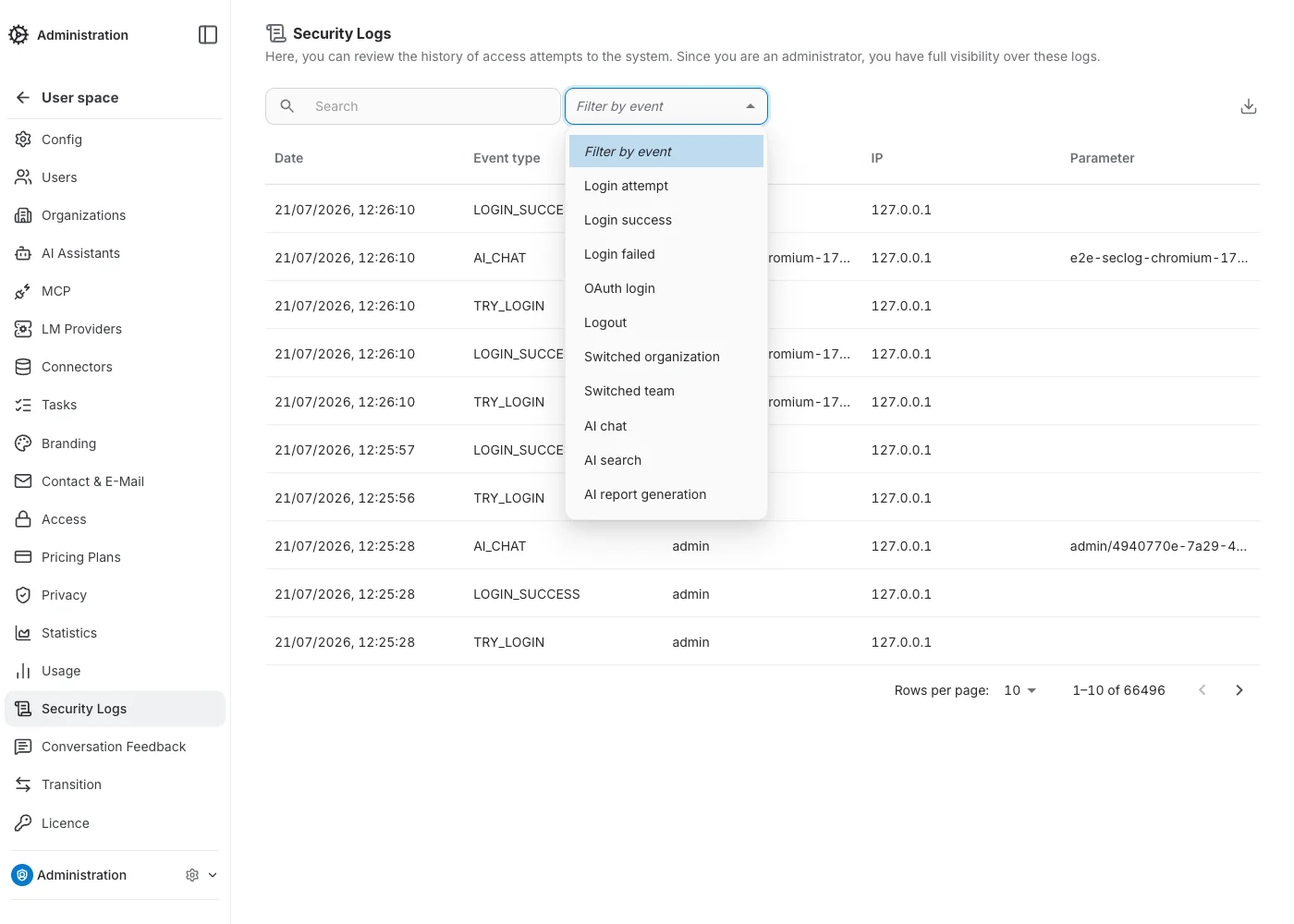
The event filter narrows the log to one of ten event types:
- Login attempt — a sign-in was attempted, before success/failure is known.
- Login success.
- Login failed.
- OAuth login — signed in via an OAuth / OpenID Connect provider.
- Logout.
- Switched organization.
- Switched team.
- AI chat — a chat message sent to an assistant.
- AI search.
- AI report generation.
Search
The search box matches across date, event, username, and IP.
Export
The download icon exports every log matching the current search and event filter to a CSV file — not just the current page.
Automatic deletion
Security logs can be automatically deleted on a nightly schedule. Configure the retention period for an organization in Privacy → Conversation retention.