
SharePoint (On-Prem)
The SharePoint (On-Prem) connector indexes sites and document libraries on a SharePoint Server you host yourself, rather than SharePoint in Microsoft 365.
Info
SharePoint (On-Prem) has to be enabled for your account or organisation before it appears in the Add connector menu. If it is not listed, ask your administrator — see creating an assistant.
Authentication
The on-prem connector authenticates differently from the cloud SharePoint connector above:
- Works — Kerberos (SPNEGO) sign-in with a domain username and password, entered directly in the connector form.
- Does not work — Microsoft sign-in, OAuth, client secret, or certificate authentication. Those methods only apply to the cloud SharePoint connector.
Note
Enter the username as user@REALM (realm in uppercase) or DOMAIN\user — the realm must match exactly what your domain controller expects, or sign-in fails.
Connect SharePoint (On-Prem)
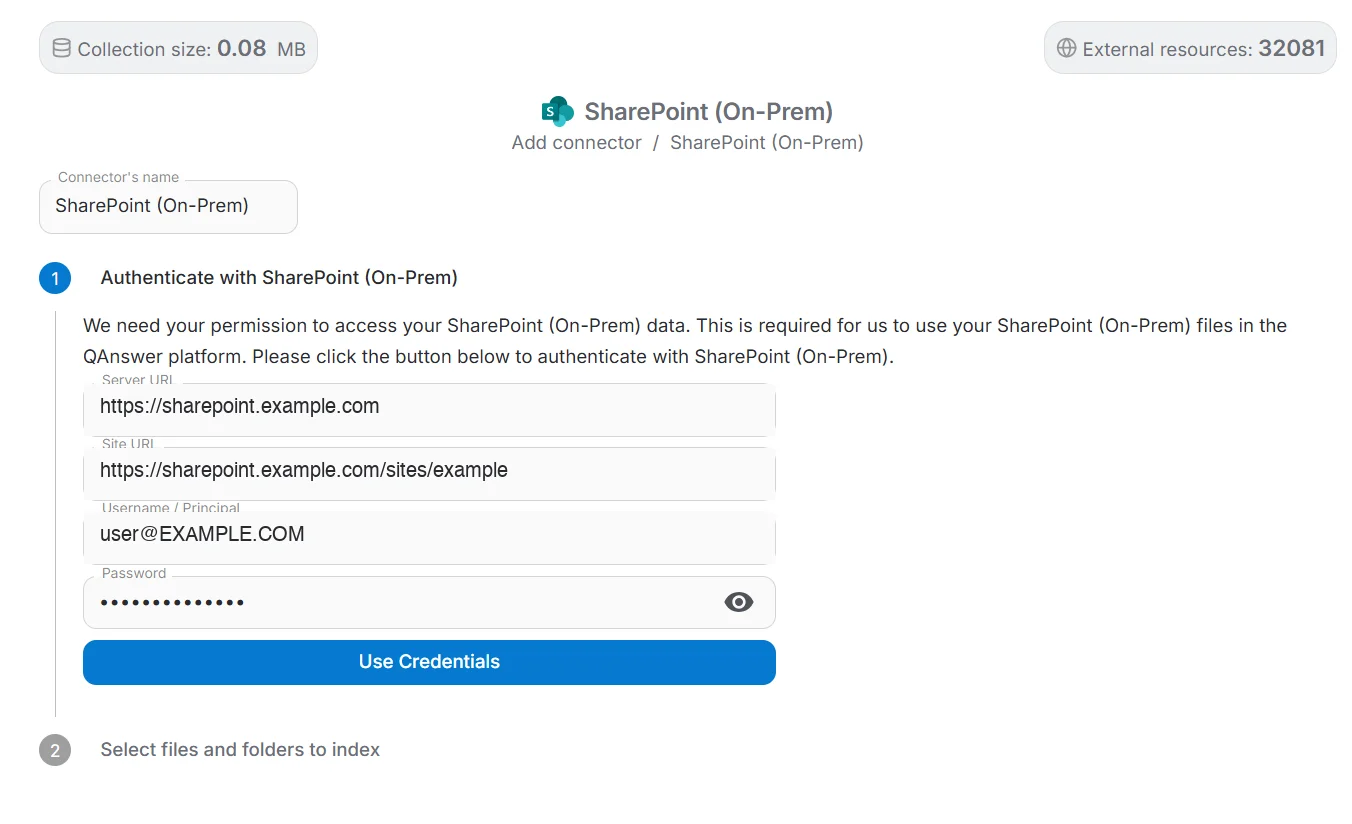
Choose SharePoint (On-Prem) in the Add connector menu and fill in:
- Server URL — the root URL of the on-prem SharePoint server.
- Site URL — the URL of the specific site to index.
- Username / Principal — your domain account, in user@REALM or DOMAIN\user form.
- Password — the password for that account.
What gets indexed
Once connected, the same site/library/folder browsing and file selection as the cloud SharePoint connector applies.
Note
SharePoint's built-in form pages (Upload.aspx, NewForm.aspx, DispForm.aspx, EditForm.aspx, under each library's Forms folder) are not real content and are skipped rather than indexed.
Tip
See the full SharePoint data source page for what happens after connecting — selecting content, connector settings and access control: SharePoint.