Tasks
Overview
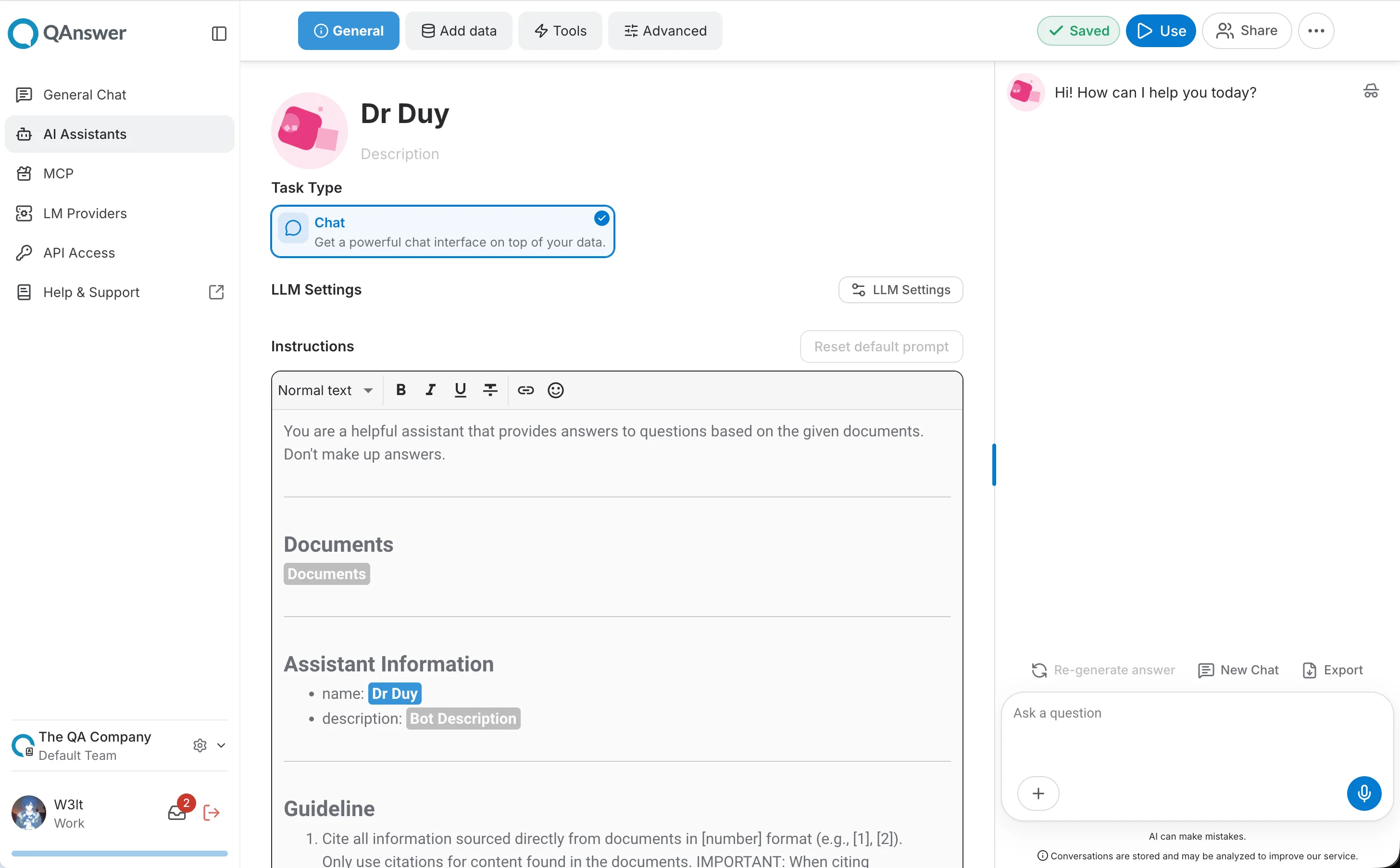
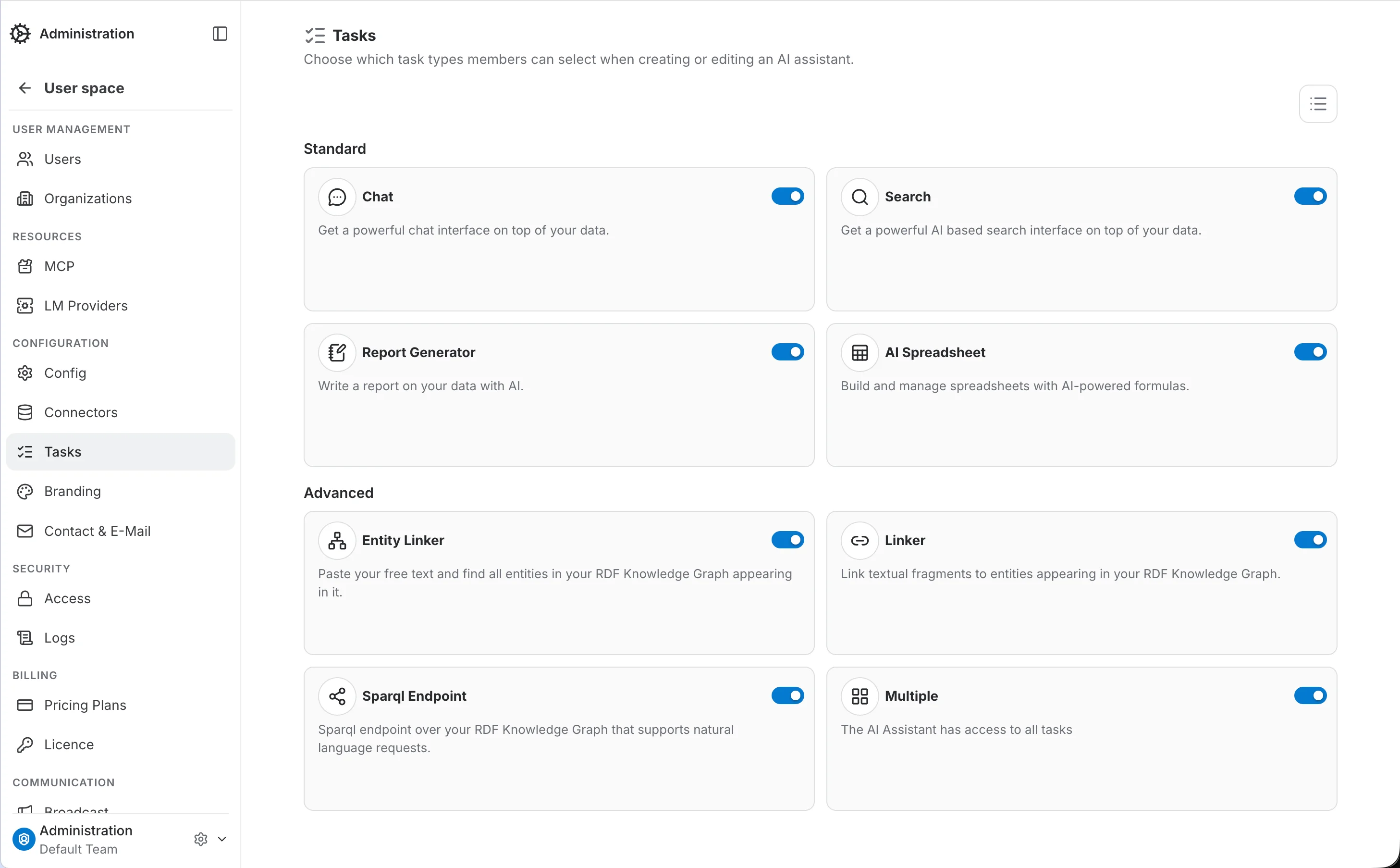
Every QAnswer AI Assistant is built around one task type — Chat, Search, Report Generator, AI Spreadsheet, Entity Linker, Linker, Sparql Endpoint, or Multiple (access to all tasks). The Tasks tab controls which of these task types members can pick from when creating or editing an AI Assistant, letting you narrow the list down to only what your organization actually needs.
- Chat — A powerful chat interface on top of your data.
- Search — A powerful AI-based search interface on top of your data.
- Report Generator — Write a report on your data with AI.
- AI Spreadsheet — Build and manage spreadsheets with AI-powered formulas.
- Entity Linker — Paste free text and find all entities in your RDF Knowledge Graph appearing in it.
- Linker — Link textual fragments to entities appearing in your RDF Knowledge Graph.
- Sparql Endpoint — A Sparql endpoint over your RDF Knowledge Graph that supports natural language requests.
- Multiple — The AI Assistant has access to all tasks.
Scopes
Task types can be restricted at three levels, matching the other admin panel sections: Admin (platform-wide), Organization, and Team. A more specific scope overrides a broader one — if a task type has no explicit setting at a given scope, it inherits the setting from the next broader scope up.
Enabling and disabling a task type
Each task type is shown as a card with an Active switch. Turning a task off immediately removes it from the task-type picker members see when creating or editing an AI Assistant.
Example — restrict members to Chat only
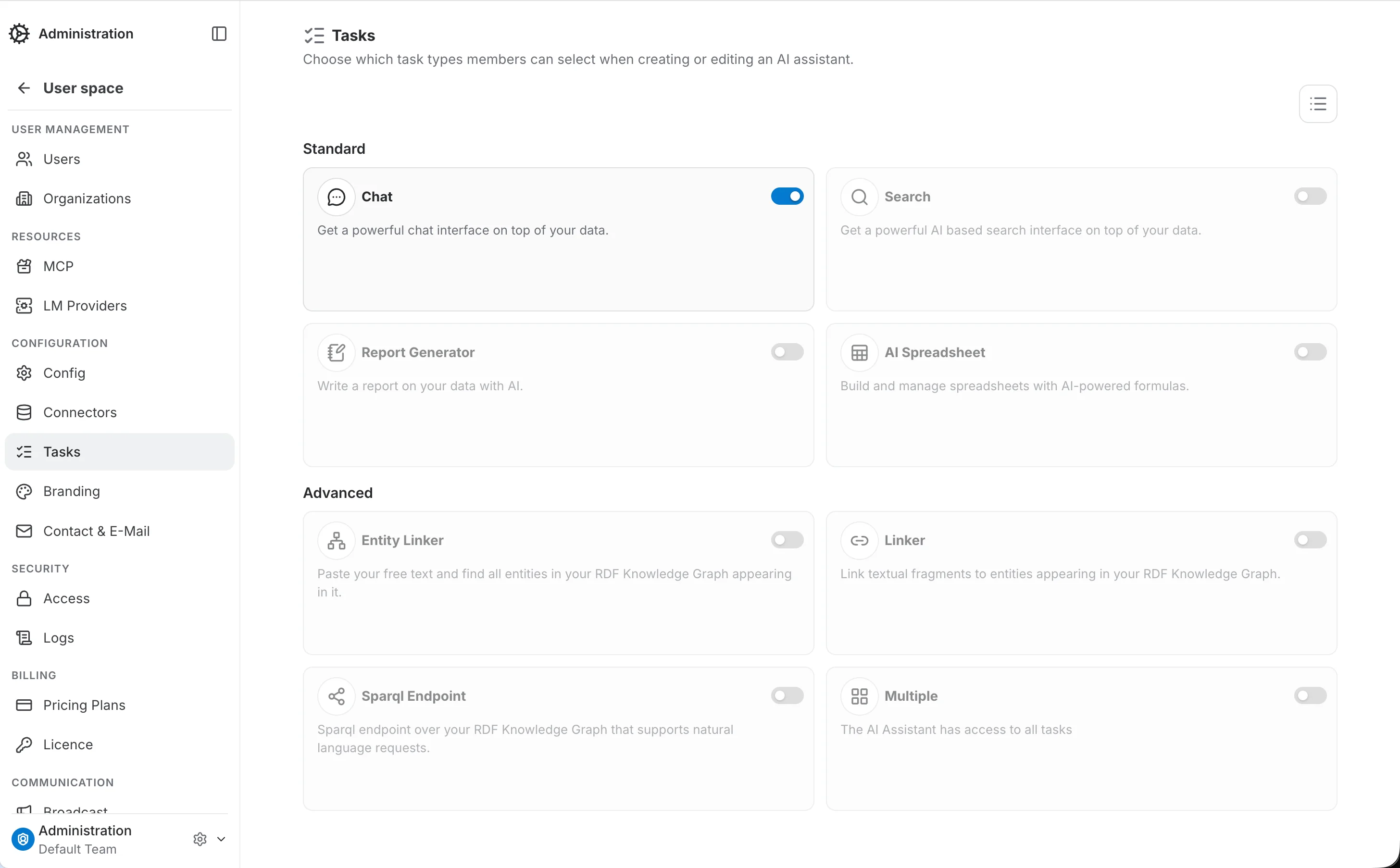
A common, realistic setup is to only expose the Chat task to your members, keeping the more specialized tasks (Search, Report Generator, AI Spreadsheet, Entity Linker, Linker, Sparql Endpoint, Multiple) available only where they're actually needed, or hidden entirely.
Step 1 — Open the Tasks tab
By default every task type is active.
Step 2 — Turn everything off except Chat
Switch off Search, Report Generator, AI Spreadsheet, Entity Linker, Linker, Sparql Endpoint, and Multiple, one by one. Leave Chat on.
Result
From now on, the Task Type picker on the AI Assistant creation and edit pages only offers Chat — every other task type is gone from the list, and the "+ N" advanced-tasks toggle disappears entirely since there's nothing left behind it.