Branding
The Branding page customizes the app's logos, favicon, and the footer/navigation links shown across the platform (imprint, privacy policy, help, terms of use). It is reached from the admin sidebar's "Branding" entry.
Logos
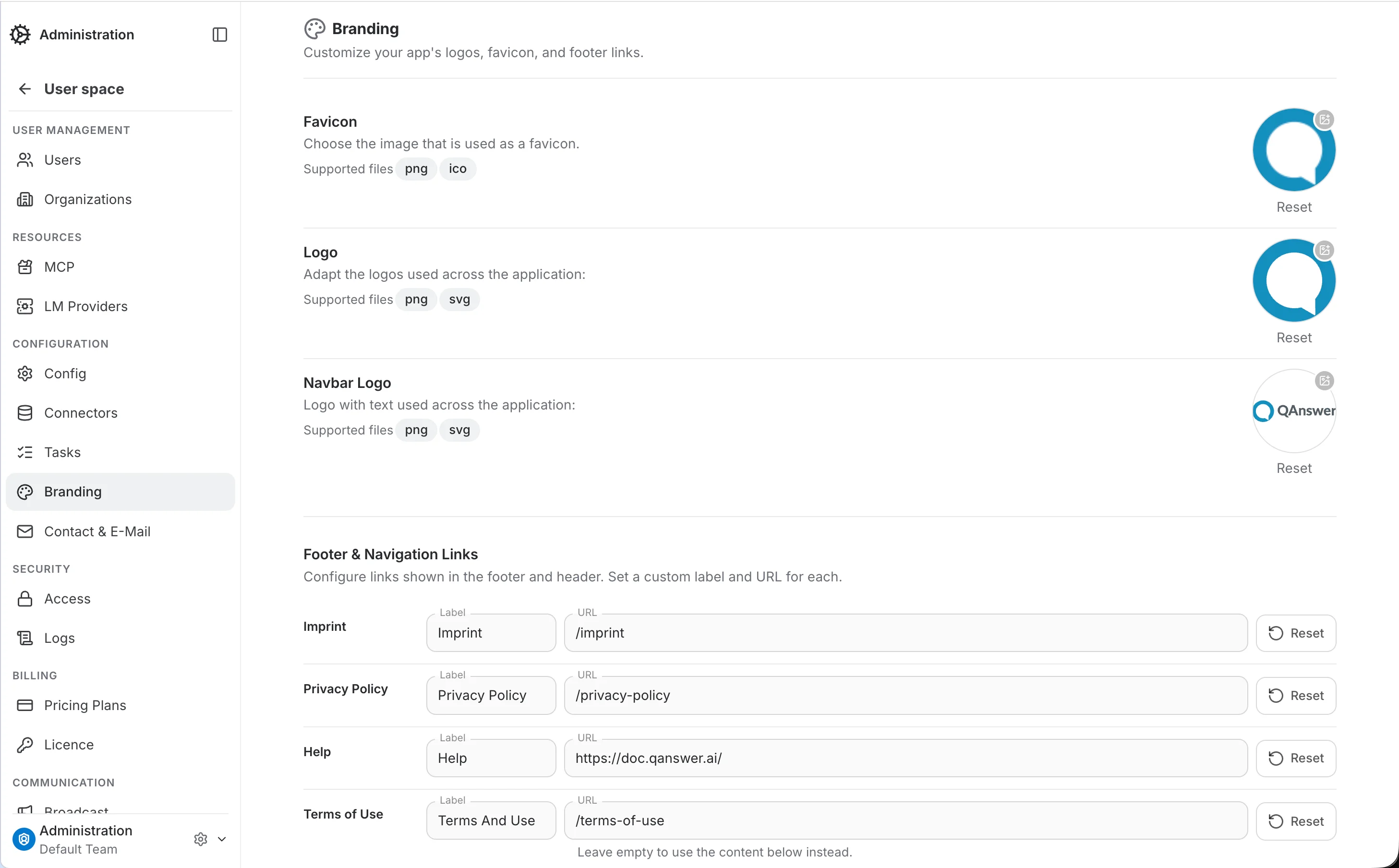
Three images can be replaced independently:
- Favicon: The small icon shown in the browser tab. Accepts .png or .ico.
- Logo: The mark-only logo used across the application (e.g. the login page and notifications). Accepts .png or .svg.
- Navbar Logo: The logo with text shown in the navigation bar. Accepts .png or .svg.
Click an image to upload a replacement — it saves immediately, no separate Save button. Use Reset below the image to revert to the default QAnswer image.
Footer & Navigation Links
Configures the links shown in the site footer and header, each with its own label and URL:
- Imprint: Shown in the footer on every page.
- Privacy Policy: Shown in the footer on every page.
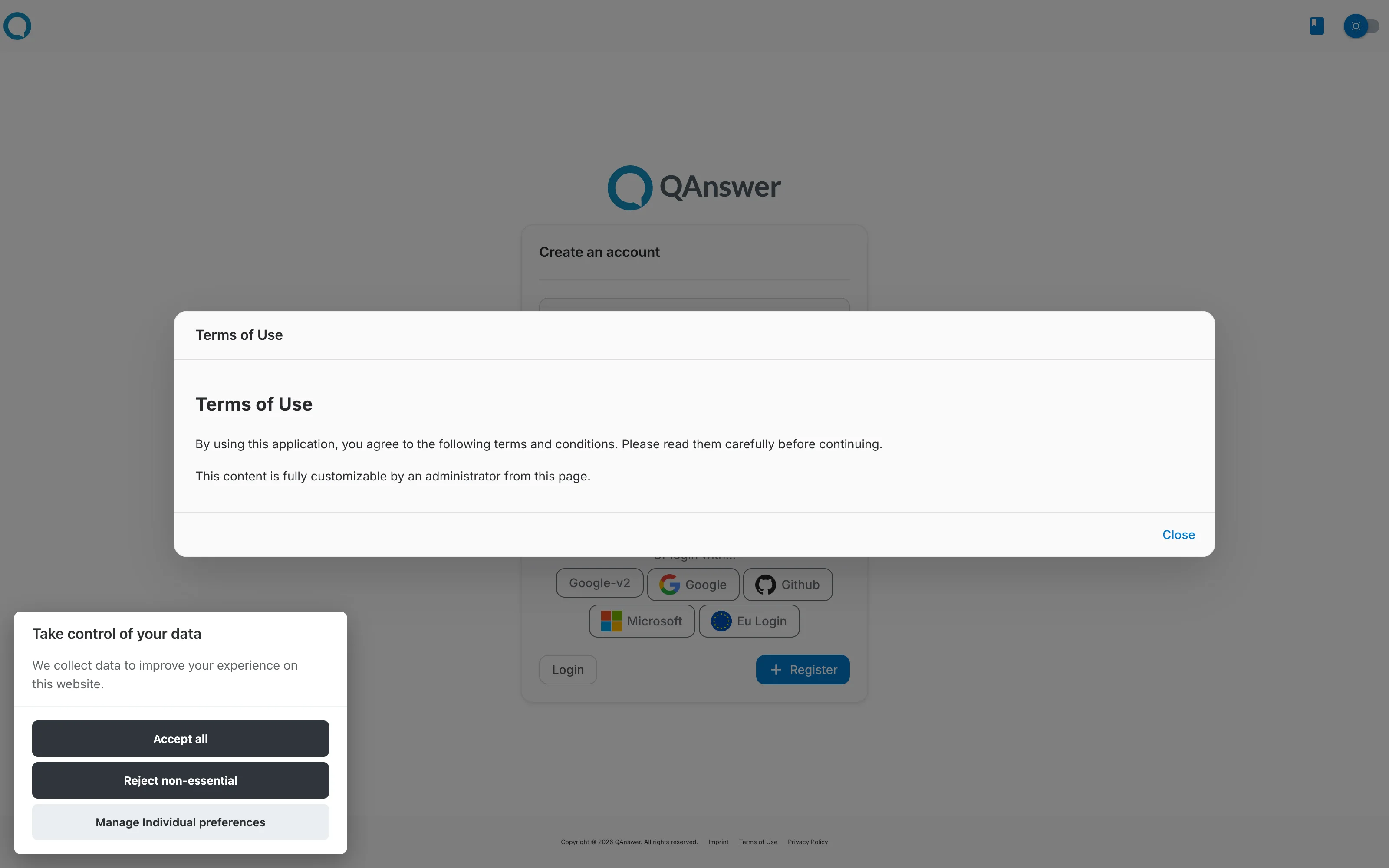
- Help: Rendered as a documentation icon link in the header — it has no visible label, only the URL is used.
Labels and URLs are edited together and applied with the Save button at the bottom of the section, which stays greyed out until something changes. The Reset button next to a URL puts that field back to its default value, but the change is only persisted once you hit Save.
Terms of Use
Terms of Use has an extra option beyond a label and URL: clearing the URL field reveals a rich-text editor for the terms content directly in the admin panel, saved via its own "Change" button.
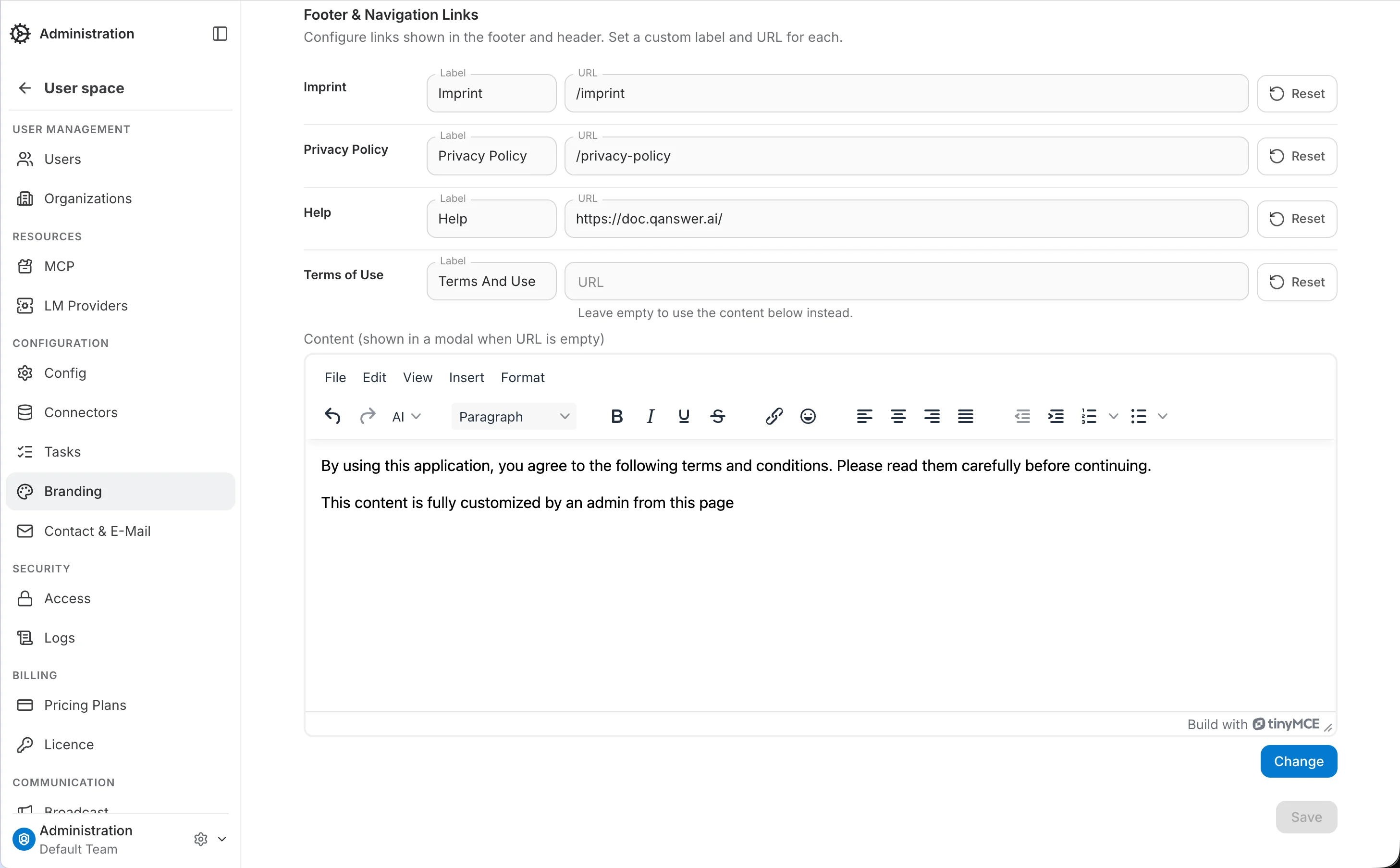
With no URL set, the public site no longer links away to an external page — the footer/header "Terms of Use" becomes a button that opens this content in a modal instead: