
PII terms
PII terms correct the detector behind PII masking: a term is always masked with the label you choose, or never masked. Defined here, they apply to every chat in the organisation whose model masks personal data.
Open it from "My organization → PII terms" in the sidebar.
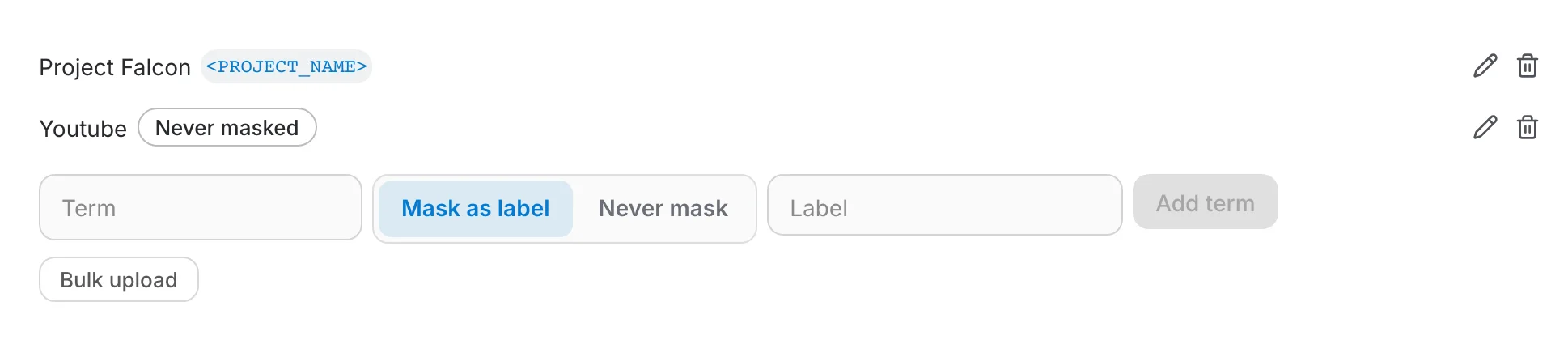
Two kinds of term
- Mask as label — the term is replaced by that label before the model sees it, for instance a project code name as
<PROJECT_NAME_1>. The same label is used in every conversation. - Never mask — the term reaches the model as written, for a product, a company or a place the detector keeps taking for a person's name.
The same editor exists in an assistant's LLM settings, for terms that apply to that assistant only. An assistant's term overrides the organisation's for the same value, and a choice made by a user in the chat overrides both.
Info
Only an organisation admin can edit this list. Members see the terms but cannot change them.
Working with terms
- Type a term, pick "Mask as label" with a label or "Never mask", and click "Add term". Labels are upper-case words joined by underscores; the suggestions are the usual ones.
- The pencil edits a term in place, the trash icon removes it.
- "Bulk upload" takes a CSV or XLSX file with two columns, term and label; leave the label empty for a term that is never masked. A template is offered in the dialog.
- Terms match whole words, whatever their case, and a change applies at once to the next message.
How masking works, what the chat shows and how a model gets it: PII masking.