
Enable the CRM
The CRM is an AI-powered module that an organization administrator switches on, on the Modules page at the top of the organization settings menu. The same page lists the other modules — AI (chat, assistants, MCP, LM Providers, API access) and Communication.
Turning on the CRM
- Open the organization settings and click Modules.
- Switch on CRM. Its sections appear below it, each with its own switch.
- Switch off any section your organization does not use — for example Quotations, Orders and Invoices if you do not import them from an ERP.
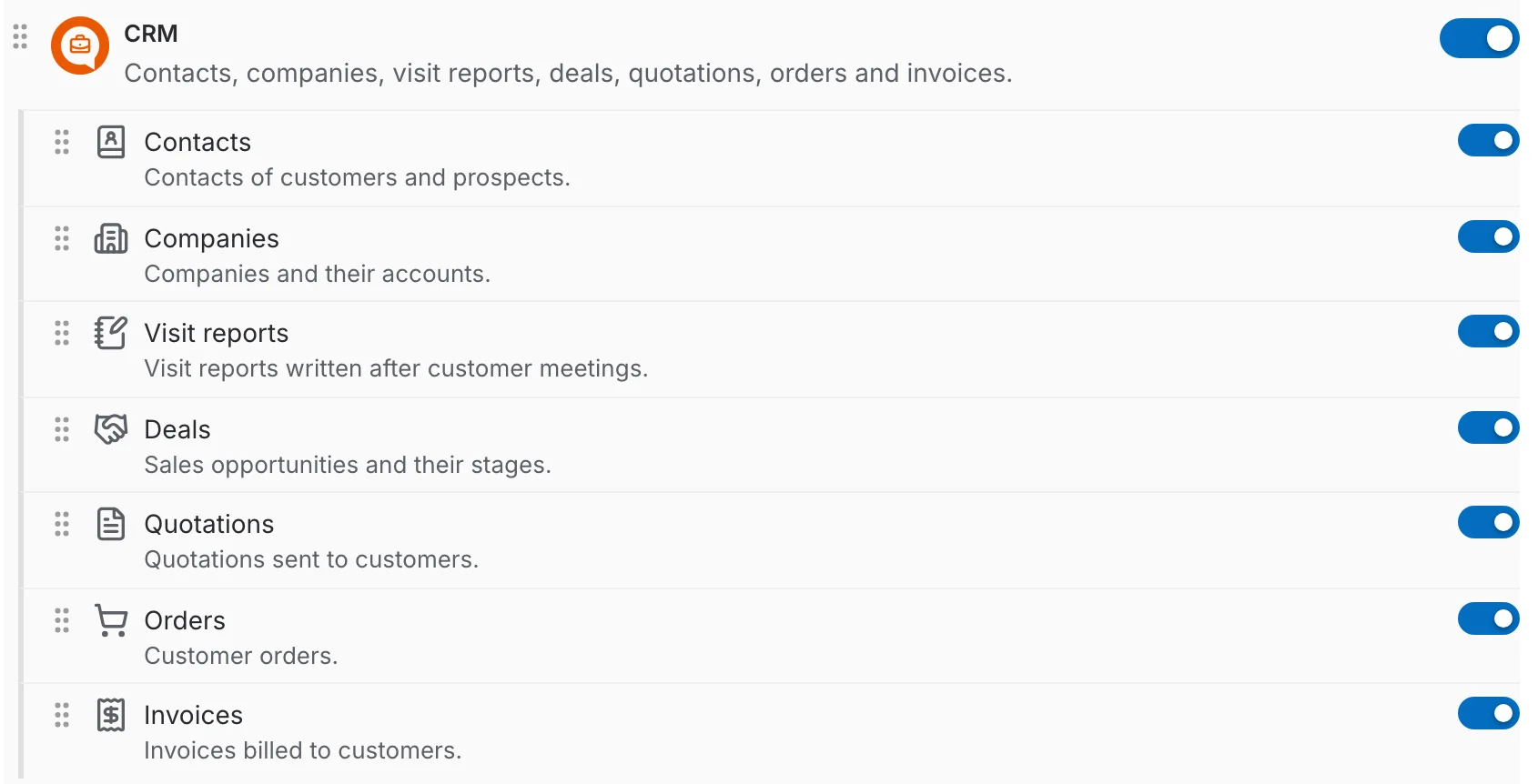
The change applies to every member of the organization: the CRM appears in their module switcher on their next page load. Switching the CRM off again hides it without deleting any records.
Info
The CRM is off by default. A platform administrator decides whether it is available on the platform at all; if you cannot switch it on, ask them.
Order of the modules
Drag the handles to change the order of the modules — and of the sections inside a module — in the module switcher and the navigation. Reset order brings back the default order.
Using the CRM
Once the CRM is on, members open it from the module switcher; the rest of this CRM documentation describes each section.