
Quotations
Quotations are the offers sent to your customers. In most organizations they are imported from the ERP and matched to the CRM's companies; you can also create one by hand with New quotation.
The three are linked to each other and to the rest of the CRM: a quotation can belong to a deal and lists the orders raised from it; an order points to its quotation and deal; an invoice points to its order. Quotations and orders also appear on their company's timeline.
The list
Each list opens on the current fiscal year, by quotation, order or invoice date. The columns show the team, the customer, the salesperson, the dates, the net amount and the status as the ERP reports it.
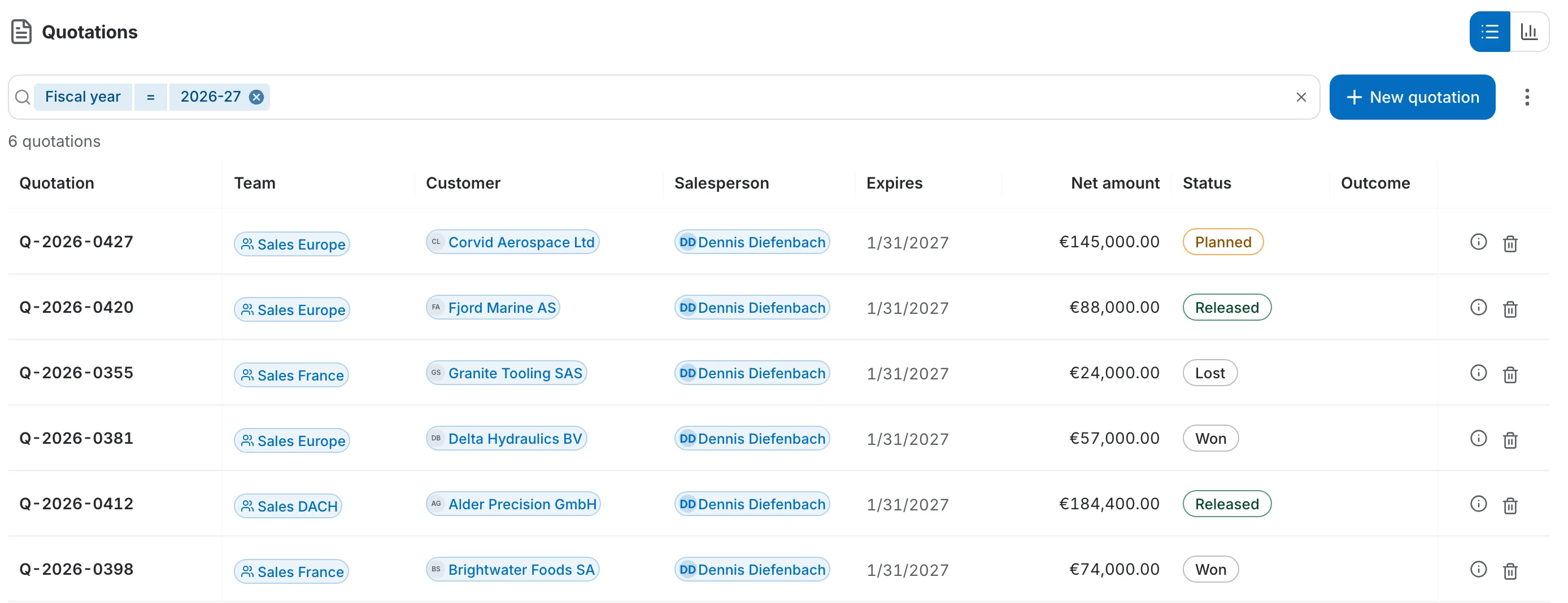
A quotation whose customer the import could not match to a CRM company is marked Not linked.
The details panel
Click a quotation to open it. Its tabs group the fields: Info (customer, salesperson, amounts, linked deal, orders raised from it, status, dates, site, currency), Lines (each line's part, quantity, unit price, discount and amounts), then Amounts, Outcome, Shipping, Invoice, Details and Owner.
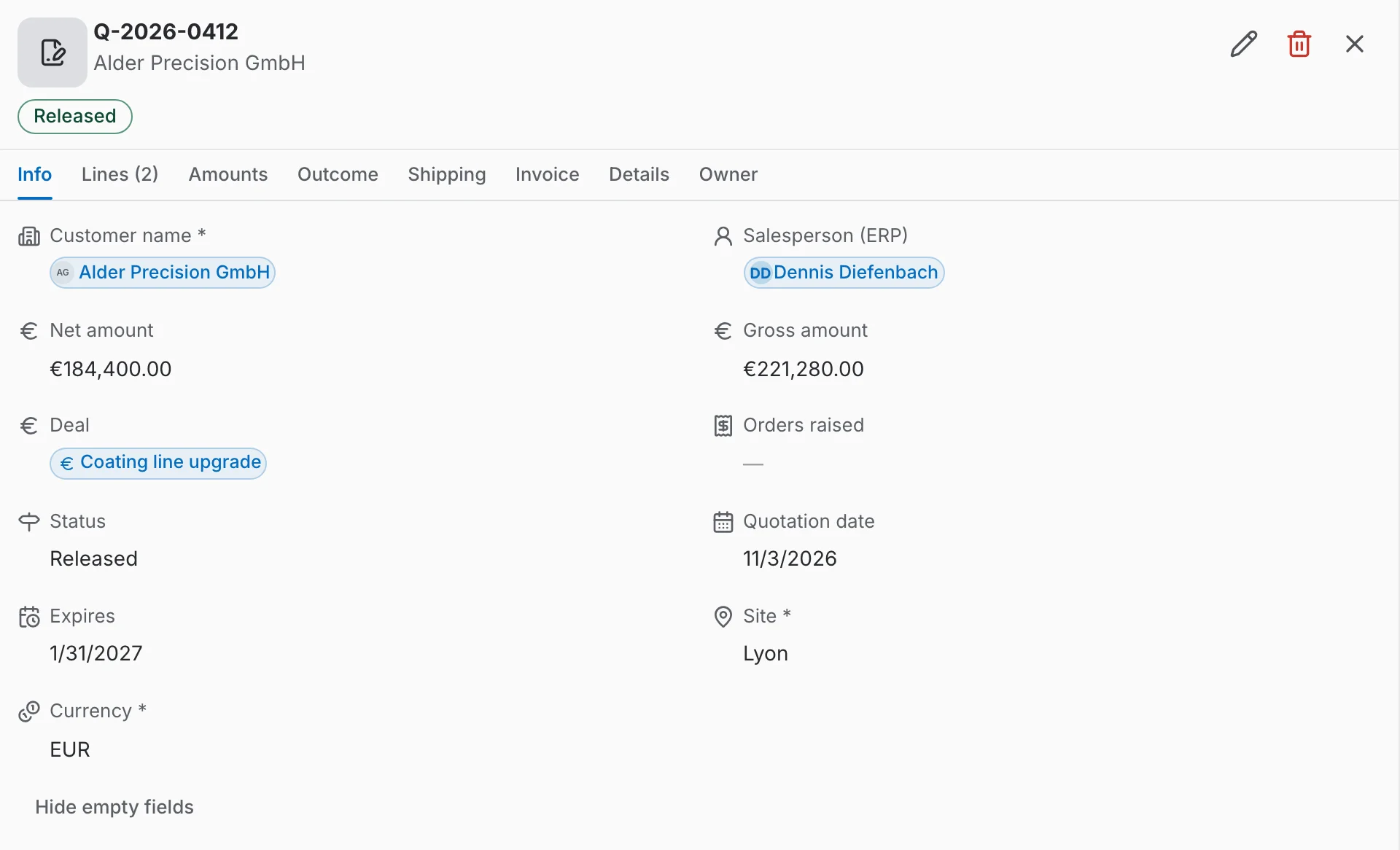
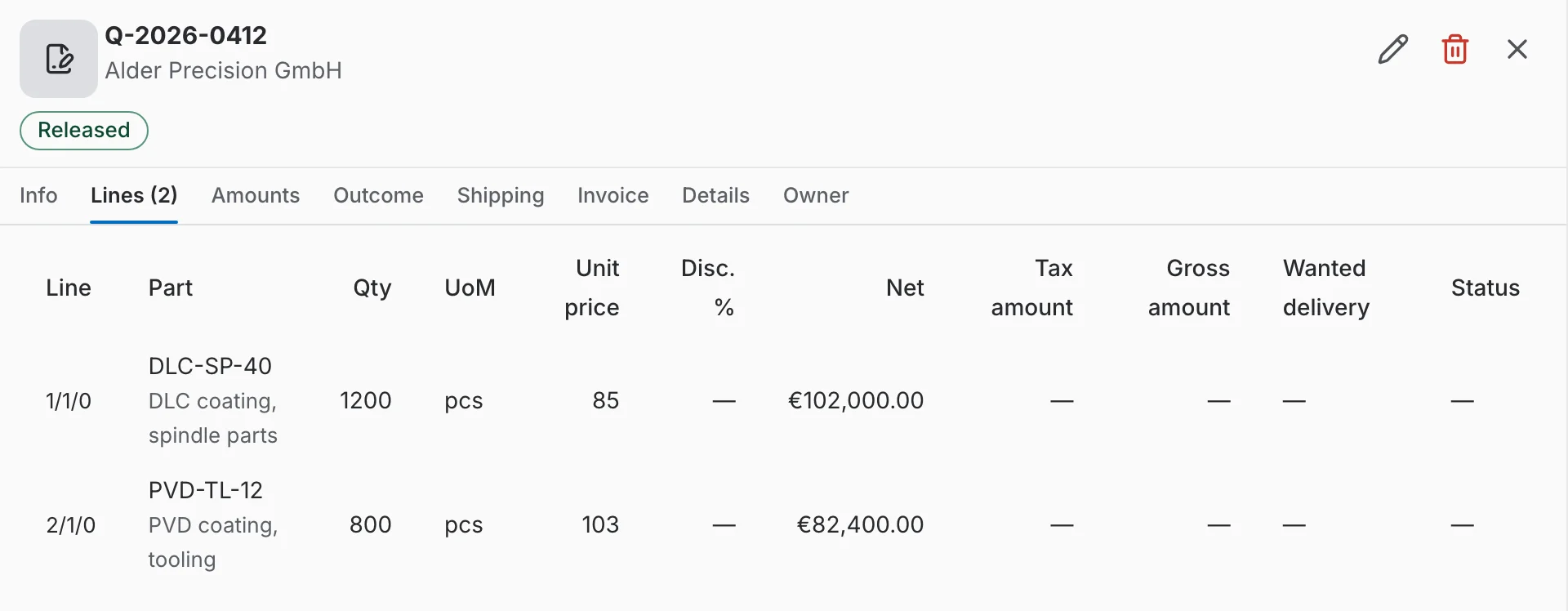
Documents imported from the ERP have an Open in IFS (or Open in ERP) button that opens them there.
Analytics and custom breakdown
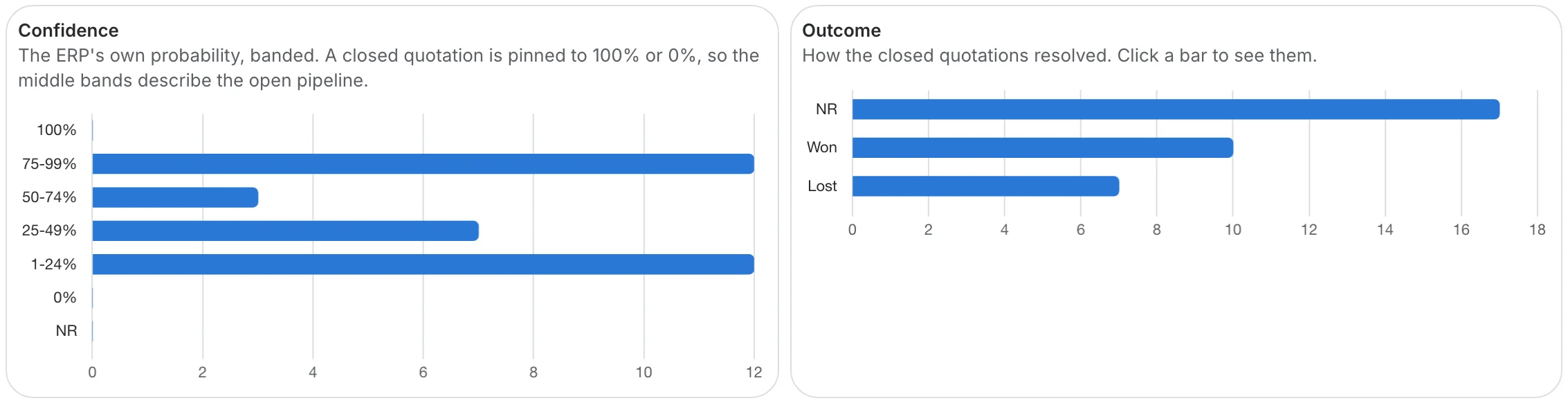
Switch to the Analytics view with the chart button at the top right. It shows how many quotations the filters select, how many are still open, the win rate and the quotations expiring in the next 30 days, with charts of quotations per month, the confidence the ERP gives them and how the closed ones resolved.

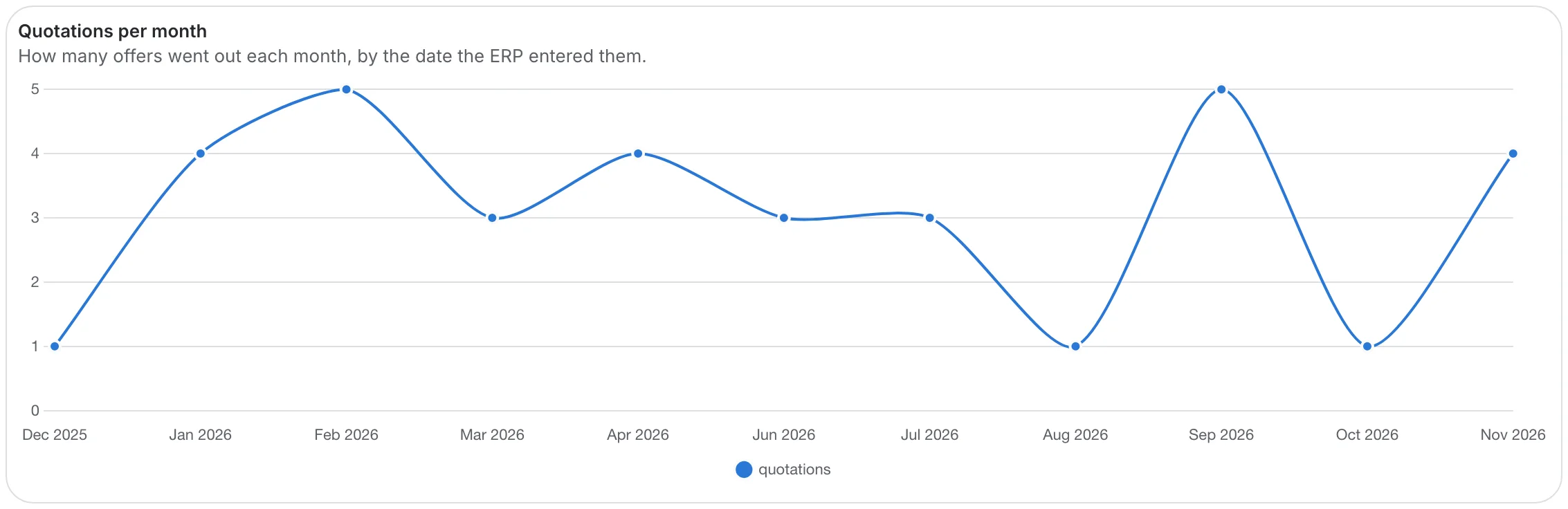
Confidence bands the open quotations by the probability your ERP gives them; Outcome shows how the closed ones resolved, with NR for those still open. Click a bar to see the quotations behind it.
The Custom breakdown answers your own question. Choose what goes in the Rows (for example the account), the Columns (a date per year, quarter or month, or another field, or No split) and the Measure:
Measures: the number of quotations, how many were won, the win rate and the amount offered.
Click any figure to open the list of the documents behind it.