Invoices
Invoices are what was billed to your customers. They are usually imported from the ERP; you can also create one by hand with Add invoice. Each invoice points to the order it bills.
The three are linked to each other and to the rest of the CRM: a quotation can belong to a deal and lists the orders raised from it; an order points to its quotation and deal; an invoice points to its order. Quotations and orders also appear on their company's timeline.
The list
Each list opens on the current fiscal year, by quotation, order or invoice date. The columns show the team, the customer, the salesperson, the dates, the net amount and the status as the ERP reports it.
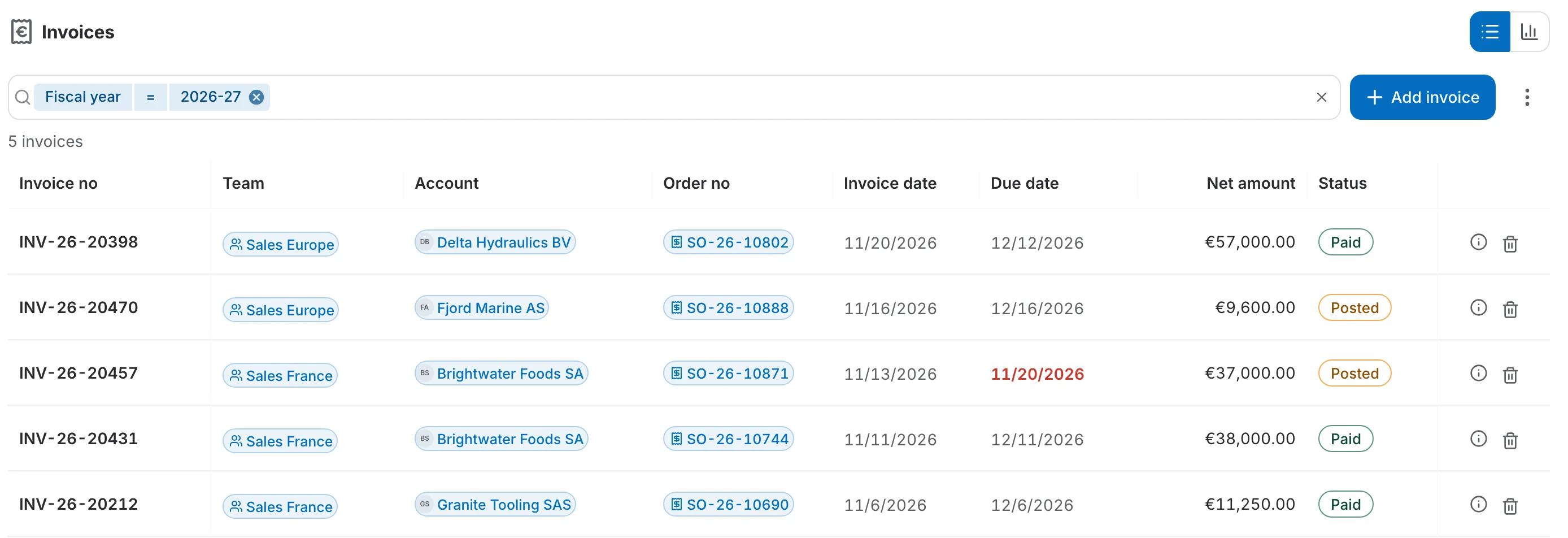
On the Invoices list, the due date of an invoice that is past due and not paid shows in red, and its panel shows an Overdue chip.
An invoice whose customer could not be matched to a CRM account is marked No account.
The details panel
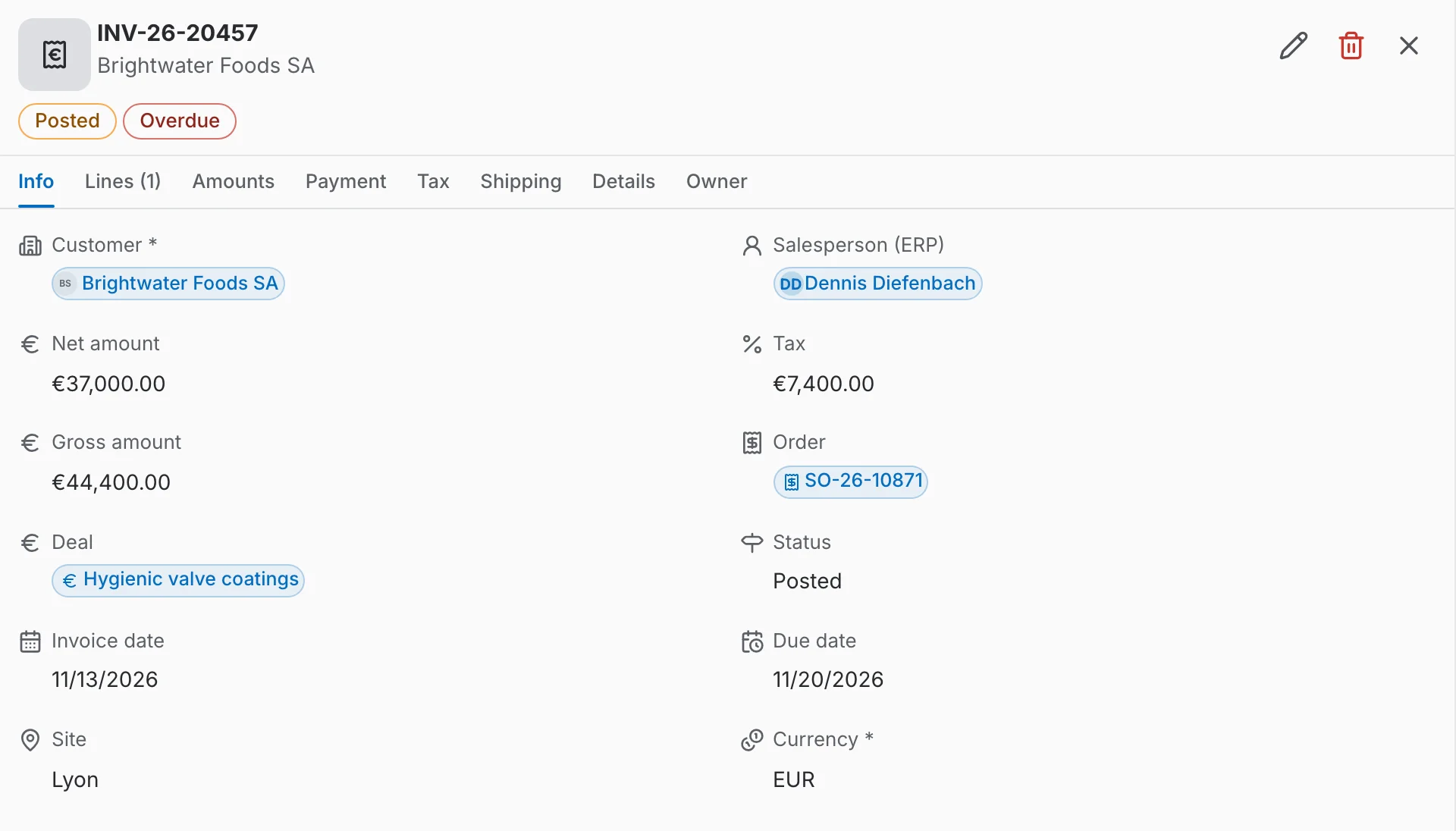
Click an invoice to open it. Its chips show the status and, when it applies, Overdue. The Info tab shows the customer, the salesperson, the net, tax and gross amounts, the order and deal, the status, the invoice and due dates, the site and the currency; further tabs hold the lines, amounts, payment, tax, shipping, details and owner.
Documents imported from the ERP have an Open in IFS (or Open in ERP) button that opens them there.
Analytics and custom breakdown
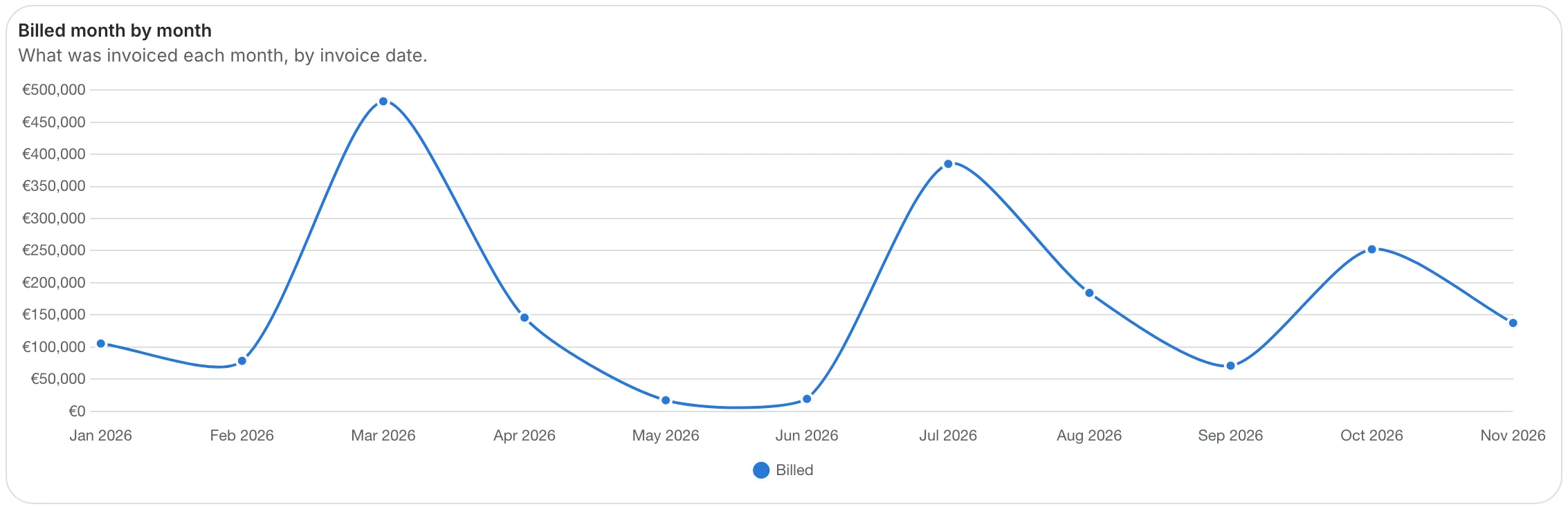
Switch to the Analytics view with the chart button at the top right. It shows the number of invoices, the amount billed (net of tax), the tax and the overdue invoices, then the custom breakdown, the amount billed per month, the aging of unsettled invoices and the top customers.
The Custom breakdown answers your own question. Choose what goes in the Rows (for example the account), the Columns (a date per year, quarter or month, or another field, or No split) and the Measure:
Measures: the number of invoices, the amount billed, the tax and the average invoice.
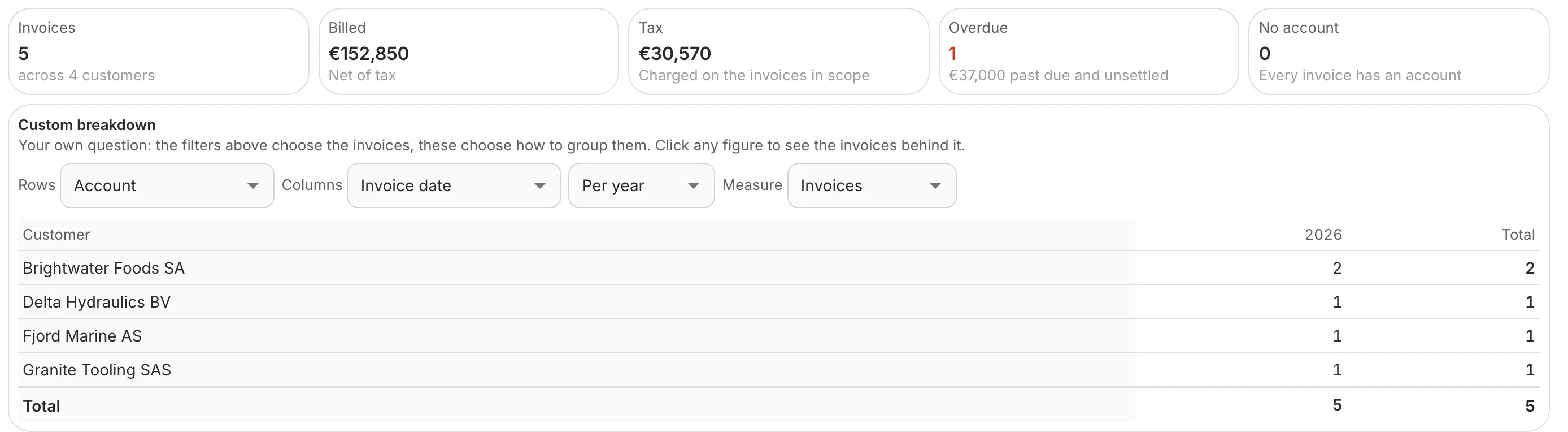
Click any figure to open the list of the documents behind it.
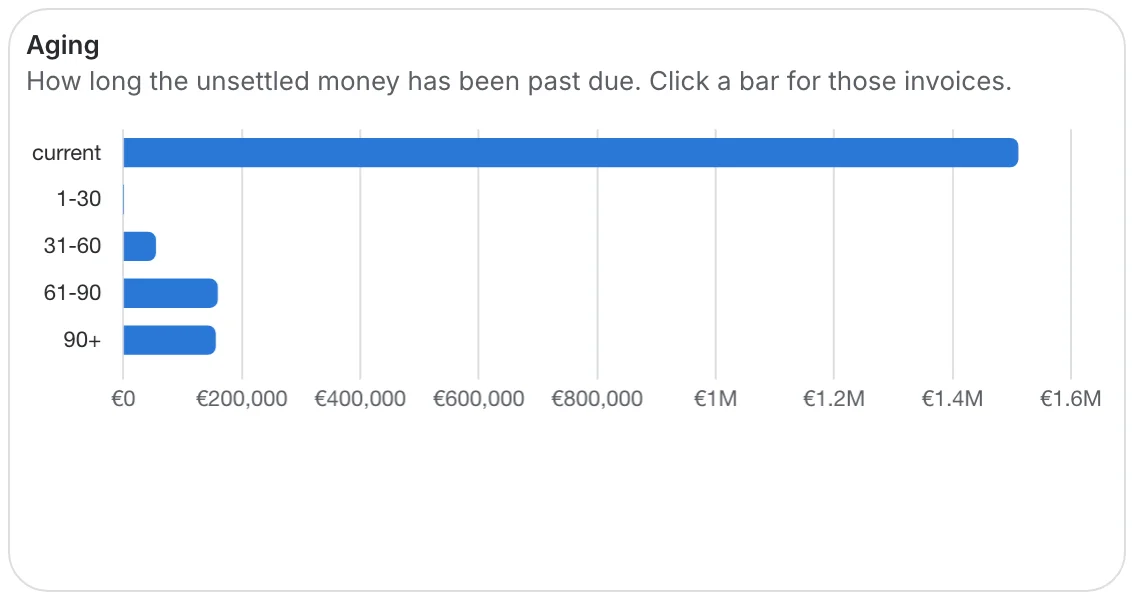
Aging sorts the unsettled amount by how long it has been past due — current, 1–30, 31–60, 61–90 and more than 90 days. Click a bar to see those invoices.