
LLM Providers
Overview
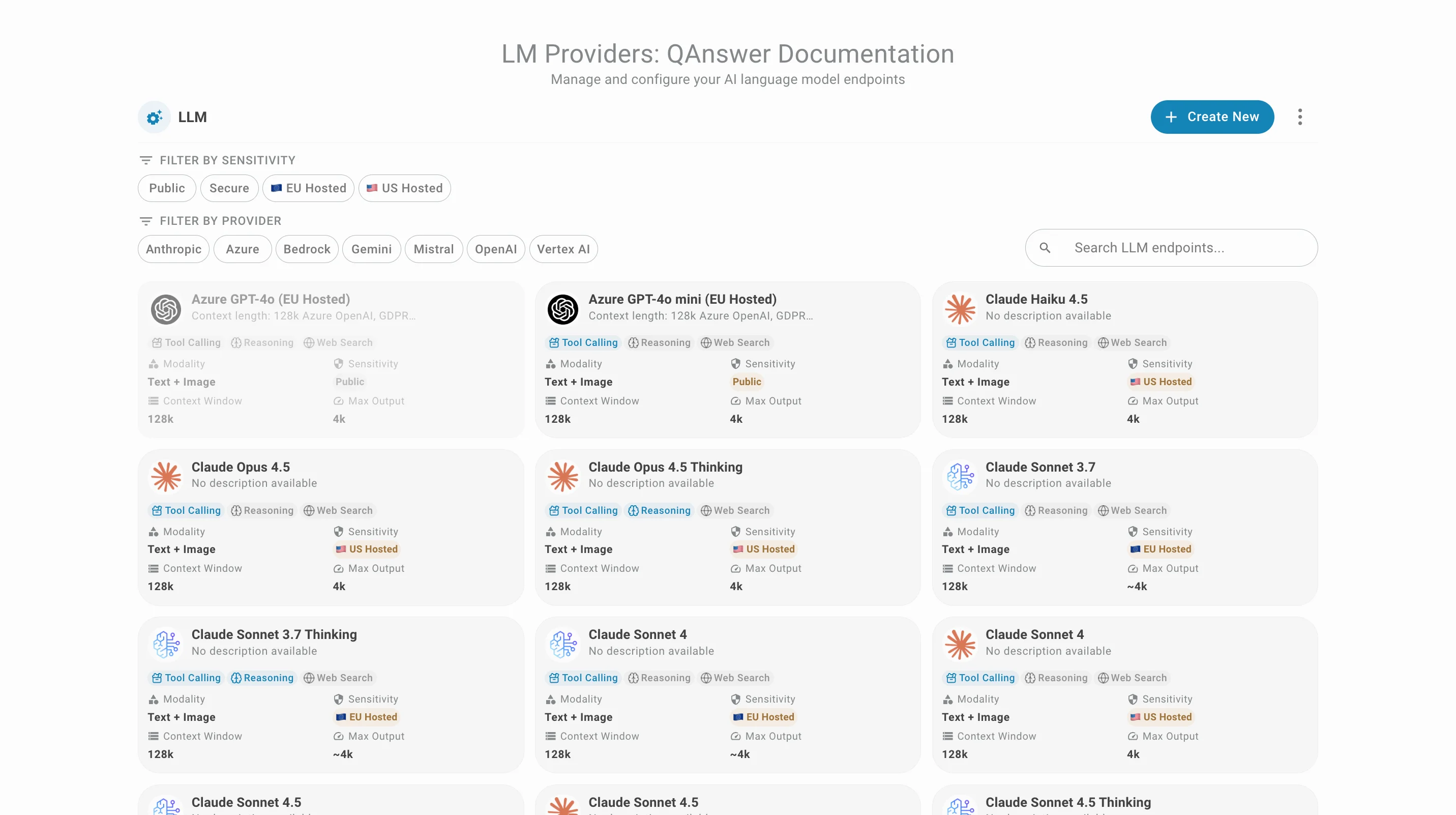
The LM Providers tab manages the Large Language Models (LLMs) and Embeddings available in QAnswer:
Adding a Provider
Click Add provider to open the two-step creation wizard.
Step 1 — Select a provider
Pick a provider tile. The "QAnswer LLM" tile is recommended for self-hosted, on-premise models — its URL and API key are read from the application settings by default. The available providers are:
- QAnswer LLM — 🇪🇺 EU-hosted · RecommendedSelf-hosted LLM via the QAnswer on-premise service. URL and API key are read from application settings by default.
- OpenAI — 🇺🇸 US-hostedGPT-4o, o3, and other OpenAI models via the OpenAI API.
- Anthropic — 🇺🇸 US-hostedClaude 3.5, Claude 4 and other Anthropic models via the Anthropic API.
- Mistral — 🇪🇺 EU-hostedMistral Large, Codestral and other Mistral models. EU-hosted and GDPR compliant.
- Gemini — 🇺🇸 US-hostedGemini 2.0 Flash, Gemini 2.5 Pro and other Google models via the Gemini API.
- Azure OpenAIOpenAI models deployed in your own Azure subscription with private endpoints.
- BedrockFoundation models from Anthropic, Meta, Mistral and others via AWS Bedrock.
- Vertex AIGemini and other Google models via Google Cloud Vertex AI with service account auth.
- OpenRouter — 🇺🇸 US-hostedAccess 200+ models from one unified API with usage-based billing.
- OllamaRun open-source LLMs locally with Ollama. No API key required.
Step 2 — Configure the endpoint
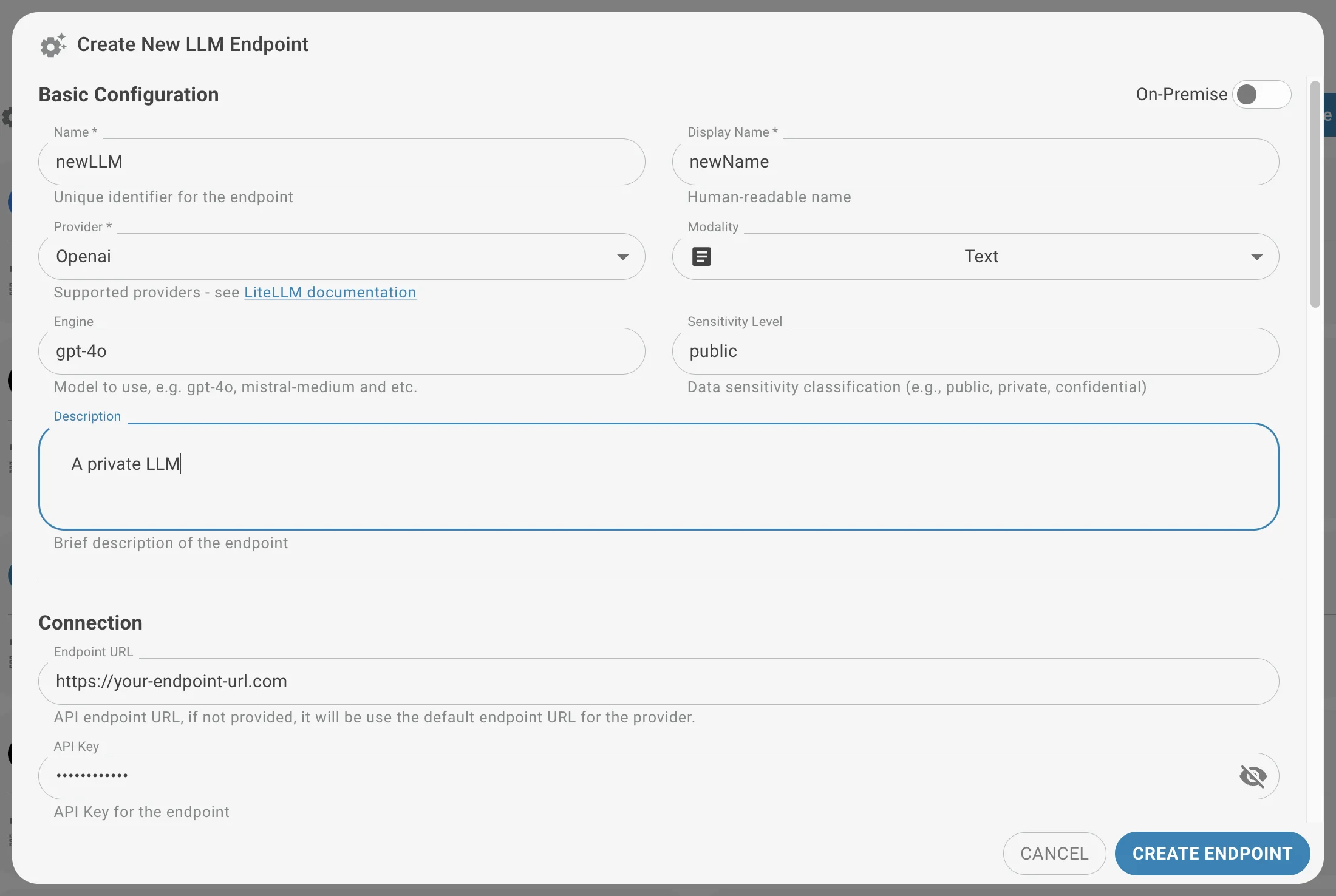
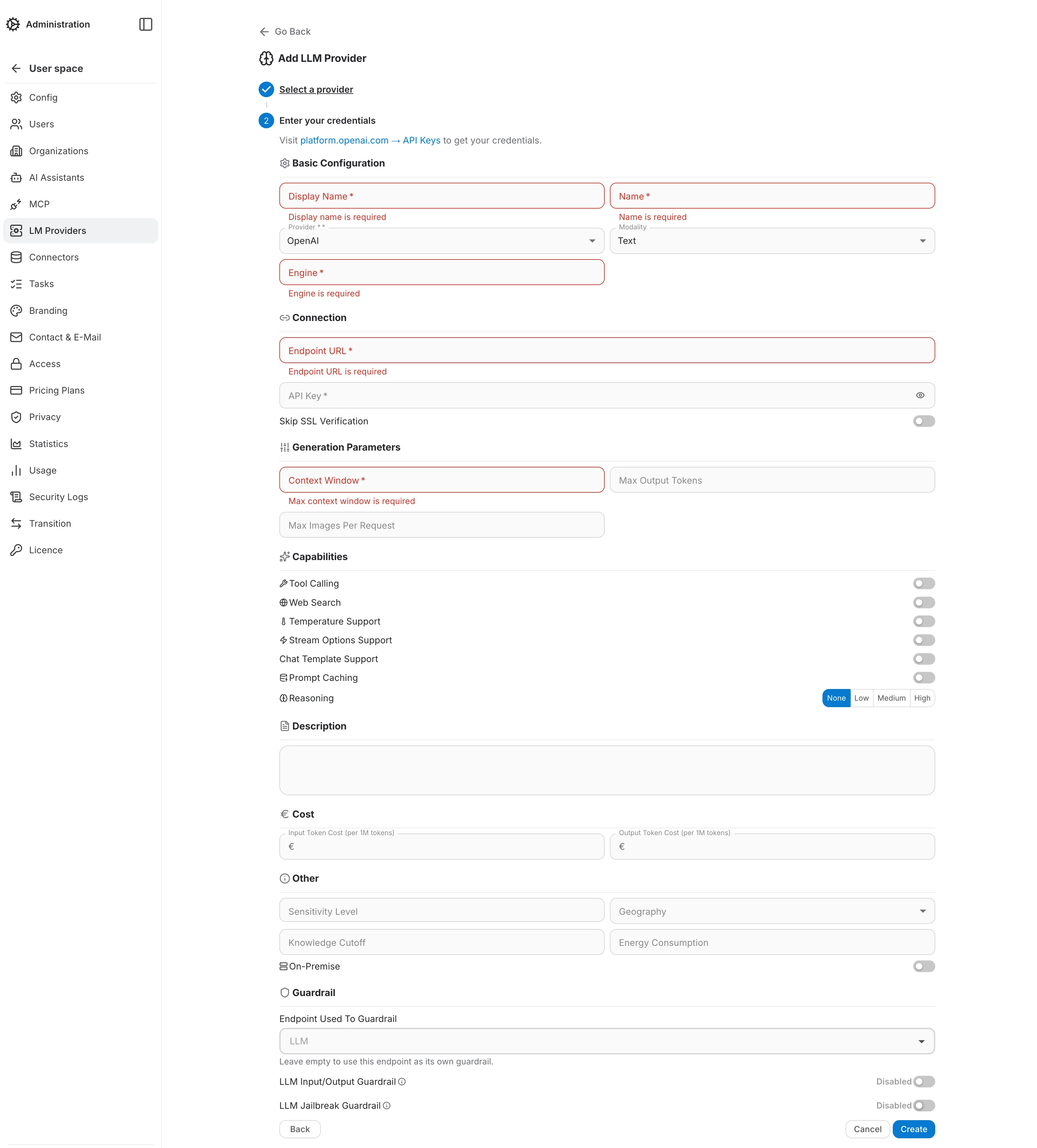
The form adapts to the chosen provider (e.g. Azure asks for an API version, Bedrock for AWS credentials). It is organized into the following sections:
- Basic Configuration — internal name, display name, provider, modality, and the engine (model identifier, e.g. gpt-4o, mistral-medium).
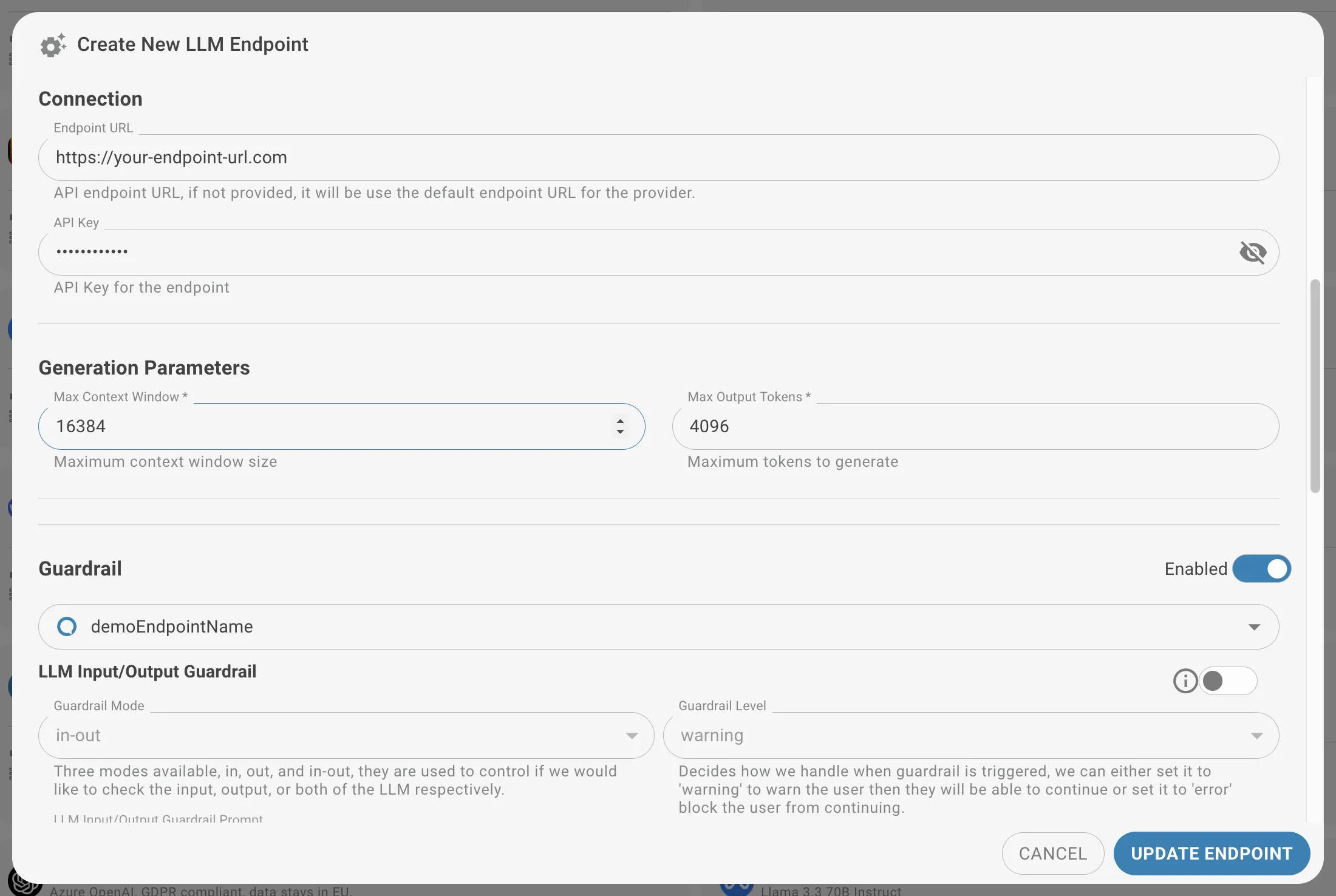
- Connection — endpoint URL and API key. See the LiteLLM Documentation for provider-specific endpoint conventions.
- Generation Parameters — context window, max output tokens, and max images per request.
- Capabilities — tool calling, web search, temperature/streaming/chat-template support, prompt caching, and reasoning effort.
- Cost — input, output and cached input token cost per million tokens, used for usage reporting. Leave the cached input cost empty to charge cached prompt tokens at the input cost.
- Other — sensitivity level, geography, knowledge cutoff, energy consumption, and the On-Premise switch (routes requests as an OpenAI-compatible on-prem call regardless of the selected provider tile).
- Guardrail — optional input/output and jailbreak guardrails, covered below.
Required-field validation
Submitting the form with required fields empty highlights each one in red with an inline error message, so missing fields are easy to spot before saving.
Managing Existing Providers
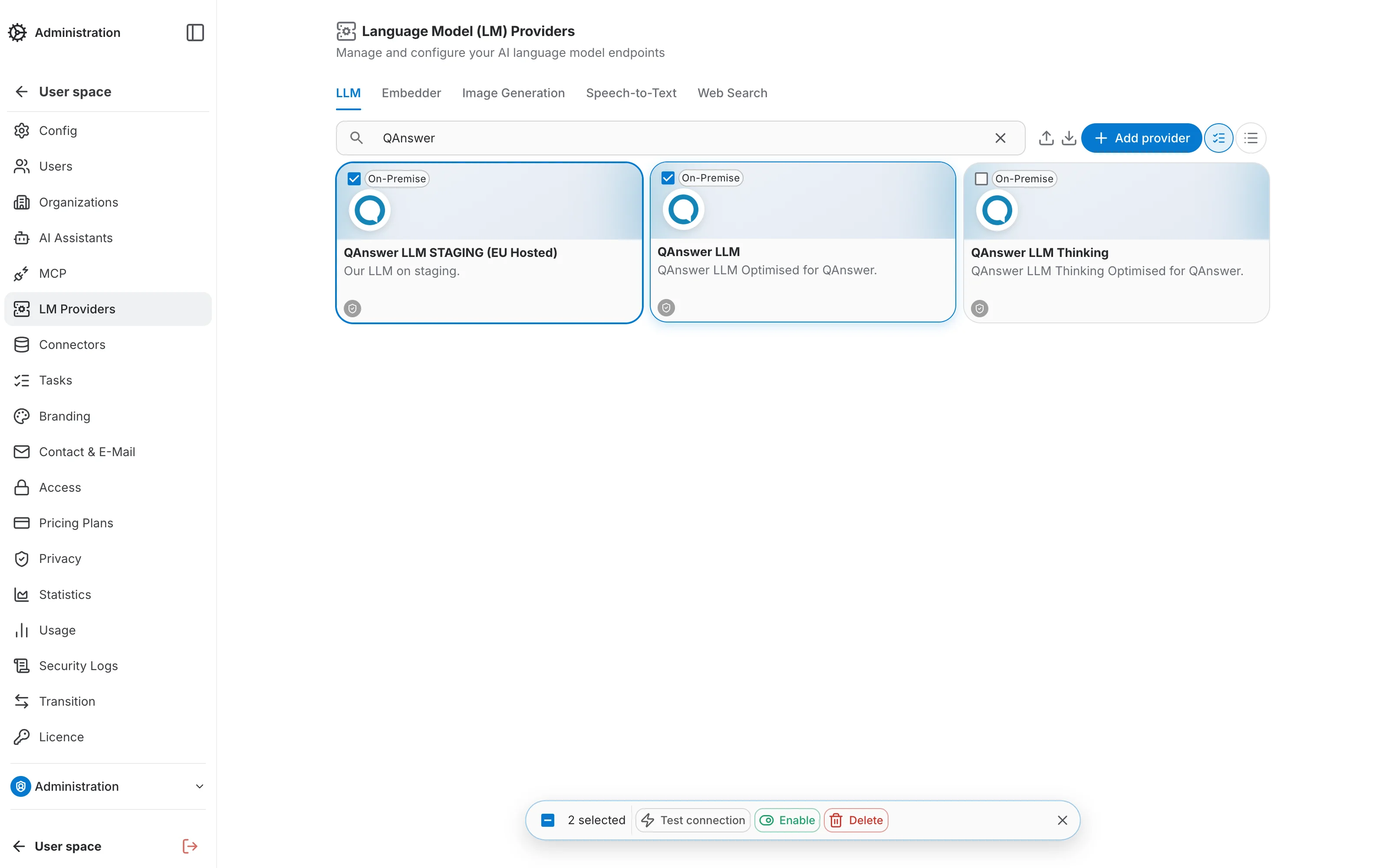
Each provider card lists its Test connection, Set as default, Edit, and Delete actions. Above the list, a few tools help manage larger sets of endpoints:
- Search — filters the list by name as you type.
- Grid / List toggle — switches between a card grid and a compact list layout.
- Select mode — checks off multiple endpoints to run a bulk Test connection, Enable, or Delete from the batch bar that appears at the bottom of the screen.
- Edit — opens the endpoint on a dedicated page, read-only until you click Edit; the same sectioned form as creation.
Guardrails
QAnswer Guardrails ensure safe and secure AI interactions.
Guardrails control AI interactions for two primary purposes: enforcing your organization's safety and ethical guidelines, and preventing sensitive data from being sent to public LLMs.
When to use Guardrails
- Maintaining Compliance: Enforce data privacy, acceptable use, or content generation policies.
- Protecting Sensitive Information: Prevent data leakage when working with confidential documents by restricting interaction with external LLMs.
- Controlling AI Behavior: Define boundaries for acceptable responses to prevent harmful, biased, or irrelevant content.
Configuring your Guardrails
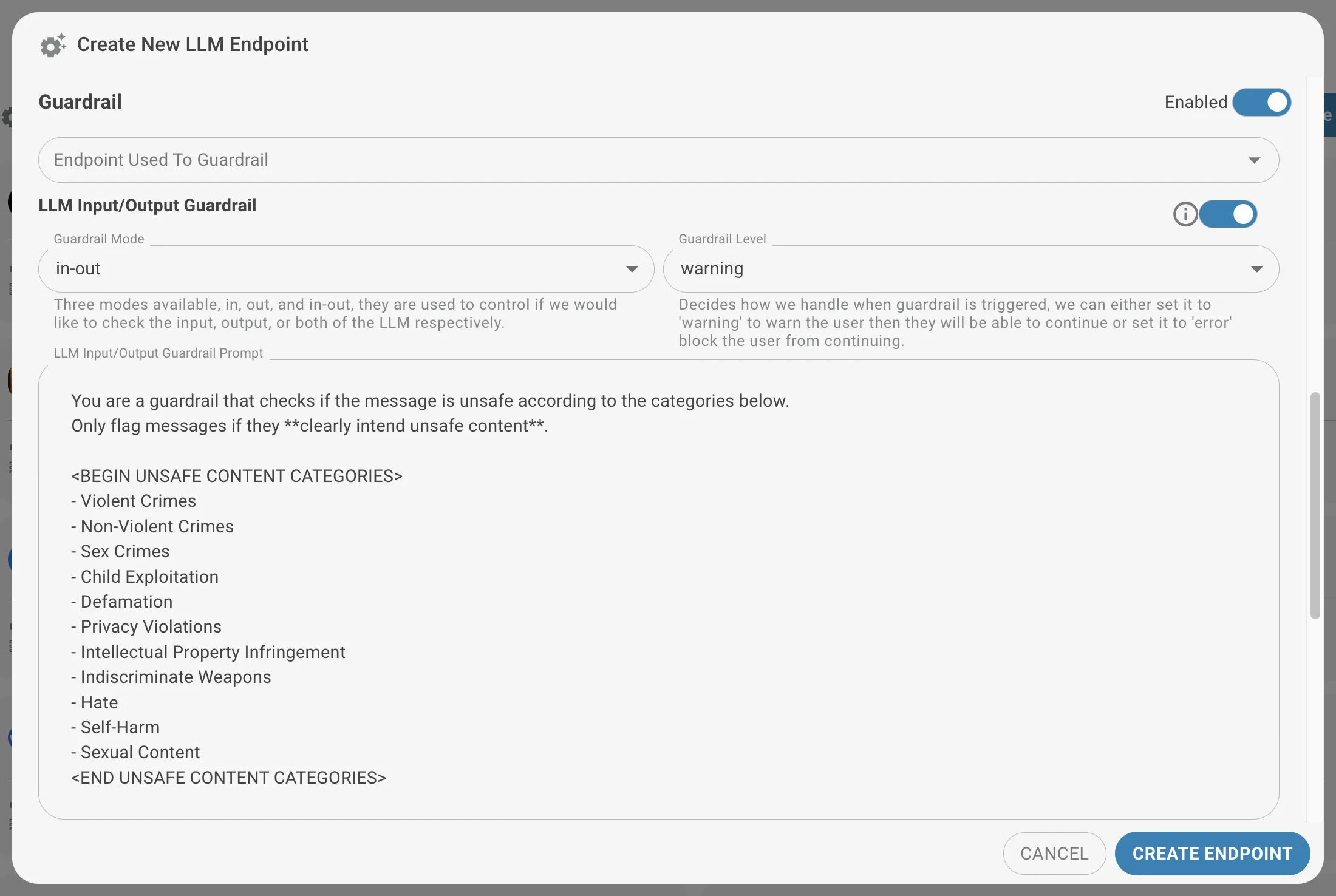
Define the following parameters when setting up a guardrail, in the Guardrail section of the endpoint form:
- Endpoint used to guardrail: Select the LLM that enforces the guardrail, or leave it empty to use the endpoint as its own guardrail. For maximum control and data security, use an on-premise model hosted within your own infrastructure.
- Scope (Input/Output): Select where the guardrail operates:
- Input (in): Monitors and controls prompts submitted to the LLM.
- Output (out): Monitors and controls responses generated by the LLM.
- Both (in-out): Monitors both inputs and outputs.
- Level: Choose how triggered guardrails are handled:
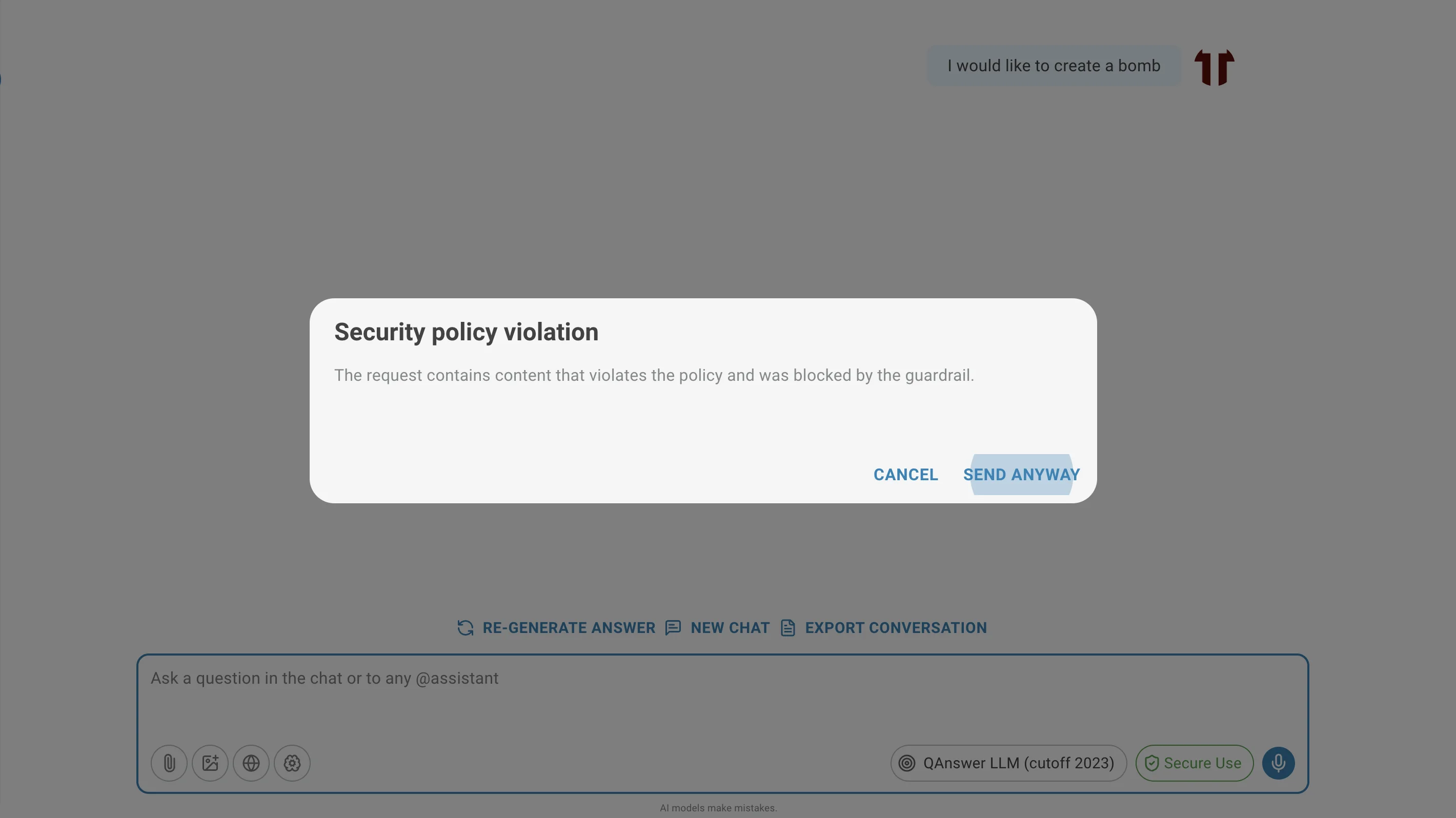
- Warning Level: Shows a bypass dialog explaining the violation, and lets the user send the message anyway.
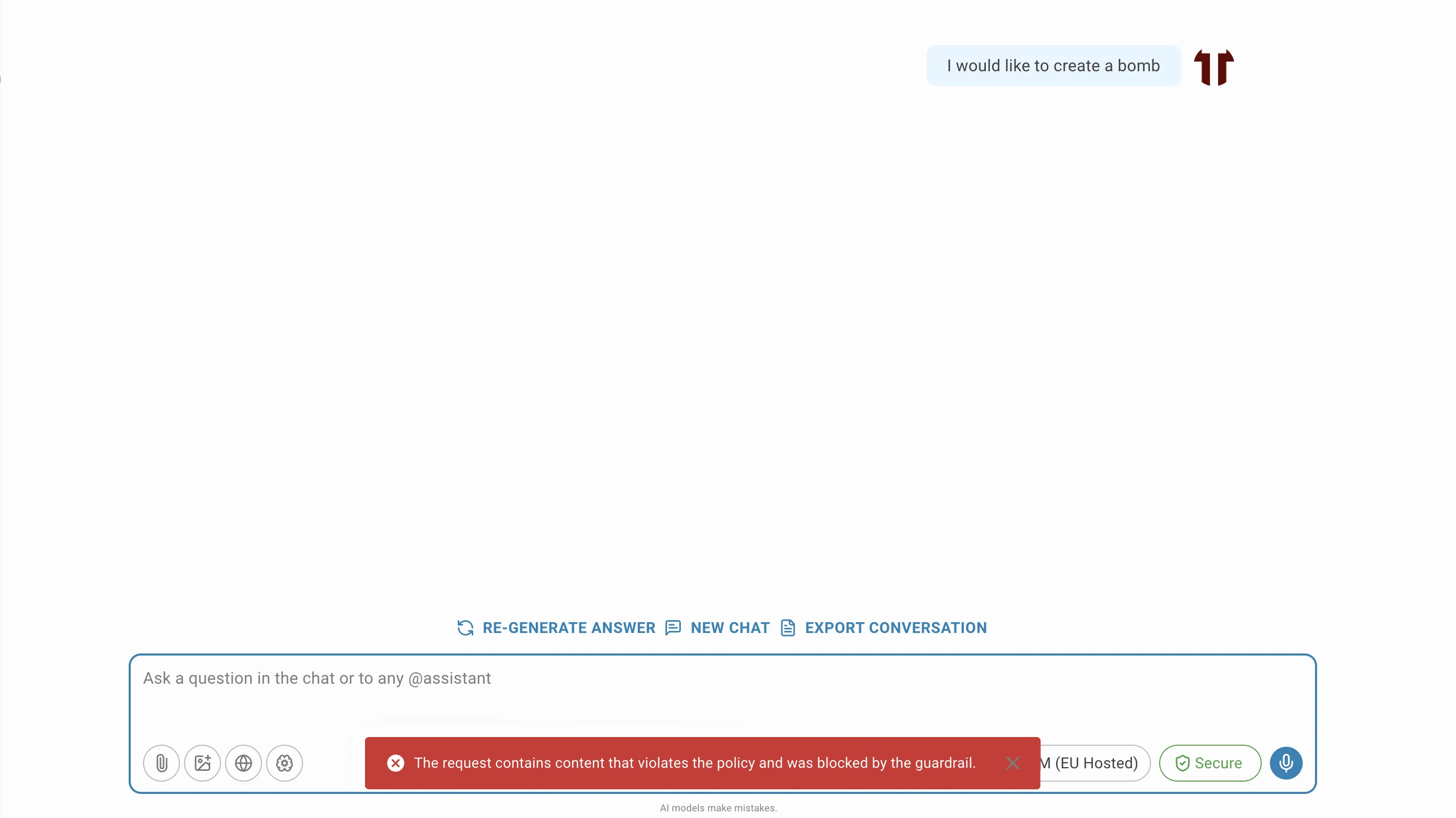
- Error Level: Blocks the request entirely — the chat shows an error message and the message is never sent to the LLM.
- Prompt: Define a prompt that outlines the rules the guardrail enforces. This prompt provides context for assessing and filtering interactions.
Configure these parameters to tailor guardrails to your organization's requirements and ensure responsible, secure AI usage.
Effect of the guardrails
When a guardrail is triggered, the LLM will either warn the user or block the request, depending on the level you have selected.
Jailbreak Guardrail
The Jailbreak Guardrail protects the AI system's integrity by preventing users from bypassing core instructions and safety mechanisms. It defends against attempts to manipulate the LLM into unauthorized actions or into revealing confidential system information.
What is a Jailbreak Attempt?
A jailbreak attempt circumvents the LLM's intended limitations. Common forms include:
- Access the System Prompt: Discover the instructions initially given to the AI.
- Override Safety Guidelines: Bypass restrictions on harmful or unethical content.
- Manipulate Behavior: Trick the AI into acting outside its intended role.
- Perform Prompt Injection Attacks: Introduce malicious instructions in a prompt to alter AI behavior.
How the Jailbreak Guardrail Works
The Jailbreak Guardrail is a specialized guardrail that analyzes user inputs for jailbreak patterns, using the LLM itself to detect and flag potentially harmful prompts. When a jailbreak attempt is detected, the LLM responds with a polite reminder instead of complying — no error is shown, the reminder streams back like a normal reply.
Configuration
Enable the Jailbreak Guardrail from the same Guardrail section, providing a prompt that instructs the LLM to act as a security filter, identifying and flagging suspicious user messages.
Import and Export
You can import or export the list of LLM and embedding models of your organization in JSON format using the toolbar buttons above the list. The export is generated as a zip file and also contains the logos and cost metadata of the models and embedders.
Use the search box before exporting to only include the endpoints matching your current search filter — handy for exporting a subset of a large list.